

Meross Smart Door & Window Sensor Review: Broad Platform Support Undermined by Battery and Hub Problems
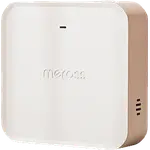
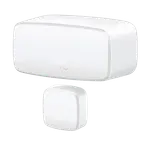
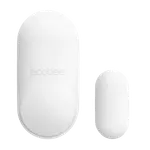
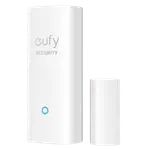
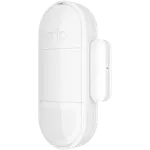
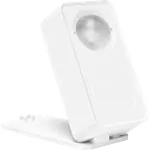
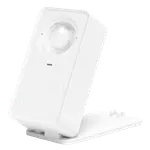
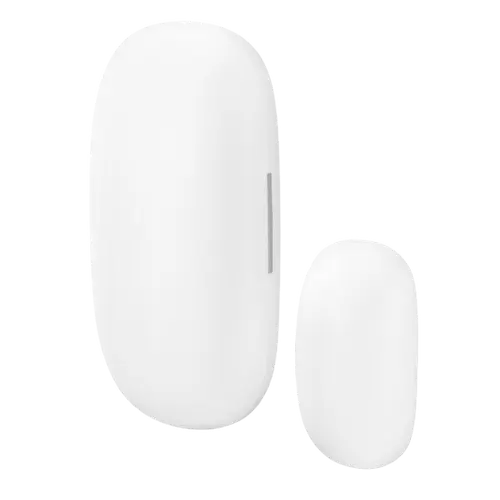
The Meross Smart Door & Window Sensor (MS200H) is appealing on paper: it works with Apple HomeKit, Alexa, Google Home and SmartThings, sets up in about five minutes via the Meross app (with the required Meross hub), and is small and discreet. Owners like that the two halves don't need to sit flush to register, making it great for misaligned internal doors, that range through thick walls is decent, and that it enables automations and door-left-open alerts, all at a low price within the broader Meross ecosystem. Support is also praised for replacing defective units. But its low average rating reflects serious, recurring hardware problems. The battery holder is too loose, so on a moving door the battery slides and loses contact, causing sensors to stop responding (owners resort to tape or flipping the unit). Battery life is far below the advertised two years, often weeks, and many units arrive with dead or nearly-dead batteries (poor quality control). The hub frequently drops its WiFi connection, even in the same room, and, worse for a security device, doesn't alert you when it's offline, with notifications sometimes delayed by hours. There's also a frustrating HomeKit limitation: because the HomeKit code lives on the hub (not the sensor), each sensor effectively needs its own Meross hub for separate HomeKit pairing. And a Meross hub is required even for SmartThings. If you already use Meross and want a cheap sensor for non-critical alerts, it can work; for reliable security, look elsewhere.
- Existing Meross ecosystem users
- Misaligned internal doors (wide gap tolerance)
- Non-critical open/close alerts
- Budget multi-platform sensing (with caveats)
Pros
- Works with HomeKit, Alexa, Google Home and SmartThings
- Quick, easy setup (about 5 minutes) with the included hub
- Two halves don't need to be flush; great for misaligned doors
- Decent range through walls; automations and open-too-long alerts
- Inexpensive, and helpful customer support that replaces units
Cons
- Loose battery holder causes dropouts on moving doors
- Battery life far below the advertised 2 years; many dead-on-arrival cells
- Hub frequently drops WiFi and doesn't alert you when offline
- HomeKit needs one Meross hub per sensor; hub required even for SmartThings
- Pairing failures for some units (QR codes won't scan/are rejected)
Who is the Meross Door & Window Sensor for?
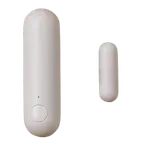
This is a compact contact sensor that requires a Meross hub and works with Apple HomeKit, Alexa, Google Home and SmartThings, with real-time open/close alerts and automations. It runs on a CR2450 battery and tolerates a gap between the two halves, so it suits misaligned doors. It best suits existing Meross owners, internal doors where the sensor and magnet can't sit flush, and budget non-critical alerting across multiple platforms. Given widely reported battery and connectivity issues, it's a poor fit for security-critical use, and note that a Meross hub is required even for SmartThings, and that HomeKit pairing has a one-sensor-per-hub catch. Read the caveats before buying.
What buyers love
The main draws are platform breadth and easy setup. It integrates with HomeKit, Alexa, Google Home and SmartThings, and owners report seamless Google Home and Alexa use (for example, asking Alexa whether the back door is open). Setup takes about five minutes with the included hub and clear app prompts, and the sensor is small and unobtrusive. A genuinely useful design point is that the two halves don't need to be flush to register open/close, making it ideal for internal doors that don't align, and range is decent, working through a couple of thick walls for some owners. It supports automations (turning on lights when a door opens) and door-left-open notifications (alert if the back door is open for a minute), stores exportable history, and is inexpensive, especially attractive if you're already invested in Meross smart plugs or switches. Meross customer support also earns praise for troubleshooting and promptly sending replacement units.
What to know before you buy
Several serious issues explain the low rating. The battery holder is too loose: on a door that opens and closes, the battery slides and loses contact, so the sensor stops responding (owners tape the battery in place or flip the unit, and note mounting the battery half on the fixed frame helps). Battery life is far short of the advertised two years, often just weeks, and many units arrive with dead or nearly-dead batteries, pointing to poor quality control (replacing them adds meaningfully to the cost). The hub is unreliable, frequently losing its WiFi connection even sitting in the same room with no obstructions, and critically it does not alert you when it goes offline, with notifications sometimes instant and sometimes delayed by hours, which is dangerous for a security sensor. There's also a HomeKit limitation: because the HomeKit code is on the hub rather than the sensor, you can't pair multiple sensors to HomeKit separately using a HomePod as a bridge, effectively needing one Meross hub per sensor. A Meross hub is required even to use it with SmartThings (not obvious at purchase, leading to returns), some units won't pair at all (QR codes that won't scan or are rejected by HomeKit/SmartThings), the CR2450 battery is less convenient than AAA, and the case is fiddly to open for battery changes.
Is the Meross Door & Window Sensor worth it?
Only in a narrow case. If you already run Meross gear, want a cheap sensor for non-critical open/close alerts on internal (possibly misaligned) doors, and can live with fiddling, the Meross Door & Window Sensor offers broad platform support and easy setup. But the drawbacks are significant: a loose battery holder that causes dropouts, battery life measured in weeks with frequent dead-on-arrival cells, an unreliable hub that silently goes offline, and a one-sensor-per-hub HomeKit limitation, plus a Meross hub requirement even for SmartThings. Buy it only for low-stakes convenience within the Meross ecosystem; if you need dependable security alerts or clean multi-sensor HomeKit support, choose a different, more reliable sensor.
Frequently asked questions
Does it need a hub?
Yes, a Meross hub is required, even to use it with SmartThings (which isn't obvious on the product page and leads to some returns). Through the hub it works with Apple HomeKit, Alexa, Google Home and SmartThings, and enables automations and alerts via the Meross app.
Why do the sensors keep dropping out?
Two reasons. The battery holder is too loose, so on a moving door the battery slides and loses contact (owners tape it in place or mount the battery half on the fixed frame). And the hub frequently loses its WiFi connection, even nearby, without alerting you it's offline, so notifications can be instant or delayed by hours, a real problem for a security sensor.
How long does the battery last?
Far less than the advertised two years, often just weeks, and many units arrive with dead or nearly-dead batteries, indicating poor quality control. It uses a CR2450 (owners would prefer common AAA), and the case is fiddly to open for replacement, which adds cost and hassle.
Can I use several with Apple HomeKit and a HomePod?
Not easily. The HomeKit code is on the hub, not the sensor, so you can't pair multiple sensors to HomeKit separately using a HomePod as a bridge, you effectively need a separate Meross hub for each sensor to get individual HomeKit pairing, which owners find impractical for covering multiple doors and windows.
Is it reliable enough for security?
Not really. Between the loose battery holder, weeks-long battery life, and a hub that silently goes offline with sometimes hours-long notification delays, it's unsuitable as a dependable security sensor. It's better viewed as a low-cost convenience sensor for non-critical alerts within the Meross ecosystem.