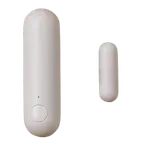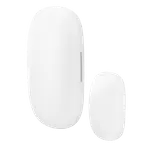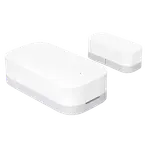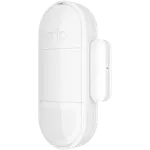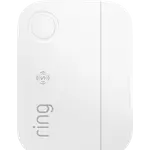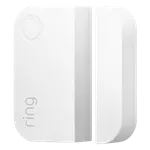
Ring Window & Door Sensor (3rd Gen) Review: The Ring Contact Sensor That No Longer Needs a Base Station
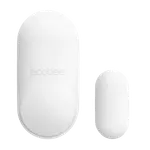
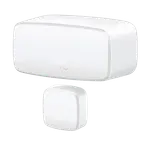
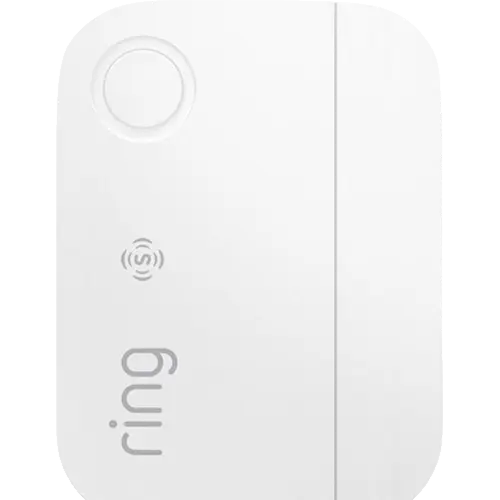
The Ring Window & Door Sensor (3rd Gen) is the easiest way to add an entry alert to a Ring home: it joins Amazon Sidewalk straight out of the box, so a single sensor works without buying a Ring Alarm base station, and it still pairs over Z-Wave when you already own one. Buyers praise the fast QR-code setup, the strong adhesive and the instant open and close notifications, and it slots into the same app as Ring doorbells and cameras. The trade-offs are an ecosystem limited to Ring and Alexa, phone alerts some owners find too quiet, and fiddly pairing for a few people adding it to an older setup.
- Ring doorbell and camera owners
- Single doors without an alarm hub
- Existing Ring Alarm homes
- Alexa households
Pros
- Works on Amazon Sidewalk with no base station required
- Also pairs to a Ring Alarm base station over Z-Wave
- Fast QR-code setup and a strong adhesive mount
- Instant open and close alerts in the Ring app, plus Alexa announcements
- Tamper and low-battery alerts
- Up to 3 years on two CR2032 coin cells
Cons
- No Google Home, Apple Home, SmartThings or Matter support
- Home Assistant only through the community ring-mqtt add-on
- Phone notifications can be too quiet to wake you
- Pairing took several tries for some owners
- Indoor use only
- Professional monitoring requires a subscription
Who is the Ring Window & Door Sensor (3rd Gen) for?
It is built for people who already live in the Ring app. Its big change over the 2nd gen contact sensor is connectivity: it talks over Amazon Sidewalk, the low-power network that Echo speakers and Ring devices share, so it no longer needs a Ring Alarm base station to work. That makes it a sensible buy for someone who wants to watch one front door, a back door or a child's bedroom window without paying for a whole alarm kit, and owners mention exactly those uses. If you already run a Ring Alarm, it can also join the base station over Z-Wave, so it fits both kinds of Ring home.
What buyers love
Setup is the most repeated praise: you insert the batteries, scan the QR code in the Ring app, name the sensor and stick it on, and owners describe fitting several doors and windows in well under an hour. The adhesive backing gets compliments for holding firmly, and the sensor is compact enough for narrow window frames. Owners like getting an instant notification (or an Alexa announcement) every time a door opens or closes, and having those alerts in the same app as their doorbell and cameras. Several buyers single out the no-hub design as the reason they finally bought one.
What to know before you buy
This is a Ring and Alexa product. It does not work with Google Home, Apple Home, SmartThings or Matter, and Home Assistant only sees it through the community ring-mqtt add-on, which reads it from your Ring account rather than pairing it directly; one owner who tried to pair it straight to his own Z-Wave controller could not. Sidewalk coverage varies by neighborhood, so the sensor needs a nearby Sidewalk bridge (an Echo or a Ring device) or a Ring Alarm base station. A few owners found pairing took several attempts, especially with an older base station, one received a sensor with half-drained CR2032 batteries, and some wish the app offered more settings. The most pointed complaint is that phone notifications can be easy to sleep through unless the system is armed. It is an indoor sensor with no weather rating, and 24/7 professional monitoring needs a subscription.
Is the Ring Window & Door Sensor (3rd Gen) worth it?
For a Ring household it is an easy yes: it is affordable, quick to install, carries tamper and low-battery alerts, keeps a time-stamped history in the Ring app and receives software updates, and the Sidewalk connection removes the base station that used to be the price of entry. The magnet can sit up to 1 inch (25.4 mm) from the sensor, which forgives slightly uneven frames. If your smart home is built around Google, Apple or Matter, or you want a sensor you can pair directly to your own Z-Wave or Zigbee hub, look elsewhere.
Frequently asked questions
Does the Ring Window & Door Sensor (3rd Gen) need a Ring Alarm base station?
No. It connects over Amazon Sidewalk out of the box, so it works on its own wherever Sidewalk coverage reaches. If you already have a Ring Alarm base station, it can connect to it over Z-Wave instead.
What is the difference between the 2nd gen and 3rd gen Ring contact sensor?
The 2nd gen sensor only works through a Ring Alarm base station over Z-Wave. The 3rd gen adds Amazon Sidewalk, so it can work without a base station, and it is set up by scanning a QR code in the Ring app.
Does it work with Alexa, Google Home or Apple Home?
It works with Alexa, which can announce openings and use the sensor in routines. It does not work with Google Home, Apple Home, SmartThings or Matter.
Does the Ring Window & Door Sensor (3rd Gen) work with Home Assistant?
Yes, through the community ring-mqtt integration, which reads Ring devices from your Ring account. It is not a sensor you pair directly to your own Z-Wave or Zigbee controller.
What batteries does it use and how long do they last?
Two CR2032 coin cell batteries, included, rated for up to 3 years depending on how often the door or window opens and how close the sensor is to a Sidewalk gateway. The Ring app warns you when they run low.
How far apart can the sensor and magnet be?
Ring says to keep no more than 1 inch (25.4 mm) between the sensor and the magnet when the door or window is closed, and to leave at least half an inch of room to open the battery compartment.