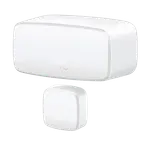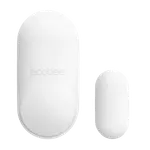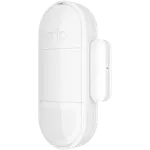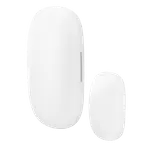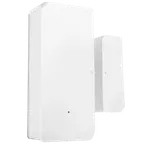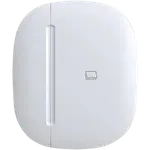



Sonoff DW2 Wi-Fi Door/Window Sensor Review: A Cheap Hub-Free Sensor, If You Can Get It Paired
The Sonoff DW2 Wi-Fi is a low-cost door and window contact sensor whose main appeal is that it connects directly over Wi-Fi with no hub or gateway required. Once it's running, owners find it reliable and genuinely useful, popular for mailbox alerts (know when mail or a package arrives), garage-door notifications, and simple alarm triggers, with good Wi-Fi range, Home Assistant support, low-battery alerts, and cheap, easy-to-replace AAA batteries. The catch, and the reason for its mixed rating, is pairing: a lot of owners can't get it onto the eWeLink network on modern routers (a common error 6315), and the manual is no help. The key fix, poorly documented, is to enable the 'b' protocol on your 2.4GHz Wi-Fi (not just G/N), after which it pairs immediately, and Bluetooth-assisted pairing tends to work better than the standard flow. Beyond that, the included magnet needs a very small gap to the sensor (owners often swap in a stronger rare-earth magnet), some report heavy battery drain or a failure to reconnect after a power/Wi-Fi outage, and it lacks HomeKit and Matter. Seller support is responsive for many. If you're comfortable with the pairing quirk (or use Home Assistant) and want a cheap, hub-free sensor, it does the job; if you want plug-and-play simplicity, look elsewhere.
- Hub-free Wi-Fi door/window sensing
- Mailbox and garage-door alerts
- Home Assistant and eWeLink users
- Budget DIY automations
Pros
- Connects directly over Wi-Fi, no hub or gateway needed
- Reliable and useful once running (mailbox, garage, alarm alerts)
- Good Wi-Fi range and Home Assistant support
- Low-battery alerts and cheap, easy-to-replace AAA batteries
- Compact, with adhesive that survives repositioning
Cons
- Often hard to pair on modern routers (needs the Wi-Fi 'b' protocol enabled)
- Included magnet needs a very small gap; a stronger magnet often helps
- Inconsistent battery life; may not reconnect after an outage
- Not rechargeable; can't add an external sensor
- No Apple HomeKit or Matter
Who is the Sonoff DW2 for?
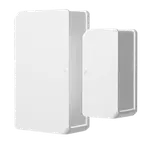
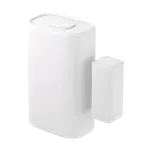
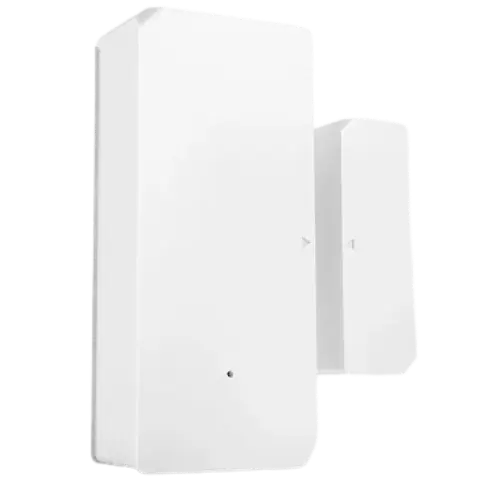
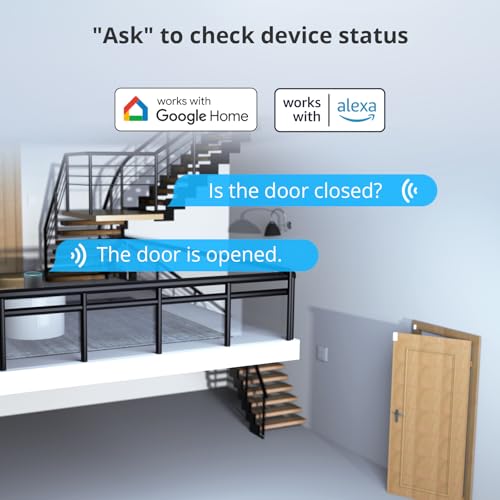
This is a budget Wi-Fi door and window contact sensor that connects directly to your 2.4GHz Wi-Fi with no hub or gateway. It works with the eWeLink app and integrates with Google Home, Alexa, Home Assistant and IFTTT (no Apple HomeKit or Matter). It runs on 2 AAA batteries and uses Bluetooth only for pairing. It best suits people who want hub-free Wi-Fi sensing, mailbox or garage-door alerts, eWeLink or Home Assistant users, and budget DIY automations. It best fits those comfortable troubleshooting a finicky pairing process; if you want a guaranteed plug-and-play sensor, read the caveats first.
What buyers love
The headline is simplicity of architecture: it's a Wi-Fi sensor that needs no separate hub or Zigbee bridge, and it's cheap. Once running, owners find it reliable and put it to creative use, a favorite is a mailbox notifier (a 'bing' when the mailbox opens so you know mail or a package has arrived), and others use it on garage doors (to know when Amazon Key delivery drops a package, or when a family member gets home) and as an alarm trigger. Wi-Fi range is better than expected, even reaching a mailbox out in the yard, and it integrates well with Home Assistant (and can be flashed if you prefer). The eWeLink app is well liked, it sends low-battery alerts, and the AAA batteries are affordable and easy to replace. The sensors are small, the adhesive holds even after repositioning for alignment, and several owners report units running reliably for years. Seller support also earns praise for reaching out and resolving issues.
What to know before you buy
The dominant problem is pairing. Many owners simply cannot get the DW2 onto the eWeLink network on modern routers, hitting a generic error 6315 with no useful guidance in the manual. The crucial, under-documented fix is to enable the 'b' protocol on your 2.4GHz Wi-Fi (by default many routers use only G/N), after which it pairs immediately, and using the Bluetooth-assisted pairing option tends to go more smoothly than the standard method. Without knowing this, some buyers give up and return it. Second, the magnet: the included magnet must sit very close to the sensor (minimal gap) to hold and trigger reliably, which can be awkward on some doors, owners frequently substitute a stronger rare-earth magnet for more tolerance. Battery experience is inconsistent: while many get long life, some report the sensor draining batteries in days rather than months, and a few note it won't reconnect after a power or Wi-Fi outage without pulling and reseating the batteries. It's Wi-Fi (so higher power draw than Zigbee/Z-Wave), not rechargeable, can't accept an external sensor, and has no Apple HomeKit or Matter support.
Is the Sonoff DW2 worth it?
For a cheap, hub-free Wi-Fi contact sensor, the Sonoff DW2 is worth it if you can get past the pairing hurdle, once connected, it's reliable, useful for mailbox and garage alerts, integrates with Home Assistant, IFTTT, Alexa and Google, and runs on affordable AAA batteries with low-battery alerts. The trade-offs are real, though: pairing can be genuinely difficult on modern routers (enable the Wi-Fi 'b' protocol to fix it), the included magnet needs a very small gap (a stronger magnet helps), battery life is inconsistent, and there's no HomeKit or Matter. Buy it if you're a tinkerer, use eWeLink or Home Assistant, and want a low-cost hub-free sensor; if you want reliable, plug-and-play pairing out of the box, choose a different sensor.
Frequently asked questions
Do I need a hub or gateway?
No, that's the main appeal. The DW2 connects directly to your 2.4GHz Wi-Fi via the eWeLink app, with no separate hub or Zigbee bridge. It then integrates with Google Home, Alexa, Home Assistant and IFTTT (but not Apple HomeKit or Matter).
Why won't it pair with my Wi-Fi?
This is the most common issue, often a generic error 6315. The key fix, which the manual doesn't explain, is to enable the 'b' protocol on your 2.4GHz Wi-Fi (many routers default to G/N only). After adding 'b', it typically pairs right away. Using the Bluetooth-assisted pairing option also tends to work more reliably than the standard flow.
How much gap can the magnet tolerate?
Not much. The included magnet needs to sit very close to the sensor to hold and trigger reliably, which can be awkward on some doors or windows. Many owners swap in a stronger rare-earth magnet, which increases the usable gap and improves consistency.
How is the battery life?
It's inconsistent. Many owners get long life from the 2 AAA batteries and appreciate the low-battery alert, but some report heavy drain (days to a week) on certain units, and a few find it won't reconnect after a power or Wi-Fi outage without removing and reseating the batteries. Being a Wi-Fi sensor, it draws more power than Zigbee or Z-Wave alternatives.
What can I use it for?
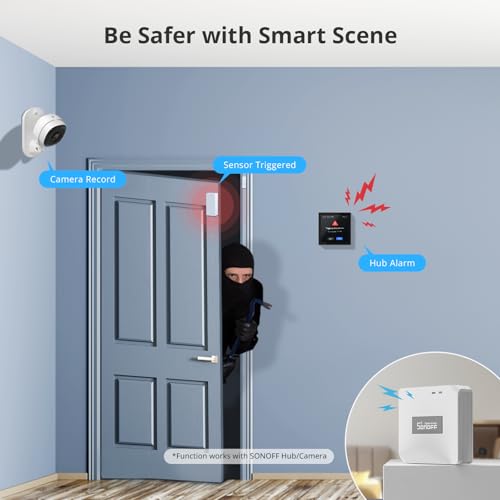
Beyond standard door and window monitoring, owners use it creatively: mailbox open alerts (know when mail or a package arrives), garage-door open/close notifications, and triggering alarm or automation notifications, all with app push alerts and Home Assistant automations. It records history for 90 days and sends low-battery warnings.