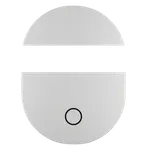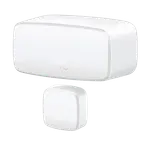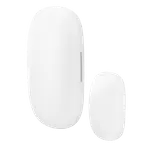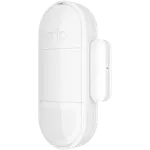
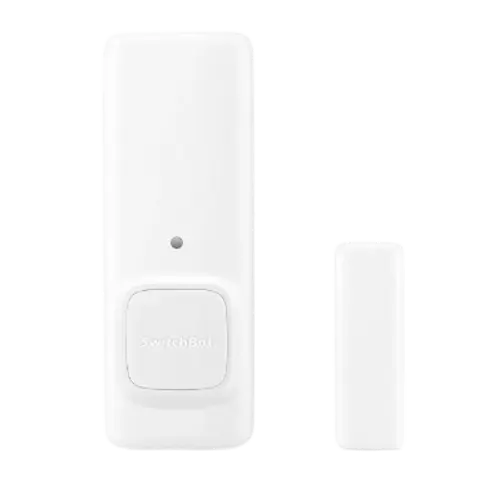


SwitchBot Contact Sensor Review: A Cheap, Reliable 3-in-1 Door, Motion and Light Sensor (Hub Recommended)
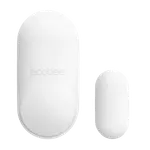
The SwitchBot Contact Sensor is a well-liked, affordable sensor that does more than most: in one small unit it detects door/window open/close, motion, and ambient light. Owners praise how easy it is, peel-and-stick 3M mounting and pairing in under five minutes, and how fast and reliable the alerts are, with near-zero latency and instant notifications when a door or garage opens. It integrates quickly with Home Assistant and enables versatile automations (turn on a light when a cabinet opens, alert via Alexa and a camera when the garage opens), and battery life is strong on 2 AAA cells with low-battery warnings in the app. The main thing to understand is that a SwitchBot Hub (Hub Mini or Hub 2) is effectively required for the good stuff: without one, the sensor only works over Bluetooth in the SwitchBot app, with no remote access and no Alexa/Google, several one-star reviews come from buyers who didn't realize this. Even with a hub, Alexa only exposes the contact (open/close) function for routines, while motion and light automations stay within the SwitchBot app. Notifications are occasionally delayed, the 3M adhesive can struggle in extreme cold, and there's no direct HomeKit (Matter needs a recent hub). For a Home Assistant or SwitchBot household wanting a cheap, capable sensor, it's an easy recommendation.
- Home Assistant users
- SwitchBot ecosystem owners
- Combined door, motion and light sensing
- Affordable smart-home automations
One sensor per door or window.
Buy on Amazon USACheck pricePros
- 3-in-1: contact, motion and light sensing in one small unit
- Very easy peel-and-stick install and pairing in minutes
- Fast, reliable alerts with near-zero latency
- Quick, smooth Home Assistant integration
- Versatile automations and good AAA battery life
- Cheap and compact
Cons
- Needs a SwitchBot Hub for remote access and voice assistants
- With Alexa, only the contact function is exposed (not motion/light)
- Occasional delayed notifications for some
- 3M adhesive can fail in extreme cold; Bluetooth range limited without a hub
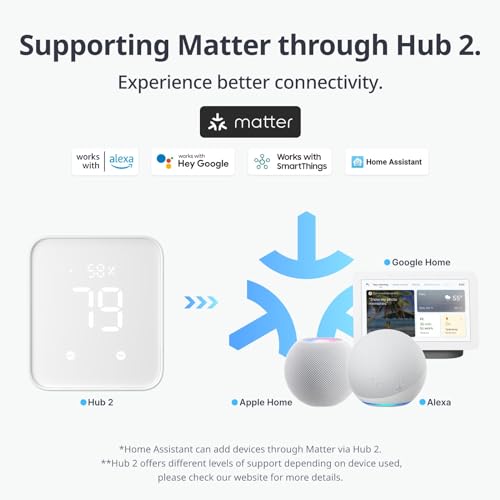
- No native Apple HomeKit; Matter needs a recent hub
Who is the SwitchBot Contact Sensor for?
This is an affordable 3-in-1 sensor, door/window contact, motion, and ambient light, that connects over Bluetooth. It works directly with Home Assistant, but remote access and integrations (Alexa, Google, SmartThings, IFTTT, Matter) require a SwitchBot Hub (Mini or Hub 2). It has no direct Apple HomeKit support, and runs on 2 AAA batteries rated around 3 years. It best suits Home Assistant users, SwitchBot ecosystem owners, anyone who wants door, motion and light sensing in one cheap device, and people building affordable smart-home automations. If you want a standalone sensor with no hub, or native HomeKit, read the caveats first.
What buyers love
The standout is versatility: it combines contact (open/close), motion and light detection in one small, discreet unit, which owners find doubly useful. Installation is a breeze, peel off the 3M tape, stick, and pair in under five minutes, with alignment marks to help, and it's instantly recognized once you have a hub. Alerts are fast and reliable with essentially no latency, giving real peace of mind for garage doors and entry doors (no more wondering if you left something open). Home Assistant integration is quick and smooth, and owners build all kinds of automations, turning on a SwitchBot bulb when a cabinet or door opens, triggering Alexa notifications and cameras when the garage opens, and toggling notifications off for automation-only sensors. Battery life is strong on 2 AAA cells (often over a year, with low-battery warnings in the app), the sensors are compact and cheap, and owners frequently buy several. It also works with Alexa, Google, SmartThings, IFTTT and Matter through a SwitchBot Hub, making it a flexible building block for a smart home.
What to know before you buy
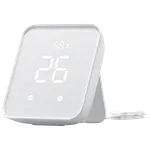
The biggest caveat is the hub requirement. Out of the box the sensor connects only over Bluetooth via the SwitchBot app, so remote access (checking or getting alerts when you're away) and any voice-assistant integration require a SwitchBot Hub Mini or Hub 2. Several one-star reviews come from buyers who didn't realize this and expected direct Alexa or third-party app support, so budget for a hub if you want more than local Bluetooth use. Even with a hub, integration is partial: with Alexa, only the contact (open/close) function is exposed for routines, while the motion and light features can only drive automations inside the SwitchBot app. Notifications are usually instant, but a few owners see occasional delays (up to several minutes, possibly phone-related). The 3M adhesive can struggle in sub-freezing temperatures, so owners use cold-rated tape or Command strips (the latter also make battery changes and repositioning easier), and Bluetooth range is limited without the hub. Finally, there's no native Apple HomeKit, and Matter support requires a recent SwitchBot hub.
Is the SwitchBot Contact Sensor worth it?
For a Home Assistant or SwitchBot household, the SwitchBot Contact Sensor is an easy, affordable win: it packs contact, motion and light sensing into one cheap unit, installs in minutes, delivers fast reliable alerts, integrates smoothly with Home Assistant, and enables plenty of automations, with good battery life. The key is to plan for a SwitchBot Hub, without one you're limited to local Bluetooth in the app, with no remote access or Alexa/Google, and even with a hub, non-contact features are only fully usable within SwitchBot's app. It also lacks native HomeKit. Buy it if you already have (or will add) a SwitchBot Hub or use Home Assistant and want a versatile, budget sensor; if you want a hub-free standalone sensor or native HomeKit, choose a different one.
Frequently asked questions
Do I need a SwitchBot Hub?
For most uses, yes. Out of the box the sensor only connects over Bluetooth via the SwitchBot app. Remote access (alerts when you're away) and any Alexa, Google, SmartThings, IFTTT or Matter integration require a SwitchBot Hub Mini or Hub 2. Home Assistant, however, works directly. Several disappointed reviews come from buyers who didn't expect the hub requirement.
What can it detect besides open/close?
It's a 3-in-1 sensor: alongside door/window contact it also detects motion and ambient light. Owners find this makes it far more useful than a plain contact sensor, though note that with Alexa only the open/close function is exposed for routines, motion and light automations run inside the SwitchBot app.
How reliable and fast are the alerts?
Generally excellent, owners report instant notifications and essentially no latency, and it's a favorite for garage and entry doors. A few users see occasional delays (up to several minutes), which may be phone-related, but the sensor itself is consistently accurate.
How's the battery life and mounting?
Battery life is strong on 2 AAA cells, often over a year, with a low-battery warning in the app. Mounting is peel-and-stick 3M tape, though it can struggle in sub-freezing cold, owners use cold-rated tape or Command strips (which also make repositioning and battery changes easier).
Does it work with Apple HomeKit or Matter?
There's no native Apple HomeKit support. Matter is supported, but only through a recent SwitchBot Hub, as are Alexa, Google, SmartThings and IFTTT. Without a hub, the sensor is limited to local Bluetooth in the SwitchBot app (Home Assistant excepted).