
Emporia Vue Utility Connect Review: Your Smart Meter's Data, Without Opening Anything
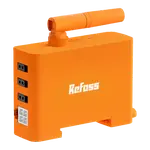
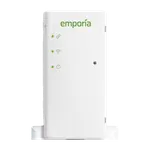
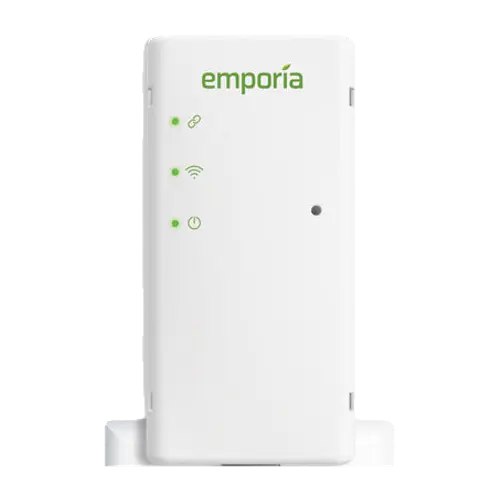
The Utility Connect is the no-installation member of Emporia's range: instead of clamping onto conductors, it pairs over Zigbee with the utility's AMI smart meter and relays the readings to the Emporia app over Wi-Fi. Setup is plugging it into an outlet near the meter, no electrician and no panel work, and it delivers the same second-by-second view, unlimited hourly history and cost tracking as the Vue monitors. The two catches are structural: it works only where the utility supports HAN access, and it reports the house total with no circuit detail or energy-management features.
- Renters
- No-install setups
- Billing-accurate totals
- Budget buyers
Pros
- No wiring, no electrician, plugs into an outlet near the meter
- Reads the utility's AMI meter, so the numbers match the bill
- Real-time whole-home data with unlimited hourly history
- Handles split-phase and light commercial three-phase services
- Solar and net metering supported
- Cheapest device in this comparison, with no subscription
Cons
- Only works in markets where the utility supports HAN access
- House total only, no per-circuit detail
- No peak demand, load management or solar-only charging
- No local API, MQTT or web interface
- Only a 1 year warranty
Who is the Emporia Vue Utility Connect for?
Anyone whose utility runs AMI meters with an open home area network, and who does not want to touch a breaker panel. It suits renters, apartments and anyone nervous about electrical work, and it is the cheapest way into the Emporia platform. Because the data comes from the meter itself, it also suits people who want figures that reconcile with the bill rather than an approximation. Emporia sells it explicitly for select markets, so checking your utility is the first step, not an afterthought.
What the Utility Connect offers
Installation is a plug into an outlet near the meter, with DIY instructions and no wiring. From there it behaves like the rest of the Vue family: real-time whole-home power in the phone or web app, second-resolution data kept for three hours, minute data for seven days and hourly data indefinitely, with export whenever you want and no subscription. It handles both two-phase residential and light commercial three-phase services, and it reports solar and net metering, so exported energy is visible too. Alexa and Google Home integration carry over from the Emporia app.
What to know before you buy
The limits are set out by Emporia itself: this model does not support the energy management features of the in-panel monitors, so there is no peak demand management, no load management and no solar-only charging. There is no per-circuit breakdown at all, because there are no clamps, and no power factor. It also depends entirely on your utility exposing the meter's HAN interface, which is why it is sold for select markets, and there is no local API, MQTT or web interface, so everything runs through Emporia's cloud.
Is the Emporia Vue Utility Connect worth it?
As a first step into energy monitoring it is hard to beat: cheap, five minutes to set up, and accurate because it is reading the same meter the utility bills you from. If you already know you want to find which appliance is responsible for the total, buy a Vue 3 instead and keep the panel work in scope. The two are complementary: the Utility Connect for a trustworthy total, a clamp monitor for the detail.
Frequently asked questions
How does the Utility Connect measure energy?
It does not. It is a Zigbee HAN device that pairs with your utility's AMI smart meter and reads the usage data wirelessly, then sends it to the Emporia app over 2.4 GHz Wi-Fi.
Will it work with my utility?
Only if your utility supports home area network access to its smart meters, which is why Emporia sells it for select markets. Check the supported list before ordering.
Can it show which appliance uses the most power?
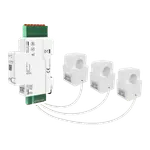
No. There are no current transformers, so it reports the whole-house total. For per-circuit detail you need an in-panel monitor such as the Vue 3.
Does it support the energy management features?
No. Emporia states that peak demand management, load management and solar-only charging require an in-panel energy monitor and are not available on the Utility Connect.
Does it track solar?
Yes, it reports solar and net metering, so energy exported to the grid is visible alongside consumption, as long as your meter exposes it.
How is it installed?
Plug it into a mains outlet near your meter and follow the in-app pairing. There is no wiring, no panel access and no electrician required.