

Aqara Hub M100 Review: The USB Stick That Puts Aqara Sensors Into Every Ecosystem
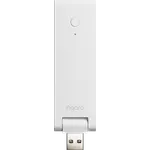
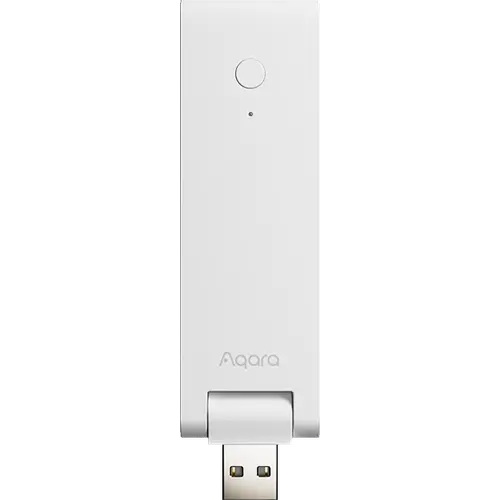
The Hub M100 is the smallest and cheapest hub Aqara makes: a USB-A stick that draws its 5V from a router port, a charger or a power bank and carries up to 20 Aqara Zigbee devices plus 20 Thread devices. Most people buy it for one job, giving an Aqara leak sensor, lock or presence sensor a path into Apple Home, Google Home, Alexa, SmartThings or Home Assistant, and at that job it delivers, with setup that owners routinely describe as a few minutes of work. The catch is the Zigbee radio, which pairs Aqara devices only, so this is not a general purpose Zigbee coordinator, and a real minority of buyers hit pairing trouble or a unit that goes offline until it is power cycled. If you already own Aqara gear and want a Thread border router without paying for the M3, this is the obvious starting point.
- Aqara sensor and lock owners
- Apple Home households
- Thread and Matter setups
- Home Assistant users
- Budget buyers
Pros
- Matter controller and Matter bridge in a device the size of a USB stick
- Thread border router that also extends an existing Thread mesh
- Brings Aqara Zigbee devices into Apple Home, Alexa, Google Home, SmartThings and Home Assistant
- Powered from any USB-A port, so it hides behind a router or runs off a power bank
- 2.4 GHz Wi-Fi 6 with WPA3, plus Bluetooth LE 5.2
- Runs Zigbee and Thread automations locally when the internet is down
- Setup over the Aqara app is fast, and owners consistently say so
- The cheapest way into the Aqara hub line
Cons
- The Zigbee radio pairs Aqara devices only, so third-party Zigbee accessories will not join it
- Caps out at 20 Aqara Zigbee devices plus 20 Thread devices
- Pairing can be stubborn, and the setup assumes you already know the protocol vocabulary
- Some units drop offline and only come back after a power cycle
- No Ethernet port, no infrared blaster and no speaker, unlike the larger Aqara hubs
- Commands run on the local network, so remote control of Thread accessories through it is limited
Who is the Aqara Hub M100 for?
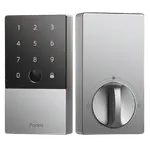
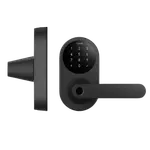
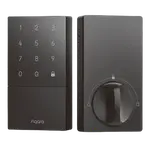
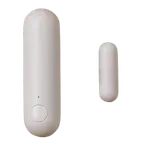
Anyone who bought an Aqara sensor, lock or doorbell and then discovered it needs a hub before the rest of the house can see it. Aqara's own accessories speak Zigbee or Thread, and the M100 is the cheapest device that hosts them and republishes them as Matter accessories, so they show up in the app you actually use. The reviews split into three groups. The largest is Apple Home owners adding leak sensors, contact sensors and U series locks. The second is Home Assistant and Google Home users, several of whom report the hub joining their setup without any fuss. The third is the interesting one: buyers who own no Aqara accessories at all and want a cheap Thread border router to shore up an existing Thread mesh, including owners who paired it to Hubitat, Homey and a SmartThings hub and used it to bring third-party Thread sensors in.
What buyers love
Price and size come up first and together. Owners repeatedly call it the cheapest way to get a Thread border router and a Matter bridge in one device, and the fact that it is a USB stick means it disappears into the back of a router, a wall charger or a power bank rather than taking a shelf and a socket. Setup earns steady praise: the Aqara app finds it over Bluetooth, hands it the Wi-Fi credentials and is done, and several owners who dreaded the process said it took minutes. The other recurring theme is stability regained. Buyers whose Aqara Thread devices kept dropping off a generic border router describe the connection settling down once the M100 joined the network, and one notes it finally let those devices pull their firmware updates. Local execution gets its own mentions: automations for Zigbee and Thread devices keep running when the internet does not.
What to know before you buy
The single most common disappointment is the Zigbee radio, which accepts Aqara devices and nothing else. Buyers who assumed a Zigbee hub would pair a third-party Zigbee plug or button found it would not, and Aqara does say so in the listing, but it is easy to miss. The device ceiling is the next limit: 20 Aqara Zigbee and 20 Thread devices is fine for a flat or a first automation project and thin for a whole house, and one owner already expects to move up as he expands. Setup is quick when it works and stubborn when it does not, and the vocabulary assumes you already know what Thread and Zigbee mean, which several first-time buyers said they did not. There is also a hardware failure story worth knowing: a handful of owners report a unit that drops offline and only returns after a power cycle, which rules it out for an unattended second property. Its average rating sits below the rest of Aqara's hub line, and almost every one-star review is the same complaint, a hub that would not pair or would not stay online. Finally, this is the stripped-down model: no Ethernet port, no infrared blaster, no speaker, and one buyer points out that it issues commands on the local network without the NAT64 translation that remote control of Thread accessories would need.
Is the Aqara Hub M100 worth it?
For its intended job it is hard to argue with. It costs a fraction of the M3, it is the entry ticket to using Aqara accessories inside Apple Home, Google Home, Alexa, SmartThings or Home Assistant, and it doubles as a Thread border router for a household that has no other one. Buy the M3 or the M200 instead if you need more than forty devices, a wired connection, an infrared blaster or a speaker for chimes. Skip it entirely if what you actually wanted was an open Zigbee coordinator, because the Aqara-only restriction is the thing most likely to disappoint. For everyone else it is a lot of hub for very little money and almost no space.
Frequently asked questions
How many devices can the Aqara Hub M100 connect?
Up to 20 Aqara Zigbee devices plus 20 Thread devices, so 40 in total. If you are building past that, Aqara's M3 and M200 carry more.
Does the Aqara Hub M100 work with Apple Home, Alexa, Google Home, SmartThings and Home Assistant?
Yes, all five. It is a certified Matter hub that acts as both controller and bridge, so the Aqara devices paired to it appear in those ecosystems rather than only in the Aqara app.
Can it pair third-party Zigbee devices?
No. Its Zigbee radio is reserved for Aqara's own Zigbee accessories. Devices from other brands reach it as Thread or Matter accessories instead, which is how owners have used it with Hubitat, Homey and a SmartThings hub.
How is the Aqara Hub M100 powered?
By a USB-A male plug that draws 5V at 0.5A. It runs from a router's USB port, a wall charger, a PC or a power bank, and no adapter is included in the box.
Is it a Thread border router?
Yes. It works as a Thread border router and mesh extender, so it can strengthen an existing Thread network even if you own no Aqara accessories at all.
How is it different from the Aqara Hub M3 or M200?
It is the entry model. The M100 drops the Ethernet port, the infrared blaster and the speaker that the bigger hubs carry, and it handles fewer devices, in exchange for a much lower price and a body small enough to plug into a spare USB port.