Winner

19% OFF
Prime exclusive deal$129.99
$159.99
 Join Prime to buy it at $129.99
Join Prime to buy it at C$169.99

Full Smart Hubs comparison in 2026
Join Prime to buy it at $129.99
Join Prime to buy it at C$169.99

New releases and the smart home news worth knowing, in your inbox.
No spam. Unsubscribe in one click.
| Feature | Aqara Hub M3 | YoLink Hub | Winner |
|---|---|---|---|
| Price | $129.99 | $23.59 | YoLink Hub |
| Rating | 4.1 | 4.5 | YoLink Hub |
| Warranty | 1 year | 2 years | YoLink Hub |
| Connectivity | 2.4 GHz WiFi, 5 GHz WiFi, Ethernet | 2.4 GHz WiFi, Ethernet | Aqara Hub M3 |
| Protocols | Bluetooth, Zigbee Coordinator, Thread Border Router, Matter Bridge, Third-Party Devices, IR | None | Aqara Hub M3 |
| Integrations | Google Home, Alexa, Apple HomeKit, Samsung SmartThings, Home Assistant | Google Home, Alexa, Home Assistant | Aqara Hub M3 |
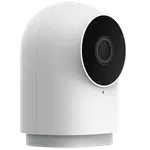
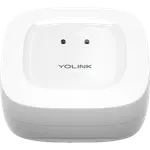
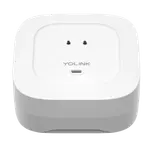
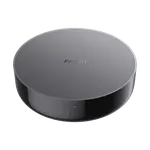
The Aqara Hub M3 runs Zigbee, Thread, Matter, Bluetooth and IR, covering many brands. The YoLink Hub runs only YoLink's own LoRa network at 923.3 MHz plus Wi-Fi, with no Zigbee, Z-Wave, Thread, Bluetooth or IR.
The YoLink Hub is built for distance, with owners reporting sensor links across hundreds of feet, through metal freezers and detached outbuildings. The Aqara Hub M3 uses Zigbee, which owners describe as limited to roughly 60 to 65 feet, so a large home may need more hubs.
The Aqara Hub M3 bridges into Apple Home, Google Home, Alexa, SmartThings and Home Assistant. The YoLink Hub works with Alexa, Google Home and Home Assistant, but not Apple Home or SmartThings, since it is not a Matter bridge.
The Aqara Hub M3 offers dual-band Wi-Fi, Ethernet and Power over Ethernet. The YoLink Hub connects by Ethernet or 2.4 GHz Wi-Fi only, with no 5 GHz and no Power over Ethernet, so it needs its own power supply next to the router.
The YoLink Hub carries a two year warranty and the Aqara Hub M3 one year, which is worth weighing given owner reports of YoLink hubs that stopped reconnecting.
The Aqara Hub M3 runs Zigbee, Thread and Matter and exposes devices to every major platform, so it ties a mixed home together.
The YoLink Hub's LoRa network reaches hundreds of feet through walls and outbuildings that Zigbee and Wi-Fi cannot cover.
Only the Aqara Hub M3 reaches those platforms, since the YoLink Hub is not a Matter bridge and does not support them.
The YoLink Hub is the cheaper hub and its own testing put a single unit at 180 connected devices.
These two hubs solve opposite problems, and their owners say so. Aqara Hub M3 owners single out how many radios one box replaces, and they value the Matter bridging that feeds Aqara locks, switches and grouped sensors into Home Assistant, HomeKit and Alexa, with local automations that feel instant. YoLink Hub owners single out range above everything, describing links that hold hundreds of feet away, through metal freezers and detached buildings, and they praise a QR-code setup that several call a few minutes of work, plus a hub cheap enough to keep a spare. The complaints split on the same axis: Aqara owners find the phone-only app confusing and the Zigbee side locked to Aqara devices, while YoLink owners dislike that control and alerts stop without the internet and report units that stopped reconnecting, with one owner on a third hub in about two years.
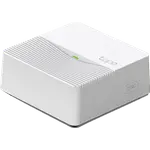
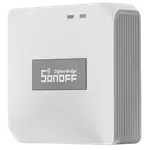
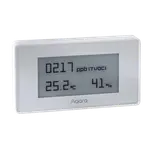
For a mixed-brand home that wants local control across Zigbee, Thread and Matter, the Aqara Hub M3 is the better hub. For long-range sensor coverage at a low price, the YoLink Hub is the specialist, though it is cloud dependent and does not reach Apple Home or SmartThings.
Scope and range. The Aqara Hub M3 is a multi-protocol hub for Zigbee, Thread and Matter devices, while the YoLink Hub is a LoRa gateway for YoLink's own sensors, built to reach hundreds of feet through walls rather than to host other brands.
No. The Aqara Hub M3 supports Apple Home through Matter, while the YoLink Hub does not, so its devices do not appear in Apple Home or SmartThings.
The Aqara Hub M3 supports up to 127 child devices, while YoLink states there is no hard limit and that a single YoLink Hub carried 180 devices in testing.
A household that wants one box to run Zigbee, Thread, Matter, Bluetooth, Wi-Fi and IR locally, and to bridge those devices into every major smart home platform.
A large property or outbuilding where sensors need to talk across long distances on a budget, in an Alexa, Google Home or Home Assistant setup, and where cloud dependence is acceptable.
 Our store on AmazonShop our ideas on AmazonLists of the smart home setups we would put together ourselves, ready to add to your Amazon cart.Shop on Amazon
You are looking at two of them. The full table lines up all Hubs in the catalog with the same specs, so you can filter by what you need and sort by price or rating.