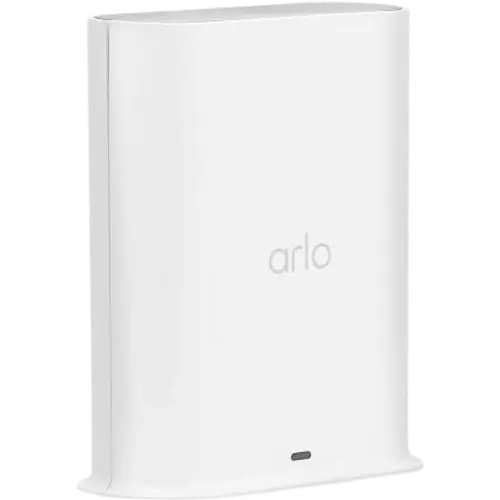


Arlo Pro SmartHub Review: Boosts Your Arlo Cameras and Adds Local USB Storage, but You'll Likely Still Need a Subscription
The Arlo Pro SmartHub (VMB4540) is a base station for Arlo cameras, not a general Zigbee/Z-Wave/Matter smart-home hub, and for Arlo owners it delivers real benefits: it connects cameras over a dedicated wireless link that noticeably speeds up response time (images reach your phone faster), improves range, unlocks 2K live streaming on Essential and Ultra cameras, and adds local USB storage so you can record without the cloud. Owners find it a painless way to replace a lost or failed hub, it recognizes cameras instantly, and it runs reliably for years. But the caveats are significant. The biggest: despite being pitched as a way to avoid cloud fees, the SmartHub won't detect, record or transmit event footage without an Arlo subscription, after the free trial your cameras only show a live feed, so many owners feel they paid for a hub and still have to subscribe. Accessing the USB recordings remotely (away from home) is also awkward, it requires setting up a home VPN (WireGuard) on a capable router. Pairing needs the camera within about 3 to 6 feet of the hub, the included manual is nearly useless, some hubs go offline and need a restart (even on Ethernet), the plug isn't Europe-compatible, and customer support is widely called useless. If you already own Arlo cameras, it's a worthwhile upgrade; just don't expect it to replace an Arlo subscription.
- Existing Arlo camera owners
- Faster camera response and 2K live streaming
- Adding local USB recording
- Replacing a lost or failed Arlo hub
Pros
- Speeds up Arlo camera response time and improves range
- Unlocks 2K live streaming on Essential and Ultra cameras
- Adds local USB recording (no cloud required to store)
- Easy replacement hub that recognizes cameras instantly
- Reliable long-term; a simple restart fixes most hiccups
Cons
- Most useful features (event detection/recording) still need an Arlo subscription
- Remote access to USB recordings requires a home VPN setup
- Pairing needs the camera within ~3 to 6 feet of the hub; useless printed manual
- Some hubs go offline and need restarting (even on Ethernet)
- Not a general smart-home hub (no Zigbee/Z-Wave/Matter); poor customer support; non-EU plug
Who is the Arlo Pro SmartHub for?
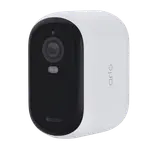
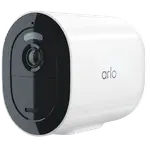
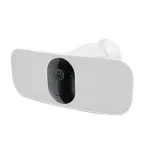
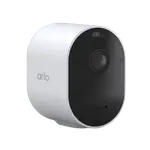
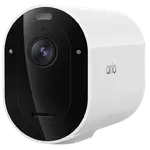
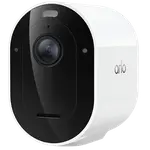
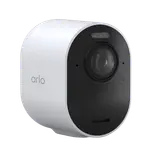
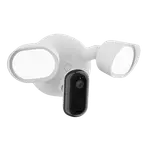
This is a base station for the Arlo camera ecosystem, it connects Arlo cameras (Essential, Pro 5S/6/6 XL, Ultra, Floodlight, Video Doorbell) to Wi-Fi over a dedicated wireless link, and adds local USB storage. It is not a general smart-home hub: it has no Zigbee, Z-Wave, Thread, Matter or IR, and it pairs nothing but Arlo gear. What it does reach are the platforms Arlo integrates with at account level, so the cameras behind it show up in Alexa, Google Home, Apple Home, SmartThings and IFTTT. It connects over Ethernet or Wi-Fi and includes a siren/speaker. It best suits existing Arlo camera owners who want faster response and 2K live streaming, local USB recording, or a replacement for a lost or failed Arlo hub. If you're hoping to avoid an Arlo subscription entirely, or want a universal smart-home hub, read the caveats first.
What buyers love
For Arlo owners, the SmartHub meaningfully improves the camera experience. It connects cameras over a dedicated wireless link that noticeably speeds up response time, owners report images reaching their phone much faster and cameras responding quicker, and it improves range and unlocks 2K live streaming on Essential and Ultra cameras. It adds local USB storage, so you can record without relying on the cloud (and it keeps recording to USB even when you're traveling). Setup as a replacement hub is easy, it recognizes existing cameras instantly, making it a painless fix for a lost, misplaced or failed hub (several owners revived long-offline camera setups this way). It's reliable over the long term, with owners running it for years, and if it ever misbehaves, a simple unplug-and-replug usually resolves it. For those committed to the Arlo system, it's a solid, camera-boosting accessory.
What to know before you buy
The most important caveat: despite the appeal of local storage to avoid cloud fees, most useful functions still require an Arlo subscription. Without one, the SmartHub won't detect, record or reliably transmit event footage, after the free trial, cameras only provide a live feed, so owners feel they paid around 100 dollars for a hub and still must subscribe (many consider this poorly disclosed in the listing). Even the USB local storage is awkward to use remotely: to view recordings away from home without the cloud, you have to set up a home VPN (WireGuard) on a capable router, an advanced workaround. Pairing requires the camera to be within about 3 to 6 feet of the hub during setup (not mentioned in the barely-there bifold manual, which sends you to search online). Some hubs go offline and need a restart even on a wired Ethernet connection (possibly related to being behind a switch rather than plugged directly into the router), and there can be a few seconds of delay before images pop up in the app. Other notes: the plug isn't Europe-compatible, the camera charging cable isn't always included, and customer support is widely described as useless. Finally, if you're coming from another ecosystem like Ring, owners caution the small benefit of local recording may not justify the added cost for similar performance.
Is the Arlo Pro SmartHub worth it?
If you already own Arlo cameras, the Arlo Pro SmartHub is a worthwhile upgrade: it speeds up camera response, improves range, enables 2K live streaming, adds local USB recording, and is a painless way to replace a lost or failed hub, running reliably for years. The catches are that it's an Arlo-ecosystem accessory, not a universal smart-home hub, and, crucially, most useful features still require an Arlo subscription despite the local-storage appeal, plus remote USB access needs a VPN, pairing must be done close to the hub, the manual is useless, and support is poor. Buy it if you're invested in Arlo cameras and want better performance and local recording; if you're trying to avoid a subscription entirely, coming from another ecosystem, or want a general Zigbee/Z-Wave/Matter hub, look elsewhere.
Frequently asked questions
Is this a general smart-home hub?
No. It's a base station for Arlo cameras, connecting them to Wi-Fi over a dedicated link and adding local USB storage. It has no Zigbee, Z-Wave, Thread, Matter or IR, and the only devices it pairs are Arlo ones. The cameras it carries do reach Alexa, Google Home, Apple Home, SmartThings and IFTTT through Arlo's own platform integrations, but the hub itself will not take a third-party sensor or bulb.
Does it let me avoid an Arlo subscription?
Not really. Although it adds local USB storage, most useful functions, event detection, recording and reliable transmission, still require an Arlo subscription. After the free trial, cameras only show a live feed, so many owners feel they bought the hub and still have to subscribe. This is the most common complaint.
Can I view the USB recordings when I'm away from home?
Not easily. Local USB recordings are accessible on your home network, but to view them remotely without the cloud you need to set up a home VPN (such as WireGuard) on a capable router, an advanced workaround that many owners struggle with.
Why won't my camera pair with it?
Pairing requires the camera to be very close to the hub, about 3 to 6 feet, during setup (press both buttons on the camera and hub). This isn't mentioned in the minimal included manual, so many owners only discover it after searching online. Once paired, the camera can be moved to its normal location.
What does it improve for my Arlo cameras?
It connects cameras over a dedicated wireless link that noticeably speeds up response time (images reach your phone faster), improves range, and unlocks 2K live streaming on Essential and Ultra cameras. It also enables local USB recording. Owners commonly report their cameras becoming much more responsive after switching to the SmartHub.