
Updated November 2026
Data from the official Arlo and Philips sites.
2026 verdict
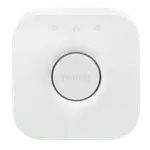
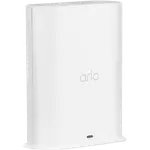
The Philips Hue Bridge is the better hub here and the cheaper one, turning Hue bulbs into a fast local Zigbee lighting system with zones, whole-home scenes, automations, away-from-home control and Hue Sync entertainment, while bridging into Apple Home, Alexa, Google Home, SmartThings, Home Assistant and Matter. Owners rate it highly and it carries a 2-year warranty. The Arlo Pro SmartHub does win connectivity, offering 2.4GHz Wi-Fi as well as Ethernet where the Hue bridge is wired only, but it has no Zigbee, Z-Wave, Thread or Matter support because it is a camera base station: its value is faster Arlo camera response, better range, 2K live streaming on Essential and Ultra models and local USB recording. The Hue bridge tops out around 50 devices, which matters in very large homes. Buy the Philips Hue Bridge if you own Hue lighting and want it working properly across platforms, and the Arlo Pro SmartHub only as an accessory for Arlo cameras.
News by email
Still comparing? Get what's new by email
New releases and the smart home news worth knowing, in your inbox.
No spam. Unsubscribe in one click.
| Feature | Arlo Pro SmartHub | Philips Hue Bridge | Winner |
|---|---|---|---|
| Price | $99.99 | $52.99 | Philips Hue Bridge |
| Rating | 4.0 | 4.5 | Philips Hue Bridge |
| Connectivity | 2.4 GHz WiFi, Ethernet | Ethernet | Arlo Pro SmartHub |
| Protocols | None | Zigbee Coordinator, Matter Bridge, Third-Party Devices | Philips Hue Bridge |
| No Subscription Required | NO | YES | Philips Hue Bridge |
| Integrations | Google Home, Alexa, Apple HomeKit, Samsung SmartThings, Home Assistant | Google Home, Alexa, Apple HomeKit, Samsung SmartThings, Home Assistant | Tie |
$99.99
- + Connectivity: 2.4 GHz WiFi, Ethernet
- - Price: $99.99 vs $52.99
- - Rating: 4.0 vs 4.5
Winner
24% OFF
$52.99
$69.99
- + Price: $52.99
- + Rating: 4.5
- + Protocols: Zigbee Coordinator, Matter Bridge, Third-Party Devices
- - Connectivity: Ethernet vs 2.4 GHz WiFi, Ethernet
Frequently Asked Questions
Which is better overall: Arlo Pro SmartHub or Philips Hue Bridge?
The Philips Hue Bridge wins overall. It is cheaper, better rated, and a genuine Zigbee hub with Matter bridging and support for Apple Home, Alexa, Google Home, SmartThings and Home Assistant. The Arlo Pro SmartHub supports no smart home protocols and only benefits Arlo camera owners.
What is the biggest difference between the Arlo Pro SmartHub and the Philips Hue Bridge?
Lighting versus cameras. The Philips Hue Bridge moves Hue bulbs from Bluetooth onto a reliable local Zigbee mesh and unlocks scenes, zones, schedules and Hue Sync. The Arlo Pro SmartHub connects Arlo cameras over a dedicated wireless link and stores their footage on a USB drive, and it cannot control lights.
How many devices can the Philips Hue Bridge handle?
Around 50, which covers most homes but can be limiting in a large one with many bulbs and accessories. If you are past that point, the Philips Hue Bridge Pro raises the ceiling substantially. The Arlo Pro SmartHub has no equivalent smart home device capacity, since it only pairs Arlo cameras.
Does either hub connect over Wi-Fi?
Only the Arlo Pro SmartHub, which supports 2.4GHz Wi-Fi alongside Ethernet. The Philips Hue Bridge is Ethernet only, with no Wi-Fi or Bluetooth of its own, so it needs a free port on your router, which is also part of why it stays so dependable.
Who should buy the Philips Hue Bridge?
Buy the Philips Hue Bridge if you have Hue bulbs and want them fast, reliable and available everywhere: local Zigbee control, whole-home scenes, automations, remote access, Hue Sync and support for Apple Home, Alexa, Google Home, SmartThings, Home Assistant and Matter, all with a 2-year warranty.
Who should buy the Arlo Pro SmartHub?
Buy the Arlo Pro SmartHub only if you own Arlo cameras and want faster response, extra range, 2K live streaming on Essential and Ultra models and local USB recording. It is not a smart home hub, so it will not help with lights, sensors or locks.
Spotted something wrong on this page? Tell us and we will fix it.
 Our store on AmazonShop our ideas on AmazonLists of the smart home setups we would put together ourselves, ready to add to your Amazon cart.Shop on Amazon
Full comparison table
Compare all 32 Hubs side by side
You are looking at two of them. The full table lines up all Hubs in the catalog with the same specs, so you can filter by what you need and sort by price or rating.
- 32 Hubs
- 40 specs compared
- 37 filters
- Hubs

Caseta Smart Hub
- Hubs

Hub
- Hubs

Tapo H100
- Hubs
Tapo H500
- Hubs

Bridge Max
- Hubs
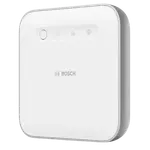

Smart Home controller II
- Hubs
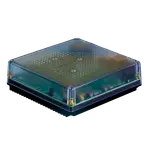

Home Assistant Green
- Hubs
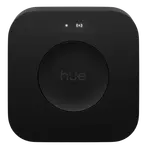

Hue Bridge Pro
- Hubs
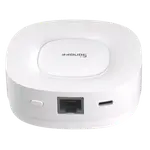
Zigbee Bridge Ultra
- Hubs

SBS50 Base Station
- Hubs

Smart Wi-Fi Hub MSH400HK
- Hubs

SwitchBot Hub 2
- Hubs
Hub Mini
- Hubs
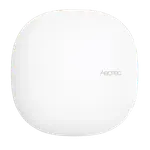

Smart Home Hub
- Hubs
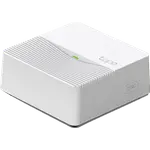
Tapo H200
- Hubs
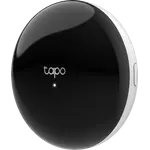
Tapo H110
- Hubs
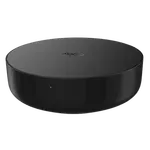

Hub M2
- Hubs
Smart Wi-Fi Hub MSH450
- Hubs
Hub M3
- Hubs
Hub M200
- Alarm Systems

Home Security System (3-Sensor Kit)
- Alarm Systems
Home Security System SS1201
- Alarm Systems
Home Security System SS1501
- Cameras
Essential 2K (3rd Gen)
- Cameras
Essential 2K Wired (2025)
- Cameras
Essential 2K (2nd Gen)
- Cameras
Essential HD (2nd Gen)
- Cameras
Essential Indoor 2K (3rd Gen)
- Cameras
Essential Indoor 2K (2nd Gen)
- Cameras
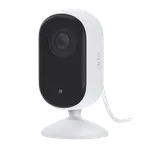
Essential Indoor HD (2nd Gen)
- Cameras
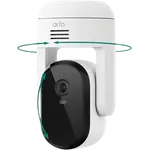
Essential Pan Tilt (Outdoor)
- Cameras
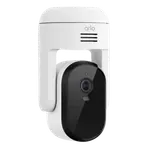
Essential Pan Tilt
- Cameras
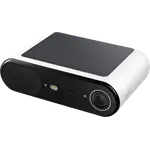
Essential Solar Security Camera
- Cameras
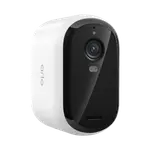
Essential XL 2K (3rd Gen)
- Cameras
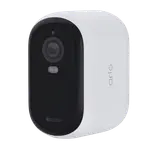
Essential XL 2K (2nd Gen)
- Cameras
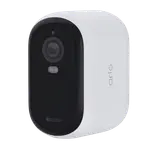
Essential XL HD (2nd Gen)
- Cameras
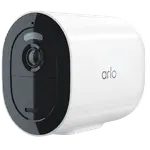
Go 2
- Cameras
Pro 3 Floodlight
- Cameras
Pro 5S 2K
- Cameras
Pro 6 XL
- Buttons
Hue Dimmer Switch v2
- Buttons
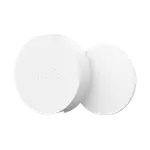
Hue Smart Button v3
- Buttons
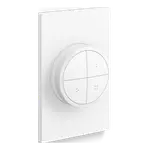
Hue Tap Dial Switch
- Ceiling Lights
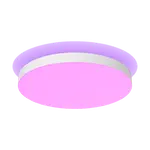
Hue Datura Ceiling Light Small Round
- Ceiling Lights
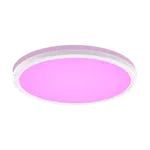
Hue Tento Round Ceiling Panel Extra Large
- Ceiling Lights
Hue Tento Round Ceiling Panel Medium
- Ceiling Lights
Hue Tento Round Ceiling Panel Small
- Doorbells
Hue Secure Wired Video Doorbell
- Door Locks
4200 Series Smart Deadbolt with Door Lever
- Door Locks
Wi-Fi Smart Deadbolt DDL242X
- Door & Window Sensors
Hue Secure Contact Sensor
- Hubs
Hue Bridge Pro
- Lamps
Hue Go Portable Table Lamp
- Lamps
Hue Iris
- Lamps
Hue Play Floor Lamp Large
- LED Bulbs
Hue Smart Bulb - White and Color 1600
- LED Bulbs
Hue Smart Bulb - White Ambiance 1600
- LED Bulbs
Hue Smart Bulb - White 1600
- LED Bulbs
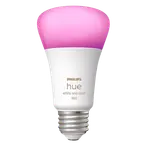
Hue Smart Bulb - White and Color 800
- LED Bulbs
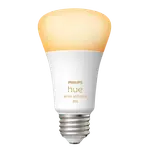
Hue Smart Bulb - White Ambiance 800