

Updated October 2026
Data from the official Arlo and SwitchBot sites.
2026 verdict
Sensors, infrared and Matter versus a camera base station: the SwitchBot Hub 2 wins comfortably, and costs less.
It is a learning IR blaster that controls TVs and mini-split air conditioners, a Matter bridge into Apple Home, Alexa, Google Home, SmartThings and Home Assistant, and the only one of the two with built-in temperature, humidity and light sensors complete with history graphs. Owners rate it well. The Arlo Pro SmartHub takes the connectivity row, since it offers Ethernet alongside 2.4GHz Wi-Fi where the SwitchBot is Wi-Fi only, and it does its own job well: linking Arlo cameras for faster response and better range, unlocking 2K live streaming on Essential and Ultra models and recording locally to USB. It brings no Zigbee, Z-Wave, Thread, Matter or IR to a smart home. Choose the SwitchBot Hub 2 to control IR devices, watch room climate and bridge SwitchBot gear into your platform, and the Arlo Pro SmartHub only for Arlo cameras.
News by email
Still comparing? Get what's new by email
New releases and the smart home news worth knowing, in your inbox.
No spam. Unsubscribe in one click.
| Feature | Arlo Pro SmartHub | SwitchBot Hub 2 | Winner |
|---|---|---|---|
| Price | $99.99 | $59.99 | SwitchBot Hub 2 |
| Rating | 4.0 | 4.3 | SwitchBot Hub 2 |
| Connectivity | 2.4 GHz WiFi, Ethernet | 2.4 GHz WiFi | Arlo Pro SmartHub |
| Protocols | None | Bluetooth, Matter Bridge, IR | SwitchBot Hub 2 |
| Sensors | None | Temperature, Humidity, Light | SwitchBot Hub 2 |
| Integrations | Google Home, Alexa, Apple HomeKit, Samsung SmartThings, Home Assistant | Google Home, Alexa, Apple HomeKit, Samsung SmartThings, Home Assistant | Tie |
$99.99
- + Connectivity: 2.4 GHz WiFi, Ethernet
- - Price: $99.99 vs $59.99
- - Rating: 4.0 vs 4.3
Winner
14% OFF
$59.99
$69.99
- + Price: $59.99
- + Rating: 4.3
- + Protocols: Bluetooth, Matter Bridge, IR
- - Connectivity: 2.4 GHz WiFi vs 2.4 GHz WiFi, Ethernet
Frequently Asked Questions
Which is better overall: Arlo Pro SmartHub or SwitchBot Hub 2?
The SwitchBot Hub 2 wins overall. It is cheaper, better rated, works as a Matter bridge into HomeKit, Alexa, Google Home, SmartThings and Home Assistant, controls IR devices, and includes temperature, humidity and light sensors. The Arlo Pro SmartHub has no smart home protocols and only serves Arlo cameras.
What is the biggest difference between the Arlo Pro SmartHub and the SwitchBot Hub 2?
Sensors and infrared. The SwitchBot Hub 2 measures temperature, humidity and light in the room and can control any IR device, then exposes it all through Matter. The Arlo Pro SmartHub has no sensors and no IR, and connects only Arlo cameras to your network for faster streaming and local recording.
Which one connects more reliably to a network?
The Arlo Pro SmartHub, because it offers an Ethernet port as well as 2.4GHz Wi-Fi. The SwitchBot Hub 2 is 2.4GHz Wi-Fi only with no Ethernet, so a congested or flaky network can knock it offline, which is the most common complaint owners raise about it.
Can the SwitchBot Hub 2 control an air conditioner?
Yes. Its learning IR blaster handles mini-split air conditioners, TVs, soundbars and other remote-controlled gear, and it is one of the few IR blasters that works with Apple HomeKit. Note that not every IR function is exposed to Google Home, and the Matter device count is limited.
Who should buy the SwitchBot Hub 2?
Buy the SwitchBot Hub 2 if you want to bring a TV or air conditioner under voice control, track room temperature and humidity with history, and bridge SwitchBot curtains, locks and bots into Apple Home, Alexa, Google Home, SmartThings or Home Assistant. Keep in mind it is Wi-Fi only, with no Ethernet.
Who should buy the Arlo Pro SmartHub?
Buy the Arlo Pro SmartHub only if you own Arlo cameras and want them to respond faster, reach further, stream at 2K on Essential and Ultra models and record to a USB drive. It offers a wired Ethernet connection, but it cannot control any smart home device.
 Our store on AmazonShop our ideas on AmazonLists of the smart home setups we would put together ourselves, ready to add to your Amazon cart.Shop on Amazon
Full comparison table
Compare all 31 Hubs side by side
You are looking at two of them. The full table lines up all Hubs in the catalog with the same specs, so you can filter by what you need and sort by price or rating.
- 31 Hubs
- 38 specs compared
- 35 filters
- Hubs


Caseta Smart Hub
- Hubs


Bridge Max
- Hubs

Hue Bridge
- Hubs


Hub
- Hubs


Tapo H500
- Hubs

Hue Bridge Pro
- Hubs


Smart Home controller II
- Hubs


Home Assistant Green
- Hubs

Tapo H100
- Hubs

Zigbee Bridge Ultra
- Hubs


SBS50 Base Station
- Hubs


Smart Wi-Fi Hub MSH400HK
- Hubs


SwitchBot Hub 2
- Hubs

Hub Mini
- Hubs


Smart Home Hub
- Hubs
Tapo H200
- Hubs


Hub M2
- Hubs

Hub M3
- Hubs

Smart Wi-Fi Hub MSH450
- Hubs

Pro SmartHub
- Alarm Systems
Home Security System (3-Sensor Kit)
- Alarm Systems
Home Security System SS1201
- Alarm Systems
Home Security System SS1501
- Cameras
Essential 2K (3rd Gen)
- Cameras
Essential 2K Wired (2025)
- Cameras
Essential 2K (2nd Gen)
- Cameras
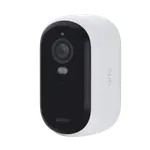
Essential HD (2nd Gen)
- Cameras
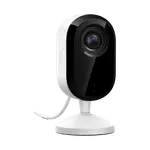
Essential Indoor 2K (3rd Gen)
- Cameras
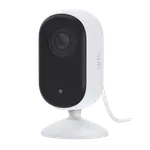
Essential Indoor 2K (2nd Gen)
- Cameras
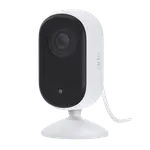
Essential Indoor HD (2nd Gen)
- Cameras
Essential Pan Tilt (Outdoor)
- Cameras
Essential Pan Tilt
- Cameras
Essential Solar Security Camera
- Cameras
Essential XL 2K (3rd Gen)
- Cameras
Essential XL 2K (2nd Gen)
- Cameras
Essential XL HD (2nd Gen)
- Cameras
Go 2
- Cameras
Pro 3 Floodlight
- Cameras
Pro 5S 2K
- Cameras
Pro 6 XL
- Air Purifiers

Air Purifier Table
- Air Quality Monitors

Meter Pro (CO2 Monitor)
- Buttons
Remote
- Cameras

Outdoor Pan/Tilt Cam 3K
- Ceiling Lights

RGBICWW Ceiling Light 12inch
- Ceiling Lights

RGBICWW Ceiling Light 15inch
- Displays

Smart E-Ink Home Dashboard
- Doorbells

Smart Video Doorbell
- Door Locks

SwitchBot Lock Pro
- Door Locks

SwitchBot Lock Ultra Vision Combo
- Door Locks

SwitchBot Lock Vision Pro
- Door Locks

Lock Vision
- Door Locks

SwitchBot Lock
- Door & Window Sensors

Contact Sensor
- Hubs

AI Hub
- Hubs
SwitchBot Hub 2
- Hubs

Hub 3
- Hubs
Hub Mini
- IR Remote Controls

SwitchBot Hub 2
- IR Remote Controls

Hub 3