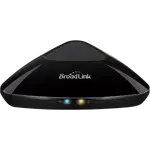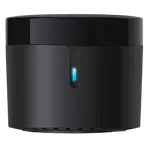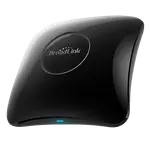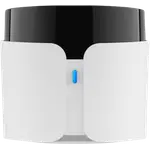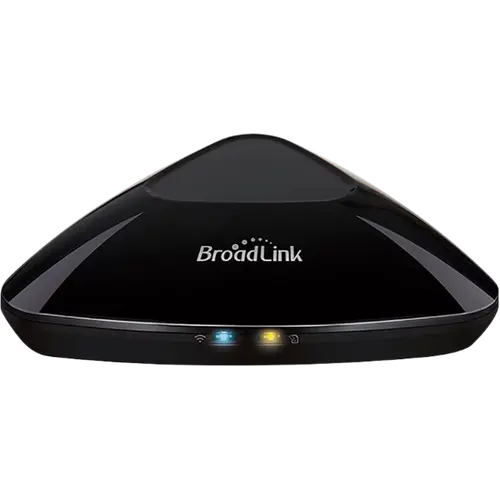




BroadLink RM MAX Review: An Affordable Universal Remote Hub With Growing Pains
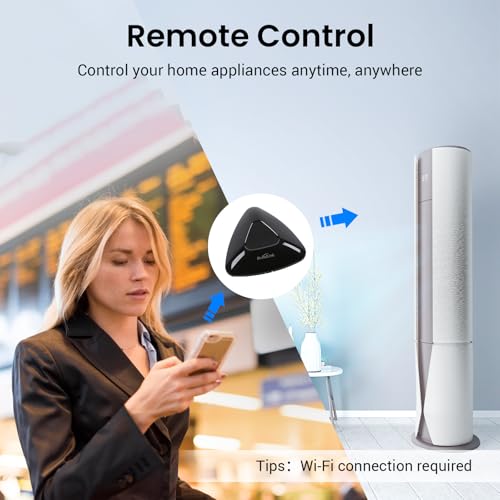
The BroadLink RM MAX is a budget universal remote hub built to bring IR devices like TVs and air conditioners, and RF devices like ceiling fans, blinds and stereo receivers, under one app and voice control system. It pairs quickly over Bluetooth and reliably learns most existing remote signals, and it plugs into Alexa, Google Home and Home Assistant out of the box. The catch buyers keep running into is a still-rough software layer: some remotes with encrypted or rolling-code signals will not learn, Google Home often treats the hub as a generic device rather than tracking real on/off state, and the companion app still lacks basic device management options. For the price, it is a solid way to add smart control to a handful of otherwise dumb appliances, just go in expecting some setup trial and error rather than a fully polished hub.
- Owners of older IR/RF-only appliances (fans, blinds, AV gear)
- Alexa and Google Home households wanting basic voice control
- Budget-conscious smart home shoppers
- BroadLink RM4 Pro upgraders
Pros
- Learns and reliably reproduces most existing IR and RF remote signals
- Fast Bluetooth-based setup and pairing
- Built-in integrations with Alexa, Google Home and Home Assistant
- Matter-ready via a firmware update
- Budget-friendly way to add smart control to old IR/RF appliances
Cons
- Cannot learn rolling-code or encrypted RF signals, so some remotes never pair
- Google Home integration often mislabels the device and can lose track of real on/off state
- Apple Home and SmartThings only arrive through the Matter bridge, with no native integration
- No Zigbee, Z-Wave or Thread radio, IR/RF control only
- 2.4GHz WiFi only, no Ethernet or 5GHz option
- App still lacks basic device management and scene flexibility
Who is the BroadLink RM MAX for?
The RM MAX is not a Zigbee, Z-Wave or Thread hub, it is a dedicated infrared and RF universal remote that bridges older, non-smart appliances into a modern smart home. Reviewers use it to bring voice and app control to ceiling fans, drapes and rolling shades, sound systems and AV receivers, TVs and air conditioners, all devices that otherwise only come with a physical remote. It connects to Alexa, Google Home and Home Assistant, and Bluetooth Low Energy handles the initial pairing, so it suits anyone with a drawer full of IR and RF remotes who wants those devices to at least turn on and off from a phone or a voice command, more than it suits someone hoping for a full whole-home automation hub.
What buyers love
The most consistent praise is for the hub's raw range and reliability at learning existing remote signals, several reviewers single out strong RF performance and describe the code-learning process from an existing remote as quick once inside the app. Setup itself is fast thanks to Bluetooth pairing, and one buyer who upgraded from BroadLink's older RM4 Pro noted the RM MAX paired with the app more smoothly and swapped the previous model's USB-A/micro-USB cable for USB-C. The hub is also Matter-ready through a firmware update, which gives it a longer runway than a typical single-purpose universal remote.
What to know before you buy
The recurring theme in critical reviews is a software layer that has not caught up with the hardware. Because the RM MAX only learns standard IR (38kHz) and RF (433MHz) signals and not rolling-code or encrypted RF, some remotes, including certain fan and window-covering remotes, fail to pair no matter how many times they are taught. Google Home integration is supported, but multiple buyers report the hub shows up as a generic or mismatched device type rather than a properly recognized fan, light or plug, and that it does not always track real on/off state, so a voice command can end up doing the opposite of what was intended. The app itself draws complaints for missing basic device management (no easy way to edit or delete a learned device), limited scene options, and rough translations in places. Apple Home and SmartThings are reached only through the Matter bridge and not through a native integration, there is no Zigbee, Z-Wave or Thread radio, and connectivity is 2.4GHz WiFi only, with no Ethernet or 5GHz option. A small number of reviewers also reported random reboots.
Is the BroadLink RM MAX worth it?
At its budget price point, the RM MAX earns its keep as a low-cost way to get basic app and voice control over appliances that would otherwise stay permanently dumb, and the underlying IR/RF hardware clearly works for most common devices. It is a harder sell for anyone who wants a true smart-home hub with Zigbee, Z-Wave, Thread or airtight Google Home state tracking, or who owns remotes that use encrypted or rolling-code RF. Buyers who treat it as a universal remote replacement first, and a smart-home citizen second, tend to come away satisfied, while those expecting seamless multi-platform automation are the ones leaving critical reviews.
Frequently asked questions
Does the BroadLink RM MAX work with Apple HomeKit?
Yes, but through Matter rather than a native HomeKit integration. Once the hub runs its Matter firmware it exposes the appliances it controls as bridged Matter devices, so Apple Home and SmartThings can use them alongside Google Home, Amazon Alexa and Home Assistant. Reviews written before that firmware landed describe the hub as Google and Alexa only.
Does the BroadLink RM MAX work with Google Home and Alexa?
Yes, both are supported out of the box. That said, some owners report that on the Google Home side the hub can show up as an unrelated device type and does not always reflect a device's real on/off state, so voice commands are not always perfectly reliable.
Can the RM MAX control any IR or RF remote?
It supports standard IR (38kHz) and RF (433MHz) universal remote control, which covers most TVs, air conditioners, fans and similar appliances, but it cannot learn rolling-code or encrypted RF signals, so a subset of remotes, including some fans and window coverings, will not pair.
Does the RM MAX support Zigbee, Z-Wave or Thread?
No. It is a dedicated IR/RF universal remote hub rather than a Zigbee, Z-Wave or Thread coordinator. It does include Bluetooth for setup and is Matter-ready through a firmware update.
Does the RM MAX connect over WiFi or Ethernet?
It connects over 2.4GHz WiFi only. There is no 5GHz WiFi option and no Ethernet port.