
Updated November 2026
Data from the official BroadLink and SwitchBot sites.
2026 verdict
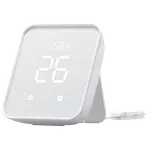
The SwitchBot Hub 2 wins this hub comparison on the two rows that separate them: a much stronger owner rating and built-in climate sensors the BroadLink RM MAX does not have.
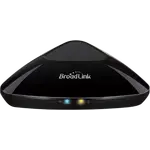
On everything else the two are level, both are IR blasters with a Matter bridge, both run on 2.4 GHz Wi-Fi only, and both reach Alexa, Google Home, Apple Home through Matter, SmartThings and Home Assistant. The BroadLink RM MAX keeps one trick, learning 433 MHz RF as well as IR, which covers ceiling fans and rolling-blinds remotes. Choose the SwitchBot Hub 2 for climate sensing and a proven IR hub, and the BroadLink RM MAX if you need to control RF devices at a budget price.
News by email
Still comparing? Get what's new by email
New releases and the smart home news worth knowing, in your inbox.
No spam. Unsubscribe in one click.
| Feature | BroadLink RM MAX | SwitchBot Hub 2 | Winner |
|---|---|---|---|
| Rating | 3.3 | 4.3 | SwitchBot Hub 2 |
| Sensors | None | Temperature, Humidity, Light | SwitchBot Hub 2 |
| Price | $59.99 | $59.99 | Tie |
| Connectivity | 2.4 GHz WiFi | 2.4 GHz WiFi | Tie |
| Protocols | Bluetooth, Matter Bridge, IR | Bluetooth, Matter Bridge, IR | Tie |
| Integrations | Google Home, Alexa, Apple HomeKit, Samsung SmartThings, Home Assistant | Google Home, Alexa, Apple HomeKit, Samsung SmartThings, Home Assistant | Tie |
| Local Control | YES | YES | Tie |
What the differences mean
Built-in sensors
The SwitchBot Hub 2 carries temperature, humidity and light sensors with logged history and charts, which is what makes climate-based automations possible. The BroadLink RM MAX has no sensors at all, so it cannot report or trigger on a room's conditions.
RF control
The BroadLink RM MAX learns 433 MHz RF as well as standard IR, so it can drive ceiling fans and some rolling blinds that only have an RF remote. The SwitchBot Hub 2 is an IR and Bluetooth device, with no RF learning, so those remotes are out of reach.
Owner rating
The SwitchBot Hub 2 holds a much stronger owner rating, with thousands of reviews, against the BroadLink RM MAX's far thinner and lower feedback. For a device that lives or dies on its software, that is a meaningful signal.
Matter bridge scope
Both bridge their devices into Matter, but the SwitchBot Hub 2 pairs SwitchBot Bluetooth gear and bridges up to 8 of them, with the thermometer and hygrometer counting separately. The BroadLink RM MAX pairs only BroadLink FastCon devices and drives other appliances through learned IR or RF codes.
Software maturity
The SwitchBot Hub 2 is described as polished, with Apple Shortcuts and simple device automations, even if the app is busy at first. The BroadLink RM MAX's software is its weak point, with owners reporting mislabeled Google Home devices and missing device-management options.
Which one to buy if
- you want to control an RF ceiling fan or rolling blinds
The BroadLink RM MAX learns 433 MHz RF as well as IR, while the SwitchBot Hub 2 is IR only.
- you want to monitor a room's temperature and humidity as well
The SwitchBot Hub 2 has built-in temperature, humidity and light sensors with history, and the BroadLink RM MAX has none.
- you run Apple Home and need a compatible IR blaster
The SwitchBot Hub 2 is owner-rated as one of the few IR blasters that works with Apple Home, over a Matter bridge both hubs support.
- you want the more proven, better-reviewed hub
The SwitchBot Hub 2 carries a much stronger owner rating over far more reviews than the BroadLink RM MAX.
- you want the cheapest way to add app control to IR-only appliances
The BroadLink RM MAX is a budget IR and RF hub, and it was built for exactly that job.
$59.99
- - Rating: 3.3 vs 4.3
- - Sensors: None vs Temperature, Humidity, Light
Winner
14% OFF
$59.99
$69.99
- + Rating: 4.3
- + Sensors: Temperature, Humidity, Light
What owners say
Owners of both hubs praise the same core talent, an IR blaster that learns an existing remote quickly, but the two devices draw very different reports beyond that. BroadLink RM MAX owners highlight strong range and reliable code learning from an existing remote, fast Bluetooth setup and the upgrade to USB-C, with one calling it smoother to pair than the older RM4 Pro. Their complaints are all software: remotes with rolling-code or encrypted RF never pair, Google Home often mislabels the hub and loses track of real on/off state, and the app lacks basic device management and scene options. SwitchBot Hub 2 owners rave about how easily the IR blaster learns a remote in seconds and about its rare Apple Home support, and they lean on the built-in temperature, humidity and light sensors with history charts for rooms, freezers and workshops. Their warnings are the 2.4 GHz-only network that can drop offline, unreliable links to some SwitchBot devices, and a Matter device cap that the thermometer and hygrometer eat into.
Frequently Asked Questions
Which is better overall: BroadLink RM MAX or SwitchBot Hub 2?
The SwitchBot Hub 2 wins, on a much stronger owner rating and on built-in temperature, humidity and light sensors the BroadLink RM MAX lacks. Both are IR blasters with a Matter bridge and the same platform support, so the SwitchBot Hub 2 brings more for the same money unless you specifically need RF control, which only the BroadLink RM MAX offers.
What is the biggest difference between the BroadLink RM MAX and the SwitchBot Hub 2?
Sensors and RF. The SwitchBot Hub 2 adds temperature, humidity and light sensing with history charts, while the BroadLink RM MAX adds 433 MHz RF learning for ceiling fans and rolling blinds. Each fills a gap the other leaves, and the SwitchBot Hub 2 also carries the far better owner rating.
Can the BroadLink RM MAX or the SwitchBot Hub 2 control a ceiling fan?
Only the BroadLink RM MAX is the safer bet there. It learns 433 MHz RF as well as IR, which covers ceiling fans and some rolling blinds. The SwitchBot Hub 2 is an IR and Bluetooth hub with no RF learning, and neither learns rolling-code or encrypted RF remotes.
Do the BroadLink RM MAX and SwitchBot Hub 2 work with Apple Home?
Yes, both reach Apple Home through their Matter bridge, alongside Alexa, Google Home, SmartThings and Home Assistant. Neither has a native HomeKit profile; the SwitchBot Hub 2 is simply the one owners describe as an easy HomeKit companion.
Who should buy the BroadLink RM MAX?
Buyers on a budget who need to bring IR and 433 MHz RF appliances like ceiling fans, blinds, AV gear and mini-split ACs under app and voice control, and who can tolerate a rough app.
Who should buy the SwitchBot Hub 2?
Households that want an IR blaster plus room temperature, humidity and light monitoring, Apple Home support through Matter, and simple climate automations, in a hub with far more owner feedback behind it.
Spotted something wrong on this page? Tell us and we will fix it.
 Our store on AmazonShop our ideas on AmazonLists of the smart home setups we would put together ourselves, ready to add to your Amazon cart.Shop on Amazon
Full comparison table
Compare all 32 Hubs side by side
You are looking at two of them. The full table lines up all Hubs in the catalog with the same specs, so you can filter by what you need and sort by price or rating.
- 32 Hubs
- 40 specs compared
- 37 filters
- Hubs

Caseta Smart Hub
- Hubs

Hue Bridge
- Hubs

Hub
- Hubs

Tapo H100
- Hubs
Tapo H500
- Hubs

Bridge Max
- Hubs

Smart Home controller II
- Hubs

Home Assistant Green
- Hubs
Hue Bridge Pro
- Hubs
Zigbee Bridge Ultra
- Hubs
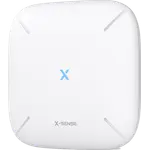

SBS50 Base Station
- Hubs
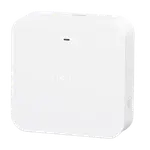

Smart Wi-Fi Hub MSH400HK
- Hubs
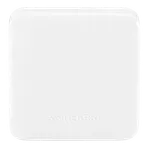

Hub Mini
- Hubs
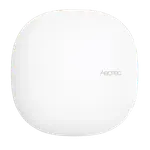

Smart Home Hub
- Hubs
Tapo H200
- Hubs
Tapo H110
- Hubs

Hub M2
- Hubs
Smart Wi-Fi Hub MSH450
- Hubs
Hub M3
- Hubs

Pro SmartHub

- Air Purifiers
Air Purifier Table
- Air Quality Monitors
Meter Pro (CO2 Monitor)
- Buttons
Remote
- Cameras
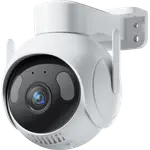
Outdoor Pan/Tilt Cam 3K
- Ceiling Lights

RGBICWW Ceiling Light 12inch
- Ceiling Lights
RGBICWW Ceiling Light 15inch
- Displays
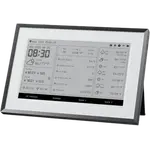
Smart E-Ink Home Dashboard
- Doorbells
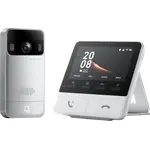
Smart Video Doorbell
- Door Locks
SwitchBot Lock Pro
- Door Locks
Lock Ultra Max
- Door Locks
SwitchBot Lock Ultra Vision Combo
- Door Locks
SwitchBot Lock Vision Pro
- Door Locks

Lock Vision
- Door Locks
SwitchBot Lock
- Door & Window Sensors
Contact Sensor
- Hubs
AI Hub
- Hubs
Hub 3
- Hubs
Hub Mini
- IR Remote Controls
Hub 3
- IR Remote Controls
Hub Mini