


Lutron Caseta Smart Hub Review: The Set-and-Forget Bridge for a Lutron Lighting System
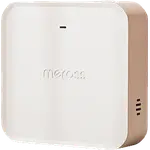
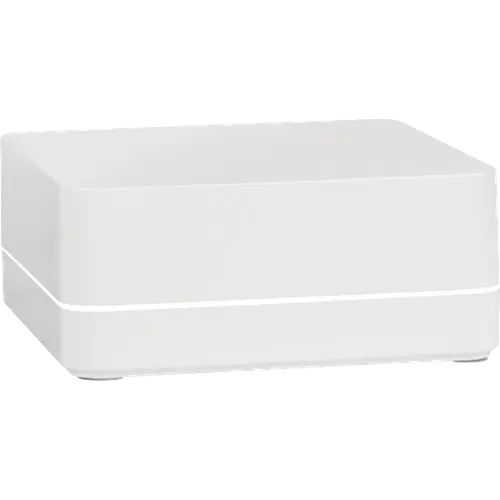
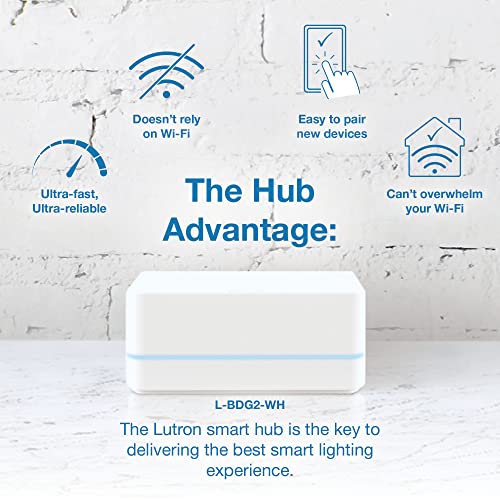
The Caseta Smart Hub is the piece that turns Lutron's dimmers, switches, Pico remotes and Serena shades into a real smart lighting system, with app control, scenes, schedules and voice through Alexa, Google Home, Apple Home, SmartThings and Home Assistant. It sits on the router by Ethernet and talks to devices on Lutron's own Clear Connect radio instead of Wi-Fi, which is why owners describe it as the part of the house that never needs attention and why the lights keep responding when the internet is down. The trade-off is that it is a Lutron hub and nothing else: no Zigbee, Z-Wave, Thread or Matter device will ever join it, so it complements a general purpose hub rather than replacing one. If your lighting is Caseta, it is close to essential.
- Caseta lighting owners
- Apple Home households
- Large multi-room homes
- Wi-Fi-free reliability seekers
Pros
- Wired Ethernet connection, so the lights keep working when Wi-Fi or the internet drops
- Clear Connect radio stays off the crowded 2.4 GHz Wi-Fi band
- Works with Alexa, Google Home, Apple Home, SmartThings and Home Assistant
- One hub covers up to 75 Caseta devices, Pico remotes and Serena shades
- Setup takes minutes and the Lutron app is easy to live with
- Small, quiet box that owners forget is there
Cons
- Lutron only: no Zigbee, Z-Wave, Thread or Matter devices can join it
- Needs a free LAN port on the router, there is no Wi-Fi option
- The first firmware update can loop and needs a power cycle to clear
- No printed instructions in the box
- The supplied power cord is short for awkward router placements
Who is the Lutron Caseta Smart Hub for?
This hub exists to unlock the rest of the Caseta line. A Caseta dimmer or switch works on its own with a Pico remote, but scenes, schedules, geofencing, remote access and voice control only arrive once the hub is on the network. One hub handles up to 75 wireless devices, counting itself, which covers dimmers, plug-in dimmers, switches, Pico remote controls and Lutron's Serena shades, so it suits a whole house rather than a single room. It is also the standard landing spot for people migrating off a discontinued hub or one that moved to a paid subscription, a move several owners describe going through with their existing Caseta switches intact.
What buyers love
Two things come up again and again. The first is setup: plug the hub into a LAN port with the supplied cable, follow the app, press the button on the back, and most owners are done in well under half an hour. The second is that it then disappears. Owners with a house full of Lutron switches report no lag and no glitches over long stretches, and one describes a four-storey home covered by a single hub. The Clear Connect radio is a real part of that, since it keeps the lighting off the crowded 2.4 GHz band that mesh Wi-Fi and other smart switches fight over, and local control survives an internet outage. Apple Home owners are the most enthusiastic group of all: Siri response is described as instant, and the hub carries native Apple Home technology rather than reaching it through a workaround.
What to know before you buy
It is a closed system. The hub is not a Zigbee coordinator, not a Z-Wave controller, not a Thread border router and it does not bridge its devices into Matter, so the only things it hosts are Caseta devices, Pico remotes and Lutron shades, plus a short list of partners such as Ring and Sonos. Owners invested in other brands of switch find that out the hard way. It also has no Wi-Fi radio at all, so a free port on the router is mandatory, and the supplied power cord is on the short side if the router sits somewhere awkward. The one recurring setup complaint is the initial firmware update, which can loop and needs a power cycle or two to clear, and a couple of owners had to sort out an old Lutron account or switch off a VPN before the app would finish. There is no printed manual in the box either. Lutron backs the hub with a one year warranty, which registering the product extends by a further year.
Is the Lutron Caseta Smart Hub worth it?
For a Caseta household, yes, and the high average rating it has held through many years on sale says the same. You are paying a mid-range hub price for reliability rather than for features: there is no published processor or storage to run add-ons, no local automation engine, no protocol support beyond Lutron's own. What you get instead is a lighting system that responds instantly, keeps working during an outage and gets out of the way, which is exactly what a lighting hub should do. If you want one box to rule every brand in the house, look at a general purpose hub and keep this one alongside it for the lights.
Frequently asked questions
Does the Lutron Caseta Smart Hub need Wi-Fi?
No. The hub has no Wi-Fi radio and connects to a LAN port on your router with the Ethernet cable in the box. It reaches Caseta devices on Lutron's Clear Connect radio, so the lights keep responding locally even when the internet is down. An internet connection is only needed for setup, remote access, the system clock and firmware updates.
How many devices can one Caseta Smart Hub control?
Up to 75 wireless devices, with the hub itself counting as one of them. That pool covers Caseta dimmers, plug-in dimmers and switches, Pico remote controls and Lutron's wireless shades. Devices need to be within about 9 metres of the hub, and a repeater extends that range.
Does it work with Apple Home, Alexa and Google Home?
Yes to all three. The hub carries Apple Home technology, so Siri controls the lights and shades it hosts, and Lutron lists Amazon Alexa and Google Assistant as supported voice assistants alongside Samsung SmartThings, Ring and Sonos.
Does the Caseta Smart Hub work with Home Assistant?
Yes. Home Assistant's official Lutron Caseta integration names this exact hub, the L-BDG2-WH, among its supported hardware, so the PRO model is not required to bring Caseta lights and shades into Home Assistant.
Can it control Zigbee, Z-Wave or Matter devices?
No. It is a Lutron hub: it is not a Zigbee coordinator, not a Z-Wave controller, not a Thread border router, and it does not expose its devices over Matter. Switches and sensors from other brands need their own hub, which runs alongside this one.
What is the difference between this hub and the Caseta Smart Hub PRO?
Both look identical and control the same Caseta devices. The PRO model, sold under its own model number, adds the professional integrations Lutron documents for certain audio, video, whole home and security systems. For app control, scenes, schedules and the mainstream voice assistants, this standard hub is enough.