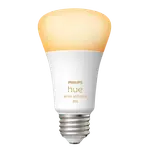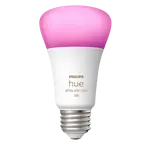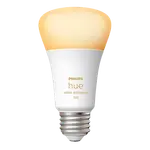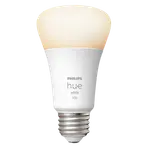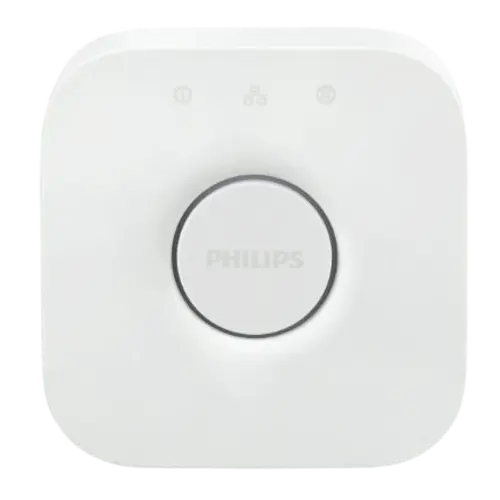


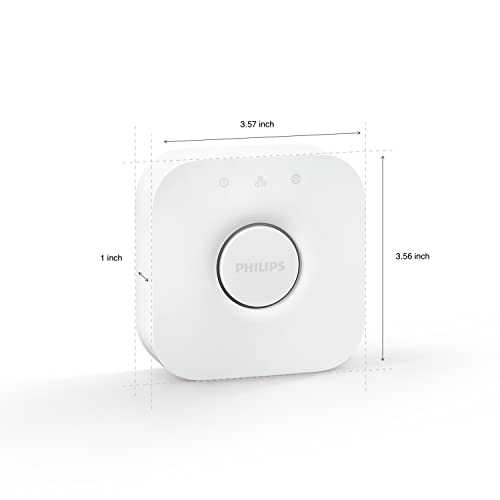


Philips Hue Bridge Review: The Hub That Turns Hue Bulbs Into a Real Smart Lighting System
The Philips Hue Bridge is what turns individual Hue bulbs into a proper smart lighting system. It moves your lights off Bluetooth onto a reliable local Zigbee network, so they respond fast and reach across the whole house, and it unlocks zones, whole-home scenes, automations, away-from-home control and entertainment features like Hue Sync. It connects to your router by Ethernet (no Wi-Fi or Bluetooth on the hub itself) and works with Apple Home, Alexa, Google Home, Samsung SmartThings, Home Assistant and Matter. It is the cheaper, classic bridge and is famously dependable, but it caps out at around 50 devices, so very large homes should look at the Bridge Pro. Setup is usually easy, though a few owners hit network snags, and lights far from the hub can drop out until the Zigbee mesh is strong enough.
- Hue ecosystem owners
- Whole-home scenes and zones
- Out-of-home and voice control
- Entertainment / Hue Sync fans
Pros
- Moves bulbs to reliable local Zigbee for fast, whole-house control
- Unlocks zones, whole-home scenes, automations and away-from-home access
- Entertainment sync (Hue Sync) matches lights to movies, games and sports
- Wired Ethernet to the router keeps connectivity rock solid
- Works with Apple Home, Alexa, Google Home, SmartThings, Home Assistant and Matter
- Famously dependable, with an open API for third-party apps
Cons
- Hue ecosystem is pricier than rival smart bulbs
- Caps at around 50 devices (large homes should consider the Bridge Pro)
- Ethernet-only: the hub has no Wi-Fi or Bluetooth and needs a router port
- Lights far from the hub can drop out until the Zigbee mesh is strong
- Setup occasionally fails to find the bridge without network fiddling
- Automated dimming starts/stops around 10 percent rather than fading fully
Who is the Philips Hue Bridge for?
This is the classic hub at the center of the Philips Hue ecosystem, for anyone who wants more than one or two bulbs. It is a Zigbee coordinator and Matter bridge that connects to your router over Ethernet (the hub has no built-in Wi-Fi or Bluetooth) and supports up to 50 Hue devices. Moving your bulbs from Bluetooth onto Hue's local Zigbee network makes them faster and far more reliable across a whole house, and it unlocks the features that make Hue worth it: rooms and zones, whole-home scenes, schedules and automations, control from anywhere when you are away, and entertainment sync (Hue Sync) that matches your lights to movies, games or sports. It integrates with Apple Home, Amazon Alexa, Google Home, Samsung SmartThings and Home Assistant, and an open API lets third-party apps (for example race-data light integrations) drive your lights. It best suits Hue owners building a multi-room setup who want reliable, low-latency local control.
What buyers love
Long-time owners describe the Hue system, with the Bridge at its core, as simply working, often citing many years with no failed bulbs and very little troubleshooting, which they feel justifies Hue's premium price. The shift to local Zigbee is the technical reason: because the hub is wired to the router and talks to bulbs over Zigbee rather than each bulb relying on Wi-Fi, response is fast and connectivity is rock solid from basement to top floor. Buyers love the depth the Bridge adds: auto-detection of bulbs at setup, granular brightness and color, smooth fade on/off, scenes that change by time of day, and away-from-home and voice control across Alexa, HomeKit and Google. Entertainment sync (matching lights to a World Cup match, an F1 race or a movie) is a repeated favorite, and the open API enabling third-party apps is a bonus for tinkerers.
What to know before you buy
The honest caveats start with cost and ceiling. Hue is more expensive than rival bulbs, and this classic bridge supports up to 50 devices, so big whole-home setups should consider the Bridge Pro instead. It is Ethernet-only, so you need a spare router port. Setup is usually quick but not always: a few owners struggled to get the phone app to find the bridge (sometimes a second phone or network fiddling did the trick), and it helps to create your Hue account with the same email you use for Alexa. Lights placed far from the hub can show as unreachable until the Zigbee mesh is built out with more devices, which can also make HomeKit control spotty for those bulbs. A minor annoyance: automated dimming routines tend to start or stop around 10 percent rather than fading fully from zero. Note too that erratic on/off behavior people blame on Hue is sometimes caused by reactivated Alexa, Apple Home or Google routines after a platform update, so check those first.
Is the Philips Hue Bridge worth it?
If you are buying into Hue, yes: the Bridge is essential to get the system's reliability, speed, whole-home scenes, away-from-home control and entertainment features, and it is highly rated by a very large number of owners. For a single bulb it is overkill, but for a real multi-room setup it is the piece that makes everything click. Choose this classic bridge if your setup fits within about 50 devices and you want the proven, affordable option; step up to the Bridge Pro if you have a large home or want the newest capacity and MotionAware. Plan for a wired connection and the Hue ecosystem's higher bulb prices, and you get one of the most dependable smart-lighting brains available.
Frequently asked questions
Do I need the Hue Bridge to use Philips Hue bulbs?
For one or two bulbs you can use Bluetooth, but to unlock the full system, zones, whole-home scenes, automations, away-from-home control, entertainment sync and reliable Zigbee control, you need the Bridge. It is what turns Hue bulbs into a real smart lighting system.
How many lights does the Hue Bridge support?
This classic bridge supports up to 50 Hue devices. If you need more than that for a large, whole-home setup, the newer Hue Bridge Pro raises the limit to 150+ lights.
How does it connect to my network?
It connects to your router with an Ethernet cable; the hub itself has no built-in Wi-Fi or Bluetooth. The wired connection is a big reason Hue stays so reliable, so make sure you have a free router port.
Which platforms and voice assistants does it work with?
It works with Apple Home, Amazon Alexa, Google Home, Samsung SmartThings and Home Assistant, and acts as a Matter bridge. Tip: set up your Hue account with the same email as your Alexa account to avoid pairing errors.
Why do some of my lights show as unreachable?
Usually it means a bulb is too far from the bridge for a solid Zigbee link. Hue bulbs act as repeaters, so adding more devices strengthens the mesh and typically resolves it. Also check that firmware is up to date.