Winner

24% OFF
$52.99
$69.99

Full Smart Hubs comparison in 2026

New releases and the smart home news worth knowing, in your inbox.
No spam. Unsubscribe in one click.
| Feature | Philips Hue Bridge | YoLink Hub | Winner |
|---|---|---|---|
| Price | $52.99 | $23.59 | YoLink Hub |
| Connectivity | Ethernet | 2.4 GHz WiFi, Ethernet | YoLink Hub |
| Protocols | Zigbee Coordinator, Matter Bridge, Third-Party Devices | None | Philips Hue Bridge |
| Integrations | Google Home, Alexa, Apple HomeKit, Samsung SmartThings, Home Assistant | Google Home, Alexa, Home Assistant | Philips Hue Bridge |
| Rating | 4.5 | 4.5 | Tie |
| Warranty | 2 years | 2 years | Tie |
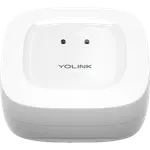
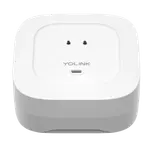
The Philips Hue Bridge is a Zigbee coordinator, so it drives Hue bulbs and other Zigbee 3.0 lights on a local mesh. The YoLink Hub runs YoLink's 923.3 MHz LoRa network for its own sensors, which is a different protocol for a different kind of device.
The YoLink Hub is built to cover a property, reaching sensors hundreds of feet through walls and metal. The Philips Hue Bridge is built to cover a house of bulbs, and lights placed too far from it can drop out until more devices strengthen the mesh.
The Philips Hue Bridge acts as a Matter bridge and works with Apple Home, Alexa, Google Home, SmartThings and Home Assistant. The YoLink Hub is not a Matter bridge and supports only Alexa, Google Home and Home Assistant, so it never reaches Apple Home or SmartThings.
Both use a wired Ethernet link to the router, and both lack a Wi-Fi radio of their own. The YoLink Hub adds 2.4 GHz Wi-Fi as a second option, while the Philips Hue Bridge is Ethernet-only and needs a free router port.
The Philips Hue Bridge supports up to around 50 devices, and the YoLink Hub was tested with up to 180. For a large property with many sensors the YoLink Hub scales further, while the Philips Hue Bridge favors a home of lights.
The Philips Hue Bridge turns Hue bulbs into a reliable local system with zones, scenes, away-from-home control and entertainment sync.
The YoLink Hub runs a long-range LoRa network, which is the whole reason its owners choose it.
The Philips Hue Bridge is a Matter bridge, so its devices reach Matter platforms, while the YoLink Hub is not.
The YoLink Hub accepts 2.4 GHz Wi-Fi and Ethernet, while the Philips Hue Bridge is Ethernet-only.
Philips Hue Bridge owners describe a system that simply works, often citing years with no failed bulbs and very little troubleshooting. They single out fast, reliable local Zigbee control, whole-home scenes and zones, away-from-home access and entertainment sync that matches the lights to a film or a match, while warning that the ecosystem is pricier than rival bulbs, that the bridge caps at around 50 devices, and that lights far from it can drop out until the mesh fills in. YoLink Hub owners praise exactly the opposite virtue: range. They report sensors holding a link hundreds of feet away through metal and detached buildings, a QR-code setup that takes minutes, a low price and strong support, and they recommend it as the entry ticket to the ecosystem. Their complaints are cloud dependence with no local API or Matter, capped free alerts, and a handful of units that stopped reconnecting.
For lighting, the Philips Hue Bridge, which is a Zigbee coordinator and Matter bridge for smart bulbs. For long-range sensors, the YoLink Hub, which runs its own LoRa network across a large property.
No. The Philips Hue Bridge is a Zigbee and Matter hub for lights, while YoLink sensors speak LoRa at 923.3 MHz and need the YoLink Hub.
Only the Philips Hue Bridge does, through Apple Home and Matter. The YoLink Hub supports Alexa, Google Home and Home Assistant but not Apple Home on this model.
The YoLink Hub accepts 2.4 GHz Wi-Fi and an Ethernet cable, and can use both at once. The Philips Hue Bridge has no Wi-Fi radio and must connect by Ethernet.
The Philips Hue Bridge supports up to around 50 devices, while the YoLink Hub was tested with up to 180, so the YoLink Hub scales further for a sensor-heavy home.
The Philips Hue Bridge keeps controlling the lights it hosts locally, which owners value. The YoLink Hub is cloud dependent, so app control and alerts stop when the internet does.
 Our store on AmazonShop our ideas on AmazonLists of the smart home setups we would put together ourselves, ready to add to your Amazon cart.Shop on Amazon
You are looking at two of them. The full table lines up all Hubs in the catalog with the same specs, so you can filter by what you need and sort by price or rating.