

Sonoff Bridge Max Review: The Cloud-Free Zigbee Gateway and Matter Bridge in One Small Box
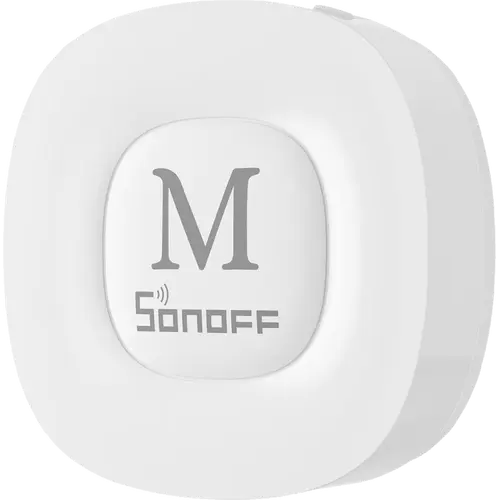
The Sonoff Bridge Max is a Zigbee 3.0 gateway and a certified Matter bridge in the same 82 x 82 x 28 mm box, and its defining trait is that it runs entirely on your own network: you configure it from a local web console in a browser, with no app, no account and no internet connection needed. Owners report an easy setup over the RJ45 Ethernet port, a stable mesh at scale (one runs roughly 70 devices on it), and a clean path for moving Zigbee or eWeLink gear into Apple Home, Alexa, Google Home, SmartThings or Home Assistant. The rough edges are software rather than hardware: the local console is English and Chinese only and runs over plain HTTP, units have shipped on pre-release firmware that wants an immediate update, and getting it onto Wi-Fi instead of Ethernet can mean splitting a combined-band network. At this price it is a strong buy for a Zigbee home that wants local control, and largely redundant if you already run a USB Zigbee coordinator directly on Home Assistant.
- Local, cloud-free smart homes
- Home Assistant users who want Zigbee off a USB dongle
- ZBBridge Pro owners upgrading
- Zigbee beginners
- Wired Ethernet setups
Pros
- Runs fully local: web console setup with no app, account or internet connection
- Matter bridge into Apple Home, Alexa, Google Home, SmartThings and Home Assistant
- Zigbee gateway rated for up to 128 devices, stable at scale in owner reports
- Wired 10/100 Mbps Ethernet plus dual-band Wi-Fi, with USB and LAN cables included
- Built-in 90 dB alarm for a local Zigbee security system
- Also bridges Bluetooth BTHome and eWeLink-Remote accessories
- One-step migration from the older ZBBridge Pro
- Two-year warranty
Cons
- Local web console is English and Chinese only, and served over plain HTTP
- Ships on pre-release firmware that needs updating on first login; software still feels unpolished in places
- Wi-Fi onboarding may require splitting a combined-band network; Ethernet avoids it
- One owner had the bridge go unresponsive after a week and needed a factory reset
- Not every Zigbee device arrives in the destination app with all of its functions
- No Z-Wave, no infrared and no Thread border router
- No Node-RED, Tailscale, ONVIF or RTSP support, unlike Sonoff's iHost
- Redundant if you already run a USB Zigbee coordinator on Home Assistant
Who is the Sonoff Bridge Max for?
This is a two-jobs-in-one hub. As a Zigbee coordinator it hosts its own mesh, rated by Sonoff for up to 128 devices, and as a Matter 1.4 certified bridge it republishes those devices, plus Bluetooth accessories such as BTHome sensors and eWeLink-Remote gear and even Home Assistant entities, into Apple Home, Alexa, Google Home, SmartThings or Home Assistant. It connects over a 10/100 Mbps RJ45 port or dual-band Wi-Fi and draws power over USB-C, so it can sit anywhere with a socket and a network drop. That makes it a fit for three groups in particular: people who want their smart home to keep working with the internet unplugged, Home Assistant users who would rather have a networked Zigbee hub than a USB stick and an extension cable hanging off the server, and Zigbee newcomers who want a box that works out of the packaging. Owners upgrading from the older ZBBridge Pro get a documented one-step migration for their devices, scenes and security settings.
What buyers love
The recurring theme, and the one owners write the most about, is genuine local operation. Several set the bridge up on an isolated network with no internet at all, from first boot through setting a password to pairing the first sensor, using nothing but the web console in a browser. No account, no cloud service, no app: for buyers who had held off on smart home gear precisely because of that dependency, it is the headline reason they bought it. The second theme is stability, especially over Ethernet. One owner runs about 70 devices through it without a fault and values having Zigbee, Matter and a siren in a single unit rather than separate dongles. Wiring it also makes placement independent of where the Home Assistant server lives, and it lets you configure Wi-Fi as a fallback from the web interface without ever installing an app. Setup itself is repeatedly described as quick, adding the bridge to Home Assistant is a matter of generating a pairing code in the Matter Bridge menu and scanning it, and a Spanish owner moved a fleet of eWeLink devices into Apple Home exactly as intended. The hardware gets consistent praise too: solid casing, matte finish, very light, and both a USB cable and a LAN cable in the box.
What to know before you buy
The complaints are about software polish, not the concept. The local console is available in English and Chinese only, and it serves plain HTTP, which is fine inside a trusted LAN but is worth knowing. Units have arrived on a pre-release firmware with a 1.0.0 update waiting immediately after the first login, and more than one owner describes small details as not yet feeling finished. One UK owner found the bridge offline and unresponsive after about a week and had to factory reset it and re-add it through the web interface. Wi-Fi onboarding is the other snag: one US buyer returned the unit after being told to split a combined 2.4 GHz and 5 GHz network to get it to join, so if you would rather not touch your router, plan on the Ethernet port. Pairing Zigbee devices also takes patience, since the scan runs to completion before a newly found device appears. Finally, check the compatibility list before you commit a room of accessories: Sonoff publishes a device and function matrix, and a supported device does not always arrive in the destination app with every one of its features. Feature-wise this is a bridge and not a server: there is no Z-Wave, no infrared, no Thread border router, no microSD slot, no Power over Ethernet, and none of the Node-RED, Tailscale, ONVIF or RTSP extras that Sonoff's iHost carries.
Is the Sonoff Bridge Max worth it?
For a budget-priced hub, yes, provided its job matches yours. What you get is a Zigbee gateway with real capacity, a certified Matter bridge that reaches all five major platforms, Bluetooth device support, a wired network option, a built-in 90 dB alarm for a local security setup, and a two-year warranty, all managed from a page in your browser with nothing leaving the house. The clearest wins are replacing a ZBBridge Pro, exposing Zigbee or eWeLink devices to an ecosystem that would otherwise ignore them, and getting Zigbee off a USB port on a Home Assistant server. The clearest case to skip it is the mirror image: if a USB Zigbee coordinator on ZHA already covers you, as one German owner concluded about their own setup, the bridge adds a hop rather than a capability. Its remaining weak spot is firmware maturity, which is the kind of thing updates fix, and Sonoff has already shipped one.
Frequently asked questions
Does the Sonoff Bridge Max need the cloud or an eWeLink account?
No. It is configured from a local web console reached in a browser on the same network, and owners have completed the whole process, including pairing Zigbee sensors, on an isolated network with no internet. Signing in to eWeLink is only needed if you want to import devices from an eWeLink account or use the phone app; local Zigbee and Matter bridging work without it.
Which smart home platforms does it work with?
It acts as a Matter bridge, so the devices it hosts show up in Apple Home, Alexa, Google Home and SmartThings. Home Assistant is supported two ways: you can add the bridge itself over Matter, or publish its Zigbee sub-devices to Home Assistant over MQTT. It is a bridge rather than a controller, so you still need a Matter controller such as a HomePod, an Apple TV, an Echo, a Google speaker or Home Assistant on the same network.
How many Zigbee devices can it handle?
Sonoff rates it at up to 128 Zigbee devices for stable operation, and it can bridge further accessories from Bluetooth, eWeLink and Home Assistant sources on top of that. One owner reports running roughly 70 devices through it without problems.
Does it need an Ethernet cable, or will Wi-Fi do?
Either works. The RJ45 port runs at 10/100 Mbps and is the smoother path, since it lets you finish setup, including entering Wi-Fi credentials, from the web console without an app. Wi-Fi is dual-band, but one buyer was asked to split a combined 2.4 GHz and 5 GHz network before the bridge would join, so the wired route is the safer first move.
Is there a siren, or does it need a separate one?
There is a 90 dB alarm built into the bridge itself. Paired with Zigbee door, window or motion sensors it forms a local security system that sounds on the hub and sends notifications, with no extra siren device to buy.
How is it different from the Sonoff Zigbee Bridge Ultra and the iHost?
The Bridge Max adds Bluetooth device bridging, dual-band Wi-Fi, a local web console that works without any app, and a built-in alarm, and it is the model with the documented one-step migration from the ZBBridge Pro. The iHost is a different class of product: a small server with far more memory and storage that also runs Node-RED, Tailscale and camera protocols, none of which the Bridge Max offers.