Winner
14% OFF
$59.99
$69.99

Full Smart Hubs comparison in 2026
New releases and the smart home news worth knowing, in your inbox.
No spam. Unsubscribe in one click.
| Feature | SwitchBot Hub 2 | TP-Link Tapo H500 | Winner |
|---|---|---|---|
| Price | $59.99 | $199.99 | SwitchBot Hub 2 |
| Rating | 4.3 | 4.5 | TP-Link Tapo H500 |
| Connectivity | 2.4 GHz WiFi | 2.4 GHz WiFi, 5 GHz WiFi, Ethernet | TP-Link Tapo H500 |
| Protocols | Bluetooth, Matter Bridge, IR | Matter Bridge, Third-Party Devices | SwitchBot Hub 2 |
| Sensors | Temperature, Humidity, Light | None | SwitchBot Hub 2 |
| Integrations | Google Home, Alexa, Apple HomeKit, Samsung SmartThings, Home Assistant | Google Home, Alexa, Apple HomeKit, Samsung SmartThings | Tie |
| No Subscription Required | YES | YES | Tie |
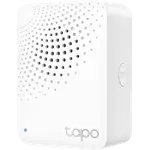
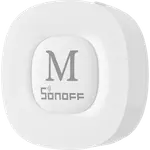
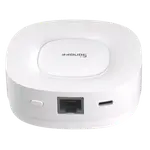
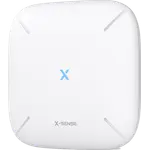
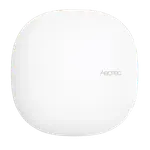
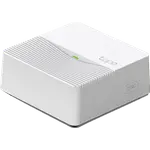
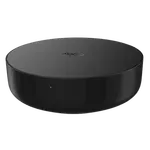
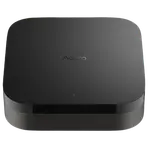
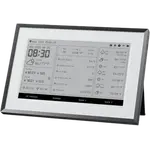
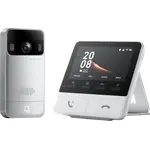
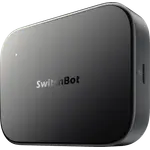
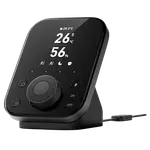
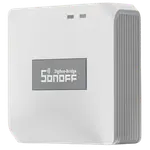
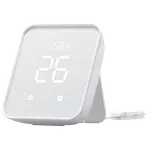
The SwitchBot Hub 2 is an IR blaster and climate sensor bridge that also connects SwitchBot devices to Matter. The TP-Link Tapo H500 is a camera hub built around its own storage, recording Tapo cameras and doorbells rather than sensing a room.
The SwitchBot Hub 2 has built-in temperature, humidity and light sensors that log history. The TP-Link Tapo H500 has none of its own, since it was designed around cameras, not ambient sensing.
The TP-Link Tapo H500 carries 16GB onboard plus a 2.5-inch SATA bay for up to 16TB, enough to record several cameras with no subscription. The SwitchBot Hub 2 has no storage of any kind.
The TP-Link Tapo H500 adds an Ethernet port and 5GHz Wi-Fi for a steadier connection. The SwitchBot Hub 2 is 2.4GHz Wi-Fi only, so a shaky network can knock it offline.
The SwitchBot Hub 2 also carries Bluetooth and an infrared blaster. The TP-Link Tapo H500 has neither, since it leans on Wi-Fi, Ethernet and its own Sub-1 GHz radio for sensors instead.
The SwitchBot Hub 2 does both cheaply, with temperature, humidity and light history built in.
The TP-Link Tapo H500's onboard storage and SATA bay end the monthly fee.
The SwitchBot Hub 2's IR blaster and Matter bridge both reach HomeKit, which is unusual for a smart IR device.
The TP-Link Tapo H500 has an Ethernet port; the Hub 2 is Wi-Fi only.
Owners of both hubs describe an easy setup and responsive support when something goes wrong. SwitchBot Hub 2 owners specifically praise how quickly the IR blaster learns a remote and that it is one of the only smart IR bridges that works with Apple HomeKit, but they flag a 2.4GHz-only connection that occasionally drops and a cap on how many devices reach Matter. TP-Link Tapo H500 owners talk mostly about the storage: several describe replacing a paid cloud plan with a drive they bought once, and single out the HDMI output for a camera wall on a spare monitor, while calling the facial recognition inconsistent at times.
The SwitchBot Hub 2 wins overall, ahead on protocols and sensors thanks to its learning IR blaster, Bluetooth radio and built-in temperature, humidity and light sensors. The TP-Link Tapo H500 counters with dual-band Wi-Fi, an Ethernet port and onboard storage for camera recording, which the Hub 2 was not built to do.
Job description. The SwitchBot Hub 2 is an IR blaster and climate sensor bridge that also connects SwitchBot devices to Matter, while the TP-Link Tapo H500 is a camera hub with 16GB of built-in storage and a 2.5-inch SATA bay for up to 16TB, built to record Tapo cameras and doorbells without a subscription.
The SwitchBot Hub 2. It has built-in temperature, humidity and light sensors that log history and chart trends, though it has no motion sensor. The TP-Link Tapo H500 has no environmental sensors of its own.
Only the TP-Link Tapo H500, which pools recordings from up to 16 Tapo cameras and doorbells onto its own 16GB of storage or an added drive. The SwitchBot Hub 2 has no camera and no storage.
Choose the SwitchBot Hub 2 if you want an affordable hub that learns remotes to control TVs and mini-split ACs, tracks temperature, humidity and light, and bridges SwitchBot devices into Apple Home, Google Home, Alexa, SmartThings and Home Assistant through Matter.
Choose the TP-Link Tapo H500 if you already own Tapo cameras or doorbells and want local recording instead of a subscription. It connects over dual-band Wi-Fi or Ethernet and bridges into Alexa, Google Home, Apple Home and SmartThings through Matter.
Spotted something wrong on this page? Tell us and we will fix it.
 Our store on AmazonShop our ideas on AmazonLists of the smart home setups we would put together ourselves, ready to add to your Amazon cart.Shop on Amazon
You are looking at two of them. The full table lines up all Hubs in the catalog with the same specs, so you can filter by what you need and sort by price or rating.