





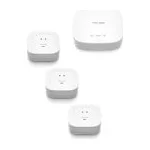
YoLink Hub Review: The LoRa Gateway That Keeps Sensors Talking Across a Whole Property
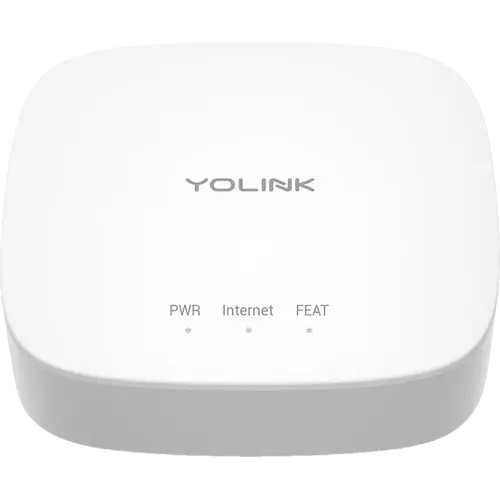
The YoLink Hub is the box every YoLink device needs. It generates the 923.3 MHz LoRa network the sensors actually speak on and carries that traffic to the app over an Ethernet cable or a 2.4 GHz Wi-Fi connection, which is why owners keep reporting sensors that hold a link hundreds of feet away, through metal freezers and detached outbuildings, where Wi-Fi gear had already given up. It is also the cheapest piece of the system and the easiest to set up, with a QR code scan that buyers across several countries describe as a few minutes of work. The trade-off is that this model is a cloud appliance: it is not a Matter bridge, it has no local API, and app control and alerts stop when the internet does. Buy it as the entry ticket to YoLink, and step up to the Local Hub if local control is what you are after.
- Large properties and outbuildings
- Whole-home leak and temperature monitoring
- Budget buyers
- Alexa and Google Home households
- Home Assistant users
Pros
- Generates YoLink's own 923.3 MHz LoRa network, so sensors never touch your Wi-Fi
- Owners report links holding hundreds of feet away, through metal freezers and detached buildings
- Wires in over Ethernet with the patch cable included, or joins 2.4 GHz Wi-Fi, and accepts both at once
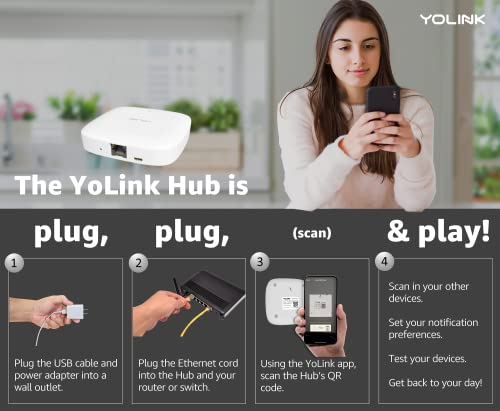
- Setup is a QR code scan, and buyers across six countries describe it as minutes of work
- YoLink's own testing put a single Hub at 180 connected devices
- Works with Alexa and Google Home, and with Home Assistant through an official integration
- Cheap enough that owners keep a second one as a spare
- Customer support is one of the most praised parts of the system
- Two year warranty
Cons
- Cloud dependent: app control and alerts stop when the internet connection does
- Not a Matter bridge and no local API, so the devices behind it do not reach Apple Home or SmartThings
- 2.4 GHz Wi-Fi only, with no support for the 5 GHz band
- No Power over Ethernet, so it needs its own USB power supply next to the router
- The free allowance for text and email alerts is limited, and there is no way to use your own mail server
- Reports of units that stop working and will not reconnect, with one owner on a third Hub in two years
- No speaker, so spoken alerts need the separate SpeakerHub
- Can be fussy about the USB adapter and the router port it is plugged into
Who is the YoLink Hub for?
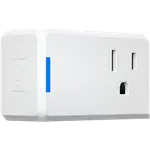
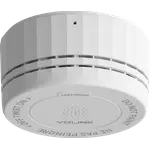
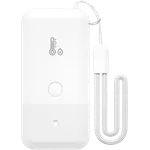
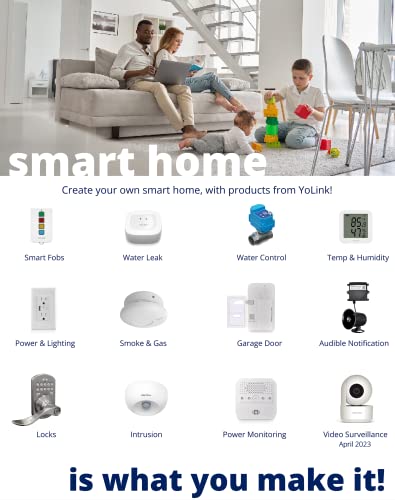
Anyone who bought a YoLink leak sensor, door sensor, thermometer, smoke alarm, plug or valve controller and then found out those devices do not talk to Wi-Fi at all. They speak LoRa at 923.3 MHz to this Hub, and the Hub is the only part of the system that touches your network. That design is the whole reason people end up here: the reviews are full of jobs that a normal Wi-Fi sensor cannot do. A thermometer in a lake three hundred feet down a hill from a cottage. A pump house six hundred feet from the house, inside an insulated box, inside a heated building. A freezer in a detached garage whose metal shell a signal has to get through. Alongside those are the ordinary indoor setups, fridge and freezer thermometers, a leak sensor under every appliance, a valve controller that shuts the water off by itself, and the pattern is the same: the Hub goes somewhere central, and the sensors go wherever the problem is.
What buyers love
Range comes first, and it is described in feet rather than adjectives, which is unusual for smart home reviews. Owners repeatedly report links holding across distances and through materials that surprised them, and several say the system replaced Z-Wave, X-10 or SmartThings kit that kept dropping out. Setup is the second theme and it is close behind: the app scans a QR code on the device, and buyers in the US, Canada, Australia, the UK, Brazil and Mexico all independently call it fast, with one saying the Hub and a freezer sensor were live in under five minutes. The wiring is forgiving too, since an Ethernet patch cable comes in the box and the Hub takes the wired connection and Wi-Fi at the same time, which one owner with two internet lines uses as an automatic fallback. Cost and support round it out. The Hub is cheap enough that more than one owner keeps a spare on the shelf, and YoLink's customer service earns some of the warmest comments in the whole pool, including a replacement controller and an extra hub sent at the company's expense.
What to know before you buy
This is a cloud device, and that is the single most important thing to understand. Sensor events travel to the Hub, the Hub sends them to YoLink's servers and the servers push them to the app, so a dropped internet connection takes app control and notifications with it. This model has no local API and is not a Matter bridge, which is the reason it cannot expose its devices to Apple Home or SmartThings. The alerting allowance catches people out as well: the free tier covers a limited number of text messages and a larger but still finite number of emails, and one owner docked a star specifically because he could not point the system at his own mail server instead. The hardware has its quirks. It is 2.4 GHz Wi-Fi only, it draws power from a Micro-USB B input rather than the Ethernet port, and one detailed reviewer found it fussy about both the USB adapter and the router port until he connected it straight to the router. Longevity is the one genuinely worrying thread: a Canadian owner who likes the rest of the system is on a third Hub in about two years, with units that stopped working and would not reconnect. And if you want the system to speak out loud, this is not the model, since audible alerts are the job of the separate SpeakerHub.
Is the YoLink Hub worth it?
For what it costs, it is one of the easiest recommendations in the category, because it is not really an optional purchase: without it the sensors do nothing, and with it they cover ground that no Wi-Fi or Zigbee device in the same price bracket can reach. It carries a serious number of endpoints for the money, YoLink's own testing put one Hub at 180 devices, and it plugs into Alexa, Google Home and Home Assistant, the last through an official integration. What you give up against a modern hub is openness: no Matter bridge, no local control, no speaker, no battery backup, and a system that leans on one company's cloud. If those matter to you, the Local Hub is the model to look at instead. If what you need is a long range sensor network that a non-technical person can stand up in an afternoon, this is still the cheapest way in.
Frequently asked questions
Do YoLink sensors work without the Hub?
Not properly. YoLink devices communicate over LoRa at 923.3 MHz, and the Hub is what generates that network and connects it to the app, so it is required for full functionality and for anything you want to see or control from your phone.
Does the YoLink Hub need Wi-Fi?
No. It has an RJ45 port and ships with an Ethernet patch cable, which is the connection YoLink recommends. If you would rather go wireless it joins 2.4 GHz Wi-Fi, but it does not support the 5 GHz band.
How many devices can one YoLink Hub handle?
YoLink states there is no hard limit and that a single Hub carried 180 devices without issues in testing. It recommends adding a second Hub once you are somewhere between 100 and 200 devices.
Does the YoLink Hub work with Alexa, Google Home and Home Assistant?
Yes to all three. Alexa and Google Home both see the YoLink devices paired to the Hub rather than the Hub itself, and Home Assistant has an official YoLink integration that is set up by adding the Hub to your instance. Apple Home and SmartThings are not supported on this model.
Is the YoLink Hub a Matter bridge?
No. This model exposes nothing over Matter and has no local API. Matter bridging and local control arrived with the separate YoLink Local Hub, which is the one to buy if you want to bypass the cloud.
Does the YoLink Hub have a battery backup?
No. It runs on 5 volts through a Micro-USB B input and has no internal battery and no Power over Ethernet, so a power cut takes it offline unless you put it on a UPS.