
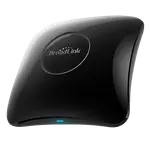
Updated June 2026
Data from Amazon and official BroadLink and Moes sites.
2026 verdict
RF support or a built-in thermometer: pick one. The Moes Temp/Humidity Monitor with IR wins this matchup on price and its sensors, undercutting the BroadLink RM4 Pro while also tracking the room's temperature and humidity to trigger its own automations. The BroadLink RM4 Pro claws back only on protocols, where its added RF (radio frequency) support lets it drive blinds, fans and other radio-controlled gear that the IR-only Moes Temp/Humidity Monitor with IR simply cannot touch. Everything else lines up closely: both connect over 2.4GHz WiFi only, share the same trio of Alexa, Google Home and Home Assistant integrations, and both learn new remotes just as capably. If your devices are strictly infrared and you want a temperature trigger built in, the Moes Temp/Humidity Monitor with IR is the more affordable, more complete pick, if you own RF-controlled blinds, fans or outlets, the BroadLink RM4 Pro is the only one of the two that can reach them, sensor or no sensor.
| Feature | BroadLink RM4 Pro | Moes Temp/Humidity Monitor with IR | Winner |
|---|---|---|---|
| Price | $44.99 | $27.99 | Moes Temp/Humidity Monitor with IR |
| Rating | 3.9 | 4.0 | Moes Temp/Humidity Monitor with IR |
| Protocols | IR, RF | IR | BroadLink RM4 Pro |
| Sensors | None | Temperature, Humidity | Moes Temp/Humidity Monitor with IR |
| Warranty | 1 year | 1 year | Tie |
| Connectivity | 2.4 GHz WiFi | 2.4 GHz WiFi | Tie |
| Integrations | Google Home, Alexa, Home Assistant | Google Home, Alexa, Home Assistant | Tie |
| Univeral Remote Control | YES | YES | Tie |
| Smart Learning | YES | YES | Tie |
$44.99
- + Protocols: IR, RF
- - Price: $44.99 vs $27.99
- - Rating: 3.9 vs 4.0
Winner
$27.99
- + Price: $27.99
- + Rating: 4.0
- + Sensors: Temperature, Humidity
- - Protocols: IR vs IR, RF
Frequently Asked Questions
Which is better overall, the BroadLink RM4 Pro or the Moes Temp/Humidity Monitor with IR?
The Moes Temp/Humidity Monitor with IR is the stronger overall pick, costing less and adding a built-in temperature and humidity sensor. The BroadLink RM4 Pro only pulls ahead on protocols, thanks to its RF support, so it remains the better choice specifically for radio-controlled devices.
What is the biggest difference between the BroadLink RM4 Pro and the Moes Temp/Humidity Monitor with IR?
RF support versus a built-in sensor. The BroadLink RM4 Pro can learn and send RF (radio frequency) signals for devices like some blinds, fans and outlets, something the Moes Temp/Humidity Monitor with IR cannot do since it is infrared only. In exchange, the Moes Temp/Humidity Monitor with IR has a built-in temperature and humidity sensor the BroadLink RM4 Pro lacks.
Can the Moes Temp/Humidity Monitor with IR control RF devices?
No. It is infrared only, with no RF support, so it cannot drive radio-controlled blinds, fans or outlets. The BroadLink RM4 Pro is the one built for that, on top of its own IR blasting.
Does the BroadLink RM4 Pro have a built-in temperature sensor?
No. It has no onboard temperature, humidity, light or motion sensing. The Moes Temp/Humidity Monitor with IR is the one with a built-in temperature and humidity sensor that can trigger its own automations.
Who should buy the BroadLink RM4 Pro?
Buyers who need to control RF devices such as certain blinds, fans or outlets alongside their infrared gear, and who do not need a built-in room sensor.
Who should buy the Moes Temp/Humidity Monitor with IR?
Buyers whose devices are all infrared, who want a lower cost, and who like the idea of an IR remote that can also react to the room's own temperature and humidity.
 SwitchBot
SwitchBot Hub 2
$59.99 SwitchBot
Hub Mini
7% OFF$39.00$36.10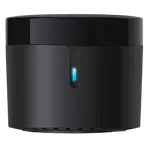 BroadLink
RM4 Mini
$25.99 Moes
MoesInfrared Universal Remote Control
$19.99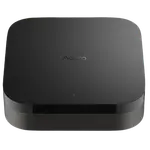 Aqara
AqaraHub M3
$159.99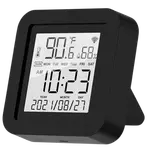 Moes
MoesTemp/Humidity Monitor with IR
$27.99 SwitchBot
Hub 3
$99.99- BroadLink
RM4 Pro
$44.99 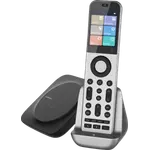 SofaBaton
X2
$359.99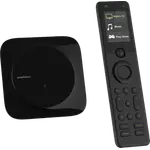 SofaBaton
X1S
10% OFF$199.99$179.99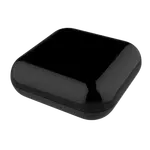 Moes
MoesRF IR Universal Remote Controller
$39.99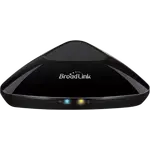 BroadLink
RM MAX
$49.99 BroadLink
RM5plus
$30.99
 Air Quality MonitorsMoes
CO2 Air Quality Monitor Temp and Hum
$84.99 Air Quality MonitorsMoes
CO2 Portable Temp Humi Air Quality Monitor
$69.99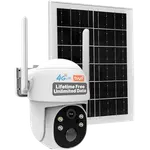 CamerasMoes
4G LTE Cellular Solar Security Camera
$179.99 Gas DetectorsMoes
ZigBee Smart Gas Leakage Detector
$46.00- IR Remote ControlsMoes
Infrared Universal Remote Control
$19.99 - IR Remote ControlsMoes
RF IR Universal Remote Controller
$39.99 - IR Remote ControlsMoes
Temp/Humidity Monitor with IR
$27.99  LED BulbsMoes
ZigBee Smart LED Light Bulb
45% OFF$16.65$9.16 Presence SensorsMoes
Human Presence Detector (Ceiling Mount)
$65.99 Presence SensorsMoes
Human Presence Sensor
5% OFF$39.99$37.99 Radiator ValvesMoes
ZigBee Smart Radiator Valve
$48.99 Radiator ValvesMoes
Smart Thermostatic Radiator Valve
$23.79 RelaysMoes
ZigBee Mini Switch Module 1 Gang
 RelaysMoes
ZigBee Mini Switch Module 2 Gang
 RelaysMoes
ZigBee 3.0 RF Switch Module 1 Gang
$11.99 RelaysMoes
ZigBee 3.0 RF Switch Module 2 Gang
$13.99 RelaysMoes
Smart Light Switch Module No Neutral
$13.99 Vibration SensorsMoes
Zigbee Smart Vibration Sensor
$17.99 Wall OutletsMoes
Smart WiFi 2 USB Wall Outlet
$26.99 Wall OutletsMoes
Smart WiFi USB Wall Outlet
$20.99