

MOES WiFi Smart IR Remote (UFO-R1) Review: A Cheap, No-Hub Way to Make IR Devices Smart, With Real Limits
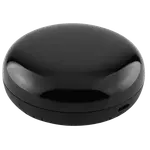
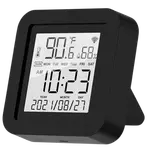
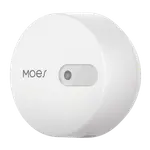
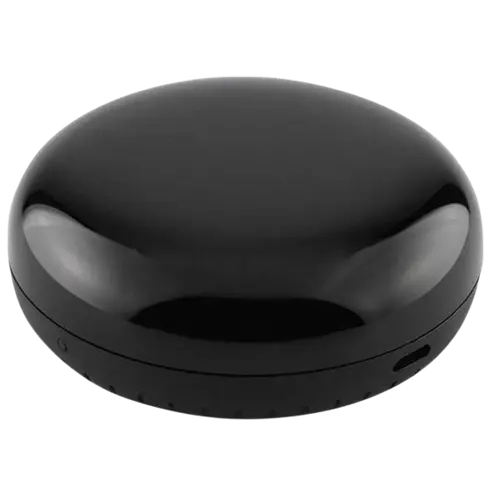
The MOES WiFi Smart IR Remote (UFO-R1) is an affordable, hub-free infrared blaster that controls IR devices (TVs, air conditioners, fans, soundbars, projectors and more) from your phone over WiFi. Owners rate it well, and the core appeal is clear: it's easy to set up, easy to hide, has a notably wide IR angle so a central spot can reach most devices in a room, and it turns 'dumb' IR gear into something you can control from anywhere via the app. It works with Alexa, Google Assistant and Home Assistant (there is no Apple HomeKit support). But the caveats matter and come up repeatedly. Voice control only covers the devices you add directly from the app's built-in list, not the remotes you teach it yourself, and even then it's limited (Alexa can turn a TV on or off but not change channels or volume). You also can't rename saved learned remotes (they all show as 'Other' with only a small subtitle you can edit). Because it's infrared, its range is line-of-sight within a single room and won't reach through walls. Some owners struggled to get Alexa to discover the device at all, with unhelpful support, and crucially this WiFi model does not work natively and locally with Home Assistant (it only connects through the Tuya cloud; the Zigbee MOES blaster is the one for local HA). A few units arrived defective. For controlling IR devices from your phone at a low price, it's a genuinely useful gadget, just go in knowing the voice and local-control limits.
- Making IR-only devices (TV, AC, fan) phone-controllable
- Budget buyers who want no extra hub
- Single-room IR control
- Basic on/off voice control via Alexa or Google
Pros
- Cheap, no-hub way to make IR devices (TV, AC, fan, soundbar) phone-controllable
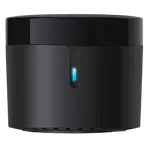
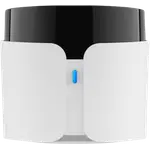
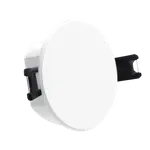
- Easy setup, easy to hide or wall-mount, with a wide IR emission angle
- Works with Alexa, Google Assistant and Home Assistant for basic control
- Handy for remote control of IR gear from anywhere via the app
Cons
- Voice control only covers app-listed devices, not learned remotes, and is limited (on/off, not channel/volume)
- Learned remotes can't be named (all show as 'Other')
- Infrared line-of-sight: single-room range only, won't reach through walls
- WiFi model doesn't work natively/locally with Home Assistant (Tuya cloud only); some Alexa-discovery failures
Who is the MOES WiFi Smart IR Remote for?
This is a WiFi infrared (IR) blaster that replaces the remotes for IR-controlled devices like TVs, air conditioners, fans, soundbars and projectors, letting you control them from the phone app with no separate hub required. It works with Alexa, Google Assistant and Home Assistant, but not Apple HomeKit. It's a great fit if you want a cheap way to control IR devices from your phone (including remotely) and to add basic on/off voice control. It's a poor fit if you need full voice control of every function, want to control devices across multiple rooms with one unit, or (importantly) if you want a blaster that runs locally with Home Assistant, this WiFi model only works through the Tuya cloud.
What buyers love
The headline win is turning IR-only gear into smart, phone-controllable devices. Owners use it on window AC units, tower fans, soundbars, projectors and TVs, and appreciate being able to control them from anywhere via the app, sometimes faster than the device maker's own app. Setup is described as quick and easy, and the small puck is easy to hide or wall-mount. A standout is the wide IR emission angle: place it centrally and it can reach most devices in the room, even wall-mounted. It needs no hub, integrates with Alexa and Google for basic commands, and at its low price owners repeatedly call it a great, helpful value, with some buying several for different rooms.
What to know before you buy
The most important limits are around voice control and integration. Voice assistants only work with devices you add from the app's built-in device list, not the custom remotes you teach it, and even for supported devices the control is basic (Alexa can turn a TV on or off but not change channels or adjust volume). You also cannot properly name saved learned remotes, they all appear as 'Other,' with only a small editable subtitle. Being infrared, it's line-of-sight and single-room, it won't control devices in another room or through walls. Several owners couldn't get Alexa to discover the unit at all despite repeated tries, and found customer support unhelpful. And a key one for smart-home tinkerers: this WiFi model does not work natively and locally with Home Assistant, it only connects via the Tuya cloud (the Zigbee MOES IR blaster is the version for local HA). A minority of units also arrived defective or wouldn't connect.
Is the MOES WiFi Smart IR Remote worth it?
For its price and purpose, yes. As a cheap, hub-free way to make IR devices controllable from your phone (with a wide, room-covering IR angle and easy setup), the MOES UFO-R1 delivers, which is why it is well rated. Just buy it with eyes open: voice control is limited to app-listed devices and basic commands, learned remotes can't be named, range is single-room only, and it runs through the Tuya cloud rather than locally, so it's not the right pick if you specifically need native local Home Assistant support (choose the Zigbee model for that). If your goal is simple, affordable app control of IR gear plus light voice commands, it's an easy recommendation; if you need deep voice control or local automation, look elsewhere.
Frequently asked questions
Can I control the learned remotes with Alexa or Google?
No. Voice assistants only work with devices you add from the app's built-in device list, not the custom remotes you teach it. Even for supported devices, control is basic (Alexa can turn a TV on or off, but not change channels or adjust volume). You still get full control from the phone app either way.
Does it work locally with Home Assistant?
Not this WiFi model. It connects to Home Assistant only through the Tuya cloud, not natively and locally. Owners who want native local Home Assistant support report that the Zigbee version of the MOES IR blaster is the one to buy instead.
Will one unit control devices throughout my house?
No. Because it uses infrared, it's line-of-sight and works within a single room, it can't reach devices in another room or through walls. Owners with multiple rooms tend to buy one unit per room. Placing it centrally helps thanks to its wide IR angle.
Does it need a hub?
No. It connects directly to your 2.4GHz WiFi with no separate hub required. Setup is generally quick, though a minority of buyers had trouble getting Alexa to discover it, so voice integration isn't guaranteed for everyone.
Can I rename my saved remotes?
Not really. Learned remotes all appear as 'Other' in the app, and you can only add a small customizable subtitle underneath rather than a proper name. It's a minor annoyance but worth knowing if you plan to store many remotes.