
Updated November 2026
Data from the official SofaBaton site.
2026 verdict
The SofaBaton X2 is the more capable universal remote of these two, and the one to choose for a home theatre tied to Home Assistant.
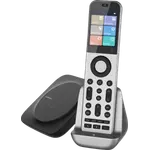
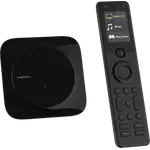
It adds RF to the IR, Bluetooth and Wi-Fi control both share, pairs a 2.4-inch touchscreen handset with a charging dock, and offers native Home Assistant support with dedicated MQTT control, so it can trigger lighting and scenes as well as gear. The SofaBaton X1S is the more affordable route with physical backlit buttons, a raise-to-wake screen and a hub with IR blasters, but it has no RF, no documented Home Assistant path and the same setup criticism from owners. Pick the SofaBaton X2 for a premium touchscreen remote and automation triggers, and the SofaBaton X1S if you want buttons, a lower outlay and do not need RF or Home Assistant.
News by email
Still comparing? Get what's new by email
New releases and the smart home news worth knowing, in your inbox.
No spam. Unsubscribe in one click.
| Feature | SofaBaton X1S | SofaBaton X2 | Winner |
|---|---|---|---|
| Rating | 3.8 | 4.4 | SofaBaton X2 |
| Protocols | Bluetooth, IR | Bluetooth, IR, RF | SofaBaton X2 |
| Connectivity | 2.4 GHz WiFi | 2.4 GHz WiFi | Tie |
| Integrations | Google Home, Alexa | Google Home, Alexa, Home Assistant | Tie |
| Sensors | Motion | None | Tie |
| Univeral Remote Control | YES | YES | Tie |
| Smart Learning | YES | YES | Tie |
| Local Control | YES | YES | Tie |
What the differences mean
RF support
The SofaBaton X2 speaks RF as well as IR, Bluetooth and Wi-Fi, so it can drive radio-controlled blinds, fans and other devices that ignore infrared. The SofaBaton X1S covers IR, Bluetooth and Wi-Fi only, with no RF.
Home Assistant
The SofaBaton X2 has native Home Assistant support with dedicated MQTT control, which lets it act as a physical trigger for lights, curtains and scenes. Home Assistant support is not documented for the SofaBaton X1S, whose activities are exposed as URLs for IFTTT or iOS Shortcuts instead.
Remote and screen
The SofaBaton X2 pairs a 2.4-inch HD touchscreen handset with a Type-C charging dock, which suits digital keypads and macro layouts. The SofaBaton X1S uses a backlit button remote with an LCD that wakes when you lift it, plus a find-my-remote function, which some owners find easier to use in the dark.
Hub coverage
Both ship with a hub that fires IR in every direction, so devices behind cabinet doors respond without aiming. The SofaBaton X2 documents a 40 ft range and two IR blasters for awkward angles, while the SofaBaton X1S documents 360 degree coverage without a range figure.
Sensors and batteries
The SofaBaton X1S lists a motion sensor for raise-to-wake, and the SofaBaton X2 does not document one. The X1S runs on a battery that owners recharge, while the X2 ships with a charging dock; neither uses disposable cells.
Warranty and documentation
The SofaBaton X1S carries a one-year warranty. SofaBaton does not publish dimensions, weight or a warranty term for the X2 in this catalog, so that is a question to confirm before buying the premium model.
Which one to buy if
- your home runs on Home Assistant
The SofaBaton X2 supports Home Assistant natively with MQTT, so the remote can trigger automations, while that path is not documented for the SofaBaton X1S.
- you have RF devices such as blinds or a fan
The SofaBaton X2 adds RF to IR, Bluetooth and Wi-Fi, and the SofaBaton X1S has no RF support.
- you prefer physical buttons to a touchscreen
The SofaBaton X1S is a backlit button remote with a wake-on-lift LCD and find-my-remote, where the SofaBaton X2 is built around a 2.4-inch touchscreen.
- you want the lower outlay for a straightforward home theatre
The SofaBaton X1S is the less expensive of the two and still covers IR, Bluetooth and Wi-Fi with one-touch activities.
- you want a charging dock and a current-generation handset
The SofaBaton X2 ships with a Type-C charging dock and a touchscreen, which the SofaBaton X1S does not include.
- - Rating: 3.8 vs 4.4
- - Protocols: Bluetooth, IR vs Bluetooth, IR, RF
Winner
$359.99
- + Rating: 4.4
- + Protocols: Bluetooth, IR, RF
What owners say
Owners of the SofaBaton X1S who get through configuration describe exactly what they hoped for: a pile of remotes collapsed into one, with a hub that reaches gear inside a cabinet and one-touch activities that power on the television, receiver and streaming box together. Fire TV owners are a notably happy group, using Bluetooth to regain power and volume control, and they praise the backlit keys and the screen that wakes when lifted. The warnings are consistent: instructions are widely criticised, some owners gave up, others report the remote losing its connection to the hub or behaving differently between uses, and former Harmony owners find the shape and button layout less natural.
Frequently Asked Questions
Which is better overall: SofaBaton X1S or SofaBaton X2?
The SofaBaton X2 is the more capable remote because it adds RF and native Home Assistant support with MQTT, plus a 2.4-inch touchscreen and a charging dock. The SofaBaton X1S is the better value if you want physical buttons, a raise-to-wake screen and the same IR, Bluetooth and Wi-Fi control for less.
What is the biggest difference between the SofaBaton X1S and the SofaBaton X2?
Protocols and automation. The SofaBaton X2 adds RF and native Home Assistant support with MQTT on top of IR, Bluetooth and Wi-Fi, while the SofaBaton X1S covers IR, Bluetooth and Wi-Fi and exposes activities as URLs for IFTTT or iOS Shortcuts.
Does the SofaBaton X1S work with Home Assistant?
Home Assistant support is not documented for the SofaBaton X1S. It does expose activities as URLs for IFTTT or iOS Shortcuts. The SofaBaton X2 lists native Home Assistant support with dedicated MQTT control.
Do the SofaBaton X1S and the SofaBaton X2 control RF devices?
Only the SofaBaton X2. It supports RF along with IR, Bluetooth and Wi-Fi, so it can drive radio-controlled blinds and fans. The SofaBaton X1S works over IR, Bluetooth and Wi-Fi only.
Who should buy the SofaBaton X1S?
Buyers who want a button-based universal remote with a hub for hidden gear, backlit keys, a wake-on-lift screen and one-touch activities, and who do not need RF or Home Assistant, at a lower outlay.
Who should buy the SofaBaton X2?
Home theatre owners who run Home Assistant, have RF devices to control, and want a touchscreen handset with a charging dock and MQTT triggers for scenes and lighting.
Spotted something wrong on this page? Tell us and we will fix it.
 Our store on AmazonShop our ideas on AmazonLists of the smart home setups we would put together ourselves, ready to add to your Amazon cart.Shop on Amazon
Full comparison table
Compare all 16 IR Remote Controls side by side
You are looking at two of them. The full table lines up all IR Remote Controls in the catalog with the same specs, so you can filter by what you need and sort by price or rating.
- 16 IR Remote Controls
- 32 specs compared
- 29 filters
- IR Remote Controls
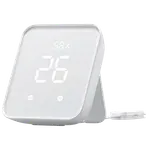

SwitchBot Hub 2
- IR Remote Controls
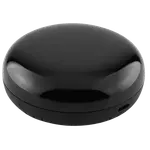

Infrared Universal Remote Control
- IR Remote Controls
Hub Mini
- IR Remote Controls

RM4 Mini
- IR Remote Controls

Hub M3
- IR Remote Controls
Temp/Humidity Monitor with IR
- IR Remote Controls
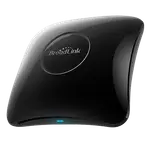
RM4 Pro
- IR Remote Controls
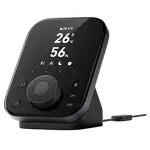
Hub 3
- IR Remote Controls
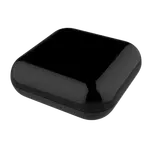
RF IR Universal Remote Controller
- IR Remote Controls
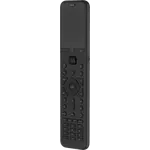

U3
- IR Remote Controls
RM5plus
- IR Remote Controls

Zigbee AC Infrared Controller
- IR Remote Controls
RM MAX
- IR Remote Controls

ZMCIR01 Matter WiFi IR Thermostat