Winner

14% OFF
$59.99
$69.99
20% above its lowest price of the last 6 months ($49.99)

Full Smart IR Remote Controls comparison in 2026

We check the price of every IR Remote Control in the catalog daily and email you the drops, whichever one you pick.
No spam. Unsubscribe in one click.
| Feature | SwitchBot Hub 2 | SwitchBot Hub 3 | Winner |
|---|---|---|---|
| Price | $59.99 | $99.99 | SwitchBot Hub 2 |
| Rating | 4.3 | 3.9 | SwitchBot Hub 2 |
| Sensors | Temperature, Humidity, Light | Temperature, Humidity, Light, Motion | SwitchBot Hub 3 |
| Warranty | 1 year | 1 year | Tie |
| Connectivity | 2.4 GHz WiFi | 2.4 GHz WiFi | Tie |
| Protocols | Bluetooth, Matter Bridge, IR | Bluetooth, Matter Bridge, IR | Tie |
| Integrations | Google Home, Alexa, Apple HomeKit, Samsung SmartThings, Home Assistant, Matter | Google Home, Alexa, Apple HomeKit, Samsung SmartThings, Home Assistant, Matter | Tie |
| Univeral Remote Control | YES | YES | Tie |
| Smart Learning | YES | YES | Tie |
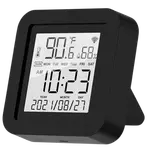
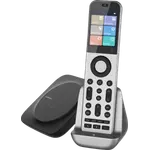
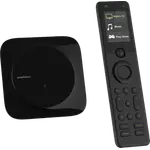
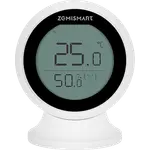
The SwitchBot Hub 3 has a 2.4-inch screen, a rotary dial and four programmable buttons, so anyone can change the AC temperature or TV volume without the app. The SwitchBot Hub 2 has two physical scene buttons and is otherwise run from the phone or by voice.
Both read temperature, humidity and light, but only the SwitchBot Hub 3 adds a motion (presence) sensor, which lets it start a scene when someone walks into the room.
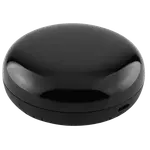
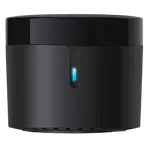
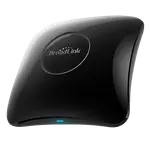
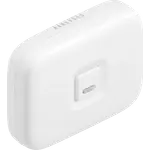
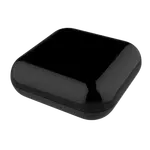
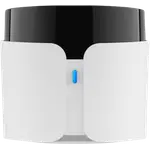
The SwitchBot Hub 2 is a small 80 x 70 x 23 mm block weighing 63g that hides behind a TV. The SwitchBot Hub 3 measures 126 x 94 x 38 mm and weighs 190g: it is meant to sit on display where people can reach the dial.
SwitchBot describes the SwitchBot Hub 3 blaster as longer range, and its owners mention cloning stubborn air conditioner remotes. For a single room with the hub in view of the devices, the SwitchBot Hub 2 blaster is praised just as much for learning remotes in seconds.
Hidden away, the SwitchBot Hub 3's screen and dial go unused, and the SwitchBot Hub 2 does the same IR, sensor and Matter work for less.
The SwitchBot Hub 3 dial and buttons give them control of the AC, TV and scenes without a phone.
Only the SwitchBot Hub 3 has a built-in motion sensor.
The SwitchBot Hub 2 has been on sale longer and its owners rate it higher, while Hub 3 owners still report firmware quirks.
Owners of both SwitchBot hubs praise how quickly they learn existing remotes and how reliably the Matter bridge carries SwitchBot curtains, locks and sensors into Apple Home. SwitchBot Hub 2 owners single out the temperature and humidity graphs, simple threshold automations and the two scene buttons, and they complain about the hub dropping offline on shaky Wi-Fi, flaky Bluetooth links to some devices and a Matter device cap. SwitchBot Hub 3 owners talk about the dial and buttons as the reason to buy, the clock display and a presence sensor for walk-in automations, plus an IR blaster that cloned remotes other blasters could not. Their warnings are firmware that still feels unfinished, a screen that is not a touchscreen, a build some find plasticky for the price and HomeKit scenes only through Shortcuts.
Moving from the SwitchBot Hub 2 to the SwitchBot Hub 3 buys physical control and one more sensor. The screen, rotary dial and four programmable buttons let you run the AC, TV and scenes without a phone, the motion sensor enables walk-in automations and the IR blaster gains range. Wi-Fi, Bluetooth, the Matter bridge and every platform stay the same, and neither has Ethernet, Zigbee or Thread. If your SwitchBot Hub 2 sits out of sight and works, there is little to gain.
Every price change of both, in the same store, so the gap between the two lines is what one costs more than the other.
Loading price history...
The SwitchBot Hub 2 for most homes, since it has the same IR learning, Matter bridge and smart home support at a lower cost and a higher owner rating. The SwitchBot Hub 3 is worth it if you will use its screen, dial and buttons or want a built-in motion sensor.
The SwitchBot Hub 3 adds a 2.4-inch screen, a rotary dial, four programmable buttons, a motion sensor and a longer range IR blaster, in a larger body. The SwitchBot Hub 2 is smaller, lower priced and shares the temperature, humidity and light sensors, the Matter bridge and the same platform support.
Yes. The SwitchBot Hub 2 is a learning IR blaster that copies existing remotes and controls TVs, air conditioners and other infrared gear, just like the SwitchBot Hub 3.
No. Both the SwitchBot Hub 2 and the SwitchBot Hub 3 connect over 2.4 GHz Wi-Fi and Bluetooth only, with no Thread, Zigbee or Ethernet. Both work with Matter, Apple Home, Alexa, Google Home, SmartThings and Home Assistant.
Anyone who wants IR control, temperature and humidity readings and a Matter bridge for SwitchBot devices in a small hub that can stay out of sight.
Households that want a visible control panel with a dial and buttons for the AC, TV and scenes, and walk-in automations from its motion sensor.
You are looking at two of them. The full table lines up all IR Remote Controls in the catalog with the same specs, so you can filter by what you need and sort by price or rating.