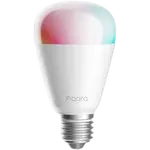
Aqara LED Bulb T2 E26 Review: A Dual-Protocol Bulb That Is Great on Thread and Fiddlier on Zigbee
The Aqara LED Bulb T2 E26 is a good pick if you have a Thread border router and want a responsive, bright smart bulb that joins Apple Home, Google Home or Alexa over Matter without fuss. Owners praise the quick onboarding, the light output and the value next to premium bulbs, and Home Assistant users get Zigbee as an alternative. The catches are real: switching to Zigbee goes through the Aqara app, some platforms see it only through Matter, connections can drop on Thread setups, and a noticeable share of owners report bulbs that failed or flickered within months. Treat it as a strong value bulb with a durability gamble.
- Apple Home users with a Thread border router
- Matter smart homes
- Home Assistant users
- Aqara hub owners
Pros
- Pairs quickly into Apple Home and other Matter platforms over Thread
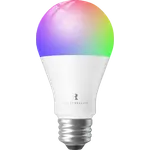
- Bright 1100 lumens with tunable white from 2700K to 6500K
- Zigbee mode for Home Assistant and Aqara hubs, with repeater function
- Works with Apple Home, Google Home, Alexa, SmartThings and Home Assistant
- Power-off memory, adjustable transitions and dynamic scenes
- Good value for a dual-protocol smart bulb
- Wide 100-240V input
Cons
- Moving to Zigbee goes through the Aqara app and can be fiddly across many bulbs
- Needs a Thread border router or a Zigbee hub, with no Wi-Fi option
- Some owners report Matter or HomeKit connections dropping and needing a re-add
- A noticeable share of owners report bulbs failing, flickering or buzzing within months
- HomeKit Adaptive Lighting is unavailable in Thread mode
- Aqara-specific features require an Aqara hub
- E26 fitting, so not a drop-in for E27 sockets
Who is the Aqara LED Bulb T2 E26 for?
This bulb suits people who already own a Thread border router (a HomePod, Apple TV, Google TV streamer or an Aqara hub) and want a bulb that onboards by scanning the Matter code, with no app account needed. It also fits Home Assistant owners and Aqara hub owners, because the same bulb can run on Zigbee, where it acts as a repeater for the mesh. It uses an E26 base and covers 100-240V, so it is aimed at North American fixtures. Someone with no border router and no Zigbee hub has no way to connect it, because the bulb has no Wi-Fi.
What owners like
Owners most often praise how easily and quickly it pairs into Apple Home over Thread and how responsive it feels afterward, with several saying it just worked once added through Matter. Brightness gets frequent praise: the bulb is rated at 1100 lumens and tunable white runs from 2700K to 6500K, with a smooth warm to cool range. Value is a recurring theme, with a number of owners putting it close to the best-known premium smart bulbs at a lower cost. Home Assistant users like that it can run on Zigbee and report stable control once connected, and people who use it with Aqara sensors and a hub like the fast local response. Power-off memory, local control and adjustable transitions are all in the spec sheet.
What to know before you buy
The most common complaint is the setup path for Zigbee. The bulb starts in Thread and Matter mode, so using it with Zigbee means pairing in the Aqara app and flipping the protocol, which several owners found tedious across many bulbs and which some found failed on the first try. Amazon Alexa is listed as supported, but a few owners connected it through Matter rather than over Zigbee. Owners also report Matter or HomeKit connections dropping every so often, forcing a delete and re-add, and a few say bulbs came back as a new device after a power cut. The biggest concern is durability: a noticeable share of reviewers say a bulb quit, flickered, buzzed or lost its warm channel within months to a year, and a couple mention coil whine at low brightness. HomeKit Adaptive Lighting is not available in Thread mode, and Aqara-specific features need an Aqara hub.
Is the Aqara LED Bulb T2 E26 worth it?
For a Thread-based Apple Home or Matter setup, yes, the pairing experience and brightness are good and the cost is reasonable for a dual-protocol bulb. Home Assistant users get an inexpensive Zigbee option once the one-time protocol switch is done. The mixed durability reports make it a poorer choice for hard-to-reach fixtures or outdoor poles, and anyone without a border router or hub should look at Wi-Fi bulbs instead. Buy a single bulb first, confirm it holds a stable connection on your network, then add more.
Frequently asked questions
Does the Aqara LED Bulb T2 E26 work with Apple Home, Google Home and Alexa?
Yes. It is listed as working with Apple Home, Google Home, Alexa, SmartThings and Home Assistant. Matter over Thread is the simplest route, and some owners connect Alexa through Matter rather than Zigbee.
Do I need an Aqara hub to use it?
Not for Matter over Thread, which needs a Thread border router such as a HomePod, Apple TV or Google TV streamer. Zigbee mode needs a Zigbee hub or coordinator, and Aqara-specific features need an Aqara hub.
How do I switch it from Thread to Zigbee?
The bulb starts in Thread and Matter mode. To use Zigbee you pair it in the Aqara app and change its protocol there, which Home Assistant owners describe as a one-time step per bulb.
Does it support HomeKit Adaptive Lighting?
Yes, but not in Thread mode. HomeKit Adaptive Lighting is available when the bulb runs in Zigbee mode through a compatible hub.
Does it work over Wi-Fi?
No. The bulb has no Wi-Fi radio. It connects over Thread or Zigbee, with Bluetooth used for setup.
Does it remember its state after a power cut?
Power-off memory is listed in its features, so you can choose whether it comes back on or stays off after an outage. A few owners report bulbs reappearing as new devices after losing power, so check it on your setup.