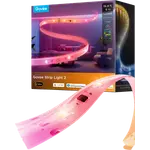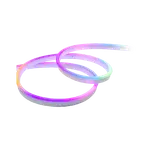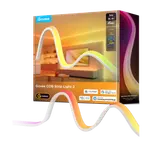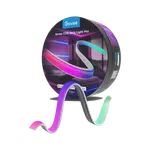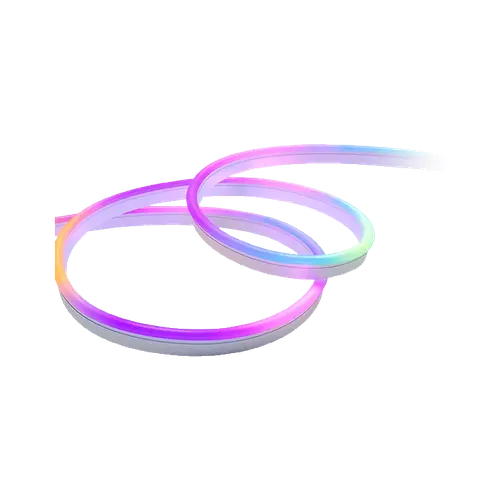


Govee Neon Rope Light 2 Review: Vivid RGBIC Neon You Can Bend Into Anything
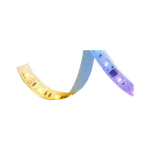
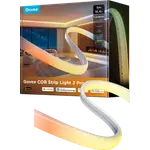
The Govee Neon Rope Light 2 is a 5 m RGBIC neon rope for wall designs, desks, home theaters and bedrooms, and owners are close to unanimous that the colours and effects look far better than cheap rope lights. It mounts in minutes with the included clips, the app lets you paint colours section by section and maps effects onto the shape you bent it into, and Matter brings it into Apple Home, SmartThings and Home Assistant alongside Alexa and Google Home. The weak point is the adhesive clips on tight curves and long runs, and it is soft accent lighting rather than a bright light source, so it suits anyone who wants the light itself to be the decoration.
- Wall art and custom shapes
- Gaming, desk and home theater setups
- Bedroom accent lighting
- Matter and Apple Home users
Pros
- Vivid RGBIC colours and effects, far better than generic rope lights
- Intuitive app with per-section colour drawing, scenes and music sync
- Shape mapping follows the design you bent the rope into
- Quick installation with the included clips
- Soft, diffused light that never glares
- Works with Matter, Alexa, Google Home, Apple Home, SmartThings and Home Assistant
Cons
- Adhesive clips can come loose on tight curves and overlaps
- Long runs may sag without extra support
- Accent brightness, not room lighting
- No remote control and 2.4 GHz Wi-Fi only
- Brightness, weather rating and cutting are not specified
Who is the Govee Neon Rope Light 2 for?
It is for people who want the light to be seen: outlines and curves on a wall, a glowing frame around a desk, a backdrop for a basement bar or a home theater, or a soft line behind a headboard. Owners who shopped for neon signs found it a smarter, more flexible alternative, and several already use other Govee lights and group them together in scenes. It is not a way to light a room: owners describe it as gentle accent light that never glares.
What buyers love
Colour quality is the first thing owners mention. The RGBIC effects, where different sections show different colours at once across 16 million shades, are described as vibrant and stunning, and several buyers who tried cheaper rope lights say there is no comparison. The app is the second favourite: it is intuitive, lets you draw colours onto each section with a finger, and offers scenes, music sync and automations, while the shape mapping feature recognises the shape of the installed rope from a photo and maps effects onto it. Installation is easy even for first-timers, with one owner done in about ten minutes by sticking the clips to the wall and pressing the tube in. Owners also like that it works with Alexa and with Apple Home automations through Matter, and that the diffused light stays comfortable to look at, even as a night light next to someone trying to sleep.
What to know before you buy
The adhesive on the clips is the recurring complaint. It holds on gentle curves, but on sharp bends and designs where the rope overlaps, owners report clips coming loose over time, and they recommend screwing or nailing those clips or adding strong tape; very long runs may also need extra support to avoid sagging. Plan where the power cable will run before you start, because the rope has to reach its power supply and is not USB powered. Brightness is modest by design, which suits ambiance but not task lighting. On the spec sheet, Wi-Fi is 2.4 GHz only (it also has Bluetooth), there is no remote control, and Govee does not state the brightness, a weather rating or whether the rope can be cut, so treat it as a fixed-length indoor product.
Is the Govee Neon Rope Light 2 worth it?
For decorative lighting, yes. It costs more than generic neon ropes, but owners consistently say the colours, the app and the shape mapping justify the difference, and full Matter support keeps it usable whichever smart home platform you run. Budget a few screws or extra tape for complex shapes, and pick a different product if you need bright, functional light.
Frequently asked questions
Is the Govee Neon Rope Light 2 easy to install?
Yes. You stick the included clips to the wall and press the rope into them; owners report finishing in about ten minutes. For sharp curves or overlapping designs, screwing or nailing the clips holds better than the adhesive alone.
Does it work with Apple Home?
Yes, through Matter, which also brings it into SmartThings and Home Assistant. It works with Amazon Alexa and Google Home as well.
What is shape mapping?
The Govee Home app recognises the shape the rope was bent into from a photo and maps lighting effects onto that outline, so animations follow your design instead of a straight line.
Is it bright enough to light a room?
No, it is accent lighting. Owners describe a diffused glow that is comfortable to look at, with adjustable brightness from cosy to more vivid, but not bright enough to replace a lamp.
How long is it?
This version is 5 m (16.4 ft) long. It is not USB powered.