



TP-Link Tapo L930-5 Review: Fifty Colour Zones and Real White for Very Little
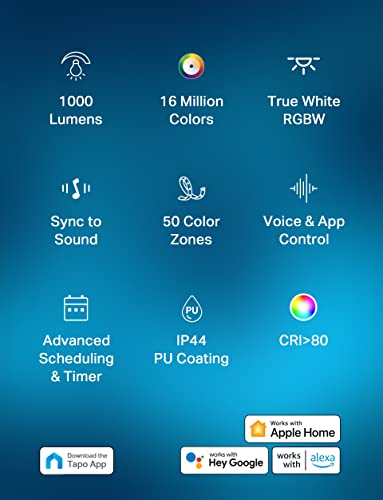
The L930-5 is the value pick in the category and it earns it on hardware: 50 addressable zones in blocks of roughly 10 cm, 1000 lumens, and separate white diodes so the white is genuinely white rather than a colour mix. It needs no hub and no subscription, and it works with local automation as well as the Tapo app. The weak spot is Apple Home, where owners report slow and unreliable responses, and getting it onto Wi-Fi takes patience.
- Budget buyers
- Zone effects on a small budget
- Local automation setups
- Kids rooms and ambient lighting
Pros
- Fifty addressable colour zones in roughly 10 cm blocks
- RGBW with a dedicated white diode, so white light looks correct
- One thousand lumens, brighter than the price suggests
- No hub and no subscription required
- Keeps working on the local network without internet access
- IP44 rated silicone coating that protects against splashes
- Cuttable, with 3M peel-and-stick adhesive included
- Works with Alexa, Google Home, Apple Home, SmartThings and Home Assistant
Cons
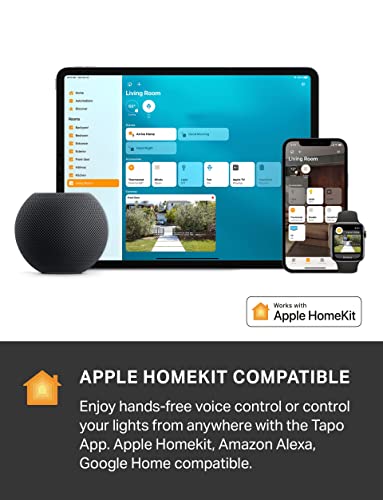
- Apple Home control is slow and often unresponsive according to owners
- Initial Wi-Fi setup frequently takes several attempts
- No physical remote in the box
- Cannot be extended beyond its five metres
- Warm white is a step back from the older KL430 strip
Who is the TP-Link Tapo L930-5 for?
Anyone who wants addressable colour zones without paying premium prices. It splits five metres into 50 independently controlled blocks, which is enough for smooth gradient effects and music reactions, and it does it at the cheapest end of the market. Owners run it between ceiling joists for ambient light, around desks and in kids rooms. It connects straight to a 2.4 GHz network with no hub and no subscription of any kind.
What buyers love
The dedicated white diode is what technical reviewers single out: because white does not come from mixing the colour channels, colour rendition and white quality are far better than the price suggests. Brightness surprises people repeatedly. Owners also value that it keeps working on the local network when the internet is down, which makes it a good fit for local automation software, and the silicone coating that protects the circuitry from splashes.
What to know before you buy
Apple Home is the recurring problem. The strip is HomeKit compatible out of the box, but owners report slow responses and commands that do not register until the Home app is opened, which is frustrating if Siri control is the reason you bought it. Initial Wi-Fi setup takes several attempts for many owners, and TP-Link support gets poor marks when things go wrong. There is no physical remote in the box, so anyone in the house who will not install the app cannot control the light. One owner also finds the warm white less convincing than TP-Link previous KL430 strip.
Is the TP-Link Tapo L930-5 worth it?
On value, comfortably. Fifty zones, a real white channel and 1000 lumens at this price is the best hardware-per-dollar in the category, and there is no subscription attached to any of it. Go in expecting to spend time on the initial Wi-Fi setup, and if Apple Home is your primary control method rather than the Tapo app or a local automation platform, weigh the reports of sluggishness carefully.
Frequently asked questions
Does the Tapo L930-5 need a hub?
No. It connects directly to a 2.4 GHz Wi-Fi network through the Tapo app, with no hub and no subscription of any kind.
How many colour zones does it have?
Fifty, spread across its five metres in blocks of roughly 10 cm, which is what lets it run gradient effects and react to music along its length rather than changing colour all at once.
Is the white light good?
Better than most strips at this price, because it carries a dedicated white diode instead of mixing white from red, green and blue. Owners comparing it to older TP-Link strips note the warm end is slightly less rich than the KL430.
Does it work with Apple Home?
Yes, it is HomeKit compatible out of the box and needs no bridge. Be aware that owners consistently report slow responses and commands that fail until the Home app is opened, so it is the weakest part of the experience.
Can it be cut?
Yes. It cuts to length and mounts with the included 3M adhesive. It cannot be extended past its five metres.