
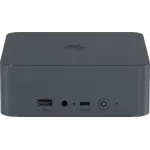
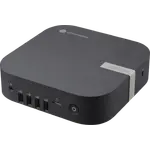
Updated November 2026
Data from the official Asus and Beelink sites.
2026 verdict
The Beelink EQR5 (5500U 16GB + 480GB) wins this cross-platform matchup on memory capacity and storage, and it is the more flexible computer of the two.
Its Ryzen 5 5500U, 16GB of DDR4 upgradeable to 64GB, 480GB drive with a second M.2 slot, built-in power supply and two Gigabit ports cover both desktop and home-server duty. The Asus Chromebox 5a (Celeron 4GB + 128GB) has its own case: the lower price, the better rating, ChromeOS that updates itself, seven USB ports, four display outputs and replaceable memory and storage. Choose the Beelink EQR5 (5500U 16GB + 480GB) when you need Windows applications, more memory and real processing power, and the Asus Chromebox 5a (Celeron 4GB + 128GB) for a managed, browser-only fleet or a signage box.
News by email
Still comparing? Get what's new by email
New releases and the smart home news worth knowing, in your inbox.
No spam. Unsubscribe in one click.
The biggest differences
Where these two are furthest apart, and by how much.
- Memory Capacity4×Beelink EQR5 (5500U 16GB + 480GB)16 GB vs 4 GB
- Storage Capacity3.8×Beelink EQR5 (5500U 16GB + 480GB)480 GB vs 128 GB
| Feature | Asus Chromebox 5a (Celeron 4GB + 128GB) | Beelink EQR5 (5500U 16GB + 480GB) | Winner |
|---|---|---|---|
| Price | $399.00 | $439.00 | Asus Chromebox 5a (Celeron 4GB + 128GB) |
| Rating | 4.5 | 4.3 | Asus Chromebox 5a (Celeron 4GB + 128GB) |
| Memory Capacity | 4 GB | 16 GB | Beelink EQR5 (5500U 16GB + 480GB) |
| Storage Capacity | 128 GB | 480 GB | Beelink EQR5 (5500U 16GB + 480GB) |
| CPU Model | Intel Celeron 7305 | AMD Ryzen 5 5500U | Different strengths |
| Memory Configuration | Single-channel | Dual-slot | Different strengths |
| GPU Model | Intel UHD Graphics | AMD Radeon Graphics (7 CUs) | Different strengths |
| Memory Type | DDR4 | DDR4 | Tie |
| Memory Speed | 3200 MT/s | 3200 MT/s | Tie |
What the differences mean
Operating system
The Asus Chromebox 5a (Celeron 4GB + 128GB) runs ChromeOS, which updates itself in the background and is managed through the Google admin console, while the Beelink EQR5 (5500U 16GB + 480GB) runs Windows 11 Pro. Native Windows applications need the Beelink.
Processor
The Beelink EQR5 (5500U 16GB + 480GB) has a six-core Ryzen 5 5500U with Radeon graphics, where the Asus Chromebox 5a (Celeron 4GB + 128GB) has an entry-level dual-core Celeron 7305 with UHD graphics. The Beelink is the far more capable chip.
Memory and storage
The Beelink EQR5 (5500U 16GB + 480GB) ships 16GB of DDR4 up to 64GB and a 480GB drive, while the Asus Chromebox 5a (Celeron 4GB + 128GB) ships 4GB up to 16GB and 128GB. Both are replaceable, but the Beelink starts with much more.
Ports and displays
The Asus Chromebox 5a (Celeron 4GB + 128GB) offers seven USB ports, two HDMI 2.1 outputs, DisplayPort, USB-C video and a micro SD reader for up to four displays, where the Beelink EQR5 (5500U 16GB + 480GB) has two HDMI outputs, USB ports and no SD slot. The Chromebox is the better multi-display terminal.
Which one to buy if
- you need Windows applications
The Beelink EQR5 (5500U 16GB + 480GB) runs Windows 11 Pro, where the Asus Chromebox 5a (Celeron 4GB + 128GB) is limited to ChromeOS and Android apps.
- you manage a fleet of simple browser terminals
The Asus Chromebox 5a (Celeron 4GB + 128GB) updates itself and is administered through the Google console with little maintenance.
- you need to drive four displays
The Asus Chromebox 5a (Celeron 4GB + 128GB) has two HDMI 2.1 ports, DisplayPort 1.4 and USB-C output for up to four screens.
- you want more memory and processing power
The Beelink EQR5 (5500U 16GB + 480GB) has a six-core Ryzen and 16GB expandable to 64GB, far ahead of the Celeron.
$399.00
- + Price: $399.00
- + Rating: 4.5
- - Memory Capacity: 4 GB vs 16 GB
- - Storage Capacity: 128 GB vs 480 GB
Winner
$439.00
- + Memory Capacity: 16 GB
- + Storage Capacity: 480 GB
- - Price: $439.00 vs $399.00
- - Rating: 4.3 vs 4.5
What owners say
Owners of the Beelink EQR5 (5500U 16GB + 480GB) describe it as quiet to silent in daily use and good value, and they run it two ways. One group keeps it as a family or office desktop for browsing, email, printing and 4K video, often replacing an ageing tower, and another runs it headless as a Proxmox host, a small Docker cluster or a game server. They praise the built-in 85W power supply, the dual Gigabit Ethernet, the free second M.2 slot and the memory they took to 32GB, and several report months with no issues. Their caveats are hard-to-find BIOS updates, a product key they had to request, older graphics and Gigabit-only networking.
Frequently Asked Questions
Which is better overall: Beelink EQR5 (5500U 16GB + 480GB) or Asus Chromebox 5a (Celeron 4GB + 128GB)?
The Beelink EQR5 (5500U 16GB + 480GB) wins on memory and storage and is the more flexible machine, with Windows and up to 64GB of RAM. The Asus Chromebox 5a (Celeron 4GB + 128GB) is the cheaper, lower-maintenance option for browser-only work and multiple displays.
What is the biggest difference between the Beelink EQR5 (5500U 16GB + 480GB) and the Asus Chromebox 5a (Celeron 4GB + 128GB)?
The platform. The Beelink EQR5 (5500U 16GB + 480GB) runs Windows 11 Pro on a six-core Ryzen with 16GB of memory, while the Asus Chromebox 5a (Celeron 4GB + 128GB) runs ChromeOS on an entry-level Celeron with 4GB.
Can the Asus Chromebox 5a (Celeron 4GB + 128GB) run Windows software?
No. It runs ChromeOS, which covers web applications and Android apps from Google Play. Native Windows and macOS programs are not supported, so buyers who need them should choose the Beelink EQR5 (5500U 16GB + 480GB).
Which one is easier to maintain across many desks?
The Asus Chromebox 5a (Celeron 4GB + 128GB), because ChromeOS updates itself in the background and resets cleanly through the Google admin console, which reduces fleet maintenance. The Beelink EQR5 (5500U 16GB + 480GB) is a conventional Windows machine.
Who should buy the Beelink EQR5 (5500U 16GB + 480GB)?
Anyone who needs Windows, more memory, real processing power or a home server with dual Ethernet and upgradeable parts.
Who should buy the Asus Chromebox 5a (Celeron 4GB + 128GB)?
Buyers who want a simple, well-connected browser terminal for classrooms, kiosks, shared desks or digital signage.
Spotted something wrong on this page? Tell us and we will fix it.
 Our store on AmazonShop our ideas on AmazonLists of the smart home setups we would put together ourselves, ready to add to your Amazon cart.Shop on Amazon
Full comparison table
Compare all 110 Mini PCs side by side
You are looking at two of them. The full table lines up all Mini PCs in the catalog with the same specs, so you can filter by what you need and sort by price or rating.
- 110 Mini PCs
- 41 specs compared
- 38 filters
- Mini PCs

NUC 15 Pro+ (Ultra 9 32GB + 1TB)
- Mini PCs
ROG GR70 (RTX 5070 32GB + 2TB)
- Mini PCs
NUC 13 Pro Slim (i7 16GB + 512GB)
- Mini PCs
NUC 15 Pro Slim (Core 5 16GB + 512GB)
- Mini PCs

SEi14 (32GB + 1TB)
- Mini PCs

MS-03 (Ultra 9 64GB + 1TB)
- Mini PCs

GT1 Mega Ultra 5
- Mini PCs
SER9 Pro (24GB + 1TB)
- Mini PCs

Mac Mini (M4 16GB + 512GB)
- Mini PCs
Mac Mini (M4 Pro 24GB + 512GB)
- Mini PCs
M1-1390 (32GB + 1TB)
- Mini PCs
MS-S1 Max (128GB + 2TB)
- Mini PCs
MS-S1 Max (64GB + 2TB)
- Mini PCs
A5 Pro 2026 Edition (16GB + 1TB)
- Mini PCs
Mac Mini (M2 Pro 16GB + 512GB)
- Mini PCs

Mac Mini (M6 16GB + 256GB)
- Mini PCs
G1 Pro (32GB + 1TB)
- Mini PCs
A7 2026 Edition (Ryzen 5 7535HS 16GB + 1TB)
- Mini PCs
Mini S12 Pro (N100 16GB + 500GB)
- Mini PCs
M1 Pro-125H (32GB + 1TB)
- Mini PCs
Ascent GX10 (128GB + 1TB)
- Mini PCs
NUC 13 Pro Slim (i7 16GB + 512GB)
- Mini PCs
NUC 14 Pro Tall (Ultra 7 32GB + 1TB)
- Mini PCs
NUC 15 Pro+ (Ultra 9 32GB + 1TB)
- Mini PCs
NUC 15 Pro Slim (Core 5 16GB + 512GB)
- Mini PCs
NUC 16 Pro (Ultra 7 16GB + 512GB)
- Mini PCs
NUC 16 Pro (Ultra X7 32GB + 1TB)
- Mini PCs
ROG GR70 (RTX 5070 32GB + 2TB)
- Mini PCs
ROG NUC 16 (RTX 5060 32GB + 1TB)
- Mini PCs
ROG NUC 16 (RTX 5070 Ti 32GB + 1TB)
- Mini PCs
ROG NUC 16 (RTX 5080 32GB + 1TB)
- Mini PCs
ROG NUC 16 (RTX 5080 64GB + 2TB)
- Mini PCs
ROG NUC 2025 (RTX 5070 32GB + 1TB)
- Mini PCs
ROG NUC 2025 (RTX 5070 32GB + 2TB)
- Mini PCs
ROG NUC 2025 (RTX 5070 Ti 32GB + 2TB)
- Mini PCs
ROG NUC 2025 (RTX 5080 32GB + 2TB)
- Routers
ROG Rapture GT-BE19000AI
- Routers
ROG Rapture GT-BE98 Pro
- Routers
ROG Strix GS-BE12000
- Routers
RT-BE55
- Mini PCs
EQ mini (12GB + 512GB)
- Mini PCs
EQi 304 (24GB + 512GB)
- Mini PCs
EQi13 (16GB + 500GB)
- Mini PCs
EQi13 (24GB + 1TB)
- Mini PCs
EQR5 (7330U 16GB + 500GB)
- Mini PCs
EQR7 (7735U 16GB + 500GB)
- Mini PCs
EQR7 (7735U 24GB + 1TB)
- Mini PCs
EQR7 (7735U 24GB + 500GB)
- Mini PCs
GTi14 (32GB + 1TB)
- Mini PCs
GTi15 Ultra (64GB + 1TB)
- Mini PCs
GTi15 Ultra (64GB + 2TB)
- Mini PCs
GTi15 Ultra (96GB + 2TB)
- Mini PCs
GTR9 Pro (128GB + 2TB)
- Mini PCs
ME mini (N150 12GB + 64GB)
- Mini PCs
ME mini (N95 12GB + 64GB)
- Mini PCs
ME Pro (N150 16GB + 1TB)
- Mini PCs
Mini S12 (N95 12GB + 500GB)
- Mini PCs
Mini S12 (N95 8GB + 480GB)
- Mini PCs
Mini S12 Pro (N100 16GB + 500GB)
- Mini PCs
Mini S13 (N150 12GB + 500GB)