10% OFF
$359.00
$399.00

Full Mini PCs comparison in 2026

We follow prices across the catalog and email you the best deals we find.
No spam. Unsubscribe in one click.
| Feature | Asus Chromebox 5a (Celeron 4GB + 128GB) | Geekom A5 Pro 2026 Edition (16GB + 1TB) | Winner |
|---|---|---|---|
| Price | $359.00 | $569.00 | Asus Chromebox 5a (Celeron 4GB + 128GB) |
| Rating | 4.5 | 4.3 | Asus Chromebox 5a (Celeron 4GB + 128GB) |
| Memory Capacity | 4 GB | 16 GB | Geekom A5 Pro 2026 Edition (16GB + 1TB) |
| Storage Capacity | 128 GB | 1 TB | Geekom A5 Pro 2026 Edition (16GB + 1TB) |
| CPU Model | Intel Celeron 7305 | AMD Ryzen 5 7530U | Different strengths |
| Memory Configuration | Single-channel | Dual-channel | Different strengths |
| GPU Model | Intel UHD Graphics | AMD Radeon Vega 7 | Different strengths |
| Memory Type | DDR4 | DDR4 | Tie |
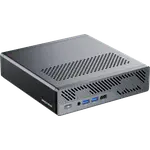
The Asus Chromebox 5a (Celeron 4GB + 128GB) runs ChromeOS, which updates itself and cannot run native Windows software. The Geekom A5 Pro 2026 Edition (16GB + 1TB) runs Windows 11 Pro, so desktop applications and Linux are available.
A six-core Ryzen 5 7530U in the Geekom A5 Pro 2026 Edition (16GB + 1TB) against the four-core Celeron 7305 in the Asus Chromebox 5a (Celeron 4GB + 128GB). The Geekom is the one built for real multitasking rather than a handful of tabs.
16 GB of DDR4 and a 1 TB drive in the Geekom A5 Pro 2026 Edition (16GB + 1TB) against 4 GB and 128 GB in the Asus Chromebox 5a (Celeron 4GB + 128GB). Both can be upgraded, but the Geekom starts with far more of each.
Both reach four displays. The Asus Chromebox 5a (Celeron 4GB + 128GB) uses two HDMI 2.1 ports, a DisplayPort 1.4 and USB-C across seven USB ports, while the Geekom A5 Pro 2026 Edition (16GB + 1TB) uses two HDMI 2.0 and two USB-C outputs.
The Asus Chromebox 5a (Celeron 4GB + 128GB) has Wi-Fi 6E and Bluetooth 5.4 on Gigabit Ethernet. The Geekom A5 Pro 2026 Edition (16GB + 1TB) runs Wi-Fi 6 and Bluetooth 5.2 with 2.5G Ethernet, so each side takes one row.
ChromeOS on the Asus Chromebox 5a (Celeron 4GB + 128GB) handles web and Android apps with almost no maintenance.
Only the Geekom A5 Pro 2026 Edition (16GB + 1TB) runs Windows 11 Pro, so desktop applications depend on it.
The Geekom A5 Pro 2026 Edition (16GB + 1TB) ships with a 1 TB drive against 128 GB in the Asus Chromebox 5a (Celeron 4GB + 128GB).
The Asus Chromebox 5a (Celeron 4GB + 128GB) is the cheaper machine, and its owner rating shows people are happy with it.
Every price change of both, in the same store, so the gap between the two lines is what one costs more than the other.
Loading price history...
The Geekom A5 Pro 2026 Edition (16GB + 1TB), which is a full Windows desktop with more memory, more storage and a stronger processor. The Asus Chromebox 5a (Celeron 4GB + 128GB) is the better buy when ChromeOS management and the lower price are the point.
The operating system and the hardware behind it. The Asus Chromebox 5a (Celeron 4GB + 128GB) runs ChromeOS on a Celeron with 4 GB and 128 GB, while the Geekom A5 Pro 2026 Edition (16GB + 1TB) runs Windows 11 Pro on a six-core Ryzen with 16 GB and 1 TB.
No. It runs ChromeOS, which covers web and Android apps but not native Windows software. The Geekom A5 Pro 2026 Edition (16GB + 1TB) ships with Windows 11 Pro instead.
Both use SODIMM slots. The Asus Chromebox 5a (Celeron 4GB + 128GB) reaches 16 GB of DDR4, while the Geekom A5 Pro 2026 Edition (16GB + 1TB) reaches 64 GB of DDR4 across two slots.
Schools, kiosks and homes that work entirely in a browser or Google Workspace and want the lowest cost with almost no maintenance.
Anyone who needs Windows applications, more local storage and a machine that can hold several years of files and photos.
You are looking at two of them. The full table lines up all Mini PCs in the catalog with the same specs, so you can filter by what you need and sort by price or rating.