10% OFF
$359.00
$399.00

Full Mini PCs comparison in 2026

We check the price of every Mini PC in the catalog daily and email you the drops, whichever one you pick.
No spam. Unsubscribe in one click.
| Feature | Asus Chromebox 5a (Celeron 4GB + 128GB) | Geekom A9 Max (HX 470) | Winner |
|---|---|---|---|
| Price | $359.00 | $1599.00 | Asus Chromebox 5a (Celeron 4GB + 128GB) |
| Rating | 4.5 | 4.4 | Asus Chromebox 5a (Celeron 4GB + 128GB) |
| Memory Type | DDR4 | DDR5 | Geekom A9 Max (HX 470) |
| Memory Capacity | 4 GB | 32 GB | Geekom A9 Max (HX 470) |
| Storage Capacity | 128 GB | 2 TB | Geekom A9 Max (HX 470) |
| CPU Model | Intel Celeron 7305 | AMD Ryzen AI 9 HX 470 | Different strengths |
| Memory Configuration | Single-channel | Dual-channel | Different strengths |
| GPU Model | Intel UHD Graphics | AMD Radeon 890M | Different strengths |
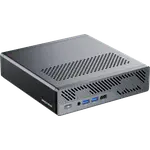
The Asus Chromebox 5a runs ChromeOS, built for browser and Android apps with almost no maintenance. The Geekom A9 Max (HX 470) runs Windows 11 Pro, which any native Windows software, local AI tool or serious multitasking job needs.
4GB of single-channel DDR4 on the Chromebox tops out at 16GB, while the A9 Max ships 32GB of dual-channel DDR5 and can be pushed to 128GB, room for the kind of workload the Chromebox was never meant to run.
128GB against 2TB across two NVMe slots is not a small gap: the Chromebox suits a handful of browser tabs and cloud-first work, while the A9 Max has room for a full local software library.
The Chromebox has no NPU at all, while the A9 Max's 50 TOPS NPU is built for local AI models and Copilot+ style features, a job ChromeOS was not designed to do anyway.
Dual USB4 ports, dual 2.5G Ethernet and Wi-Fi 7 on the A9 Max outpace the Chromebox's single Gigabit Ethernet and Wi-Fi 6E, though the Chromebox still packs seven USB ports of its own for a kiosk setup with several peripherals.
ChromeOS updates itself and needs almost no IT maintenance, which is exactly the point of a fleet of Chromebox 5a units.
The A9 Max's NPU and 32GB of DDR5 handle work the Chromebox's Celeron chip was never built for.
The Chromebox 5a is the far cheaper machine of the two.
ChromeOS cannot run native Windows applications, and the A9 Max ships Windows 11 Pro out of the box.
Every price change of both, in the same store, so the gap between the two lines is what one costs more than the other.
Loading price history...
The Geekom A9 Max (HX 470) wins overall, with far more memory, storage and a dedicated NPU that the Asus Chromebox 5a (Celeron 4GB + 128GB) does not have. The Chromebox still makes sense as a low-cost ChromeOS terminal for browser-only tasks.
Operating system and processor class. The Chromebox runs ChromeOS on an entry-level Celeron chip with 4GB of memory, while the A9 Max runs Windows 11 Pro on a 12-core Ryzen AI 9 HX 470 with 32GB of DDR5 and a dedicated NPU.
No. The Chromebox runs ChromeOS, which supports web apps and Android apps but not native Windows software, while the A9 Max runs Windows 11 Pro and can install any Windows application.
IT teams and classrooms that want a low-maintenance, low-cost browser terminal with automatic updates and centralized management, rather than a general-purpose Windows desktop.
Buyers who need serious memory, storage and on-device AI acceleration for local models, creative work or heavy multitasking, and who need Windows compatibility rather than a browser-only operating system.
You are looking at two of them. The full table lines up all Mini PCs in the catalog with the same specs, so you can filter by what you need and sort by price or rating.