Not available on Amazon USA

Full Mini PCs comparison in 2026

We follow prices across the catalog and email you the best deals we find.
No spam. Unsubscribe in one click.
| Feature | Asus Chromebox 5a (Celeron 4GB + 128GB) | GMKtec NucBox M2 Pro S (16GB + 1TB) | Winner |
|---|---|---|---|
| Rating | 4.5 | 4.4 | Asus Chromebox 5a (Celeron 4GB + 128GB) |
| Memory Capacity | 4 GB | 16 GB | GMKtec NucBox M2 Pro S (16GB + 1TB) |
| Storage Capacity | 128 GB | 1 TB | GMKtec NucBox M2 Pro S (16GB + 1TB) |
| CPU Model | Intel Celeron 7305 | Intel Core i7-1185G7 | Different strengths |
| Memory Configuration | Single-channel | Dual-channel | Different strengths |
| GPU Model | Intel UHD Graphics | Intel Iris Xe Graphics G7 (96 EUs, 1.35 GHz) | Different strengths |
| Memory Type | DDR4 | DDR4 | Tie |
| Memory Speed | 3200 MT/s | 3200 MT/s | Tie |
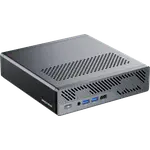
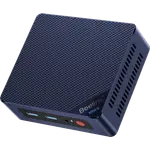
The Chromebox 5a runs ChromeOS on an entry-level Intel Celeron 7305 with 4GB of memory, built for browser and Android-app workloads with near-zero maintenance. The M2 Pro S runs Windows 11 Pro on a genuine Core i7-1185G7 with 16GB of memory, which is the difference between a managed kiosk and a real desktop.
The Chromebox 5a ships 4GB of DDR4-3200, expandable to 16GB, with a 128GB NVMe drive replaceable up to 512GB. The M2 Pro S starts four times higher at 16GB (up to 64GB) and eight times higher at 1TB, with a second M.2 2242 SATA bay still free for more.
The Chromebox 5a leads on raw port count, seven USB ports plus four display outputs (dual HDMI 2.1, DisplayPort 1.4 and USB-C) against the M2 Pro S's five USB ports and three outputs (dual HDMI 2.0 plus USB-C), which matters for a signage wall driving several screens at once.
The Chromebox 5a carries Intel Wi-Fi 6E and gigabit Ethernet. The M2 Pro S sticks to Wi-Fi 6 but adds a 2.5G Ethernet port over the Chromebox's gigabit, which is the faster wired link for a machine that will actually move files.
ChromeOS's automatic updates and centralized Google admin management remove most of the maintenance a fleet of Windows boxes would demand.
The Chromebox 5a runs ChromeOS only, with no native Windows or macOS support; the M2 Pro S ships Windows 11 Pro out of the box.
The Asus Chromebox 5a is the cheaper machine of the two, and its whole design is built around exactly that light, browser-based workload.
16GB against 4GB and 1TB against 128GB is not a close contest, and the M2 Pro S still leaves a second M.2 bay for more.
Every price change of both, in the same store, so the gap between the two lines is what one costs more than the other.
Loading price history...
The GMKtec NucBox M2 Pro S (16GB + 1TB) is the stronger general-purpose machine, ahead on memory capacity and storage capacity with a genuine Windows-capable CPU. The Asus Chromebox 5a (Celeron 4GB + 128GB) wins on price and suits a different job entirely.
The operating system and the platform behind it. The Chromebox 5a runs ChromeOS on an entry Celeron chip with 4GB of memory, while the M2 Pro S runs Windows 11 Pro on a Core i7-1185G7 with 16GB of memory and a 1TB drive.
No. It runs ChromeOS, which covers web apps and Android apps from Google Play. The GMKtec NucBox M2 Pro S runs Windows 11 Pro and supports standard desktop software.
The Asus Chromebox 5a, with four outputs (dual HDMI 2.1, DisplayPort 1.4 and USB-C) against the GMKtec NucBox M2 Pro S's three (dual HDMI 2.0 and USB-C), which is one reason the Chromebox still fits kiosk and signage duty despite losing overall.
Buyers managing a classroom, signage wall or browser-only fleet who want low maintenance, centralized Google admin management and the lowest price of the two.
Buyers who need Windows software compatibility along with far more memory and storage than a ChromeOS box can offer, and who still want room to add a second drive later.
You are looking at two of them. The full table lines up all Mini PCs in the catalog with the same specs, so you can filter by what you need and sort by price or rating.