10% OFF
$359.00
$399.00

Full Mini PCs comparison in 2026

We follow prices across the catalog and email you the best deals we find.
No spam. Unsubscribe in one click.
| Feature | Asus Chromebox 5a (Celeron 4GB + 128GB) | GMKtec NucBox M7 Ultra (32GB + 512GB) | Winner |
|---|---|---|---|
| Price | $359.00 | $679.99 | Asus Chromebox 5a (Celeron 4GB + 128GB) |
| Memory Type | DDR4 | DDR5 | GMKtec NucBox M7 Ultra (32GB + 512GB) |
| Memory Speed | 3200 MT/s | 4800 MT/s | GMKtec NucBox M7 Ultra (32GB + 512GB) |
| Memory Capacity | 4 GB | 32 GB | GMKtec NucBox M7 Ultra (32GB + 512GB) |
| Storage Capacity | 128 GB | 512 GB | GMKtec NucBox M7 Ultra (32GB + 512GB) |
| CPU Model | Intel Celeron 7305 | AMD Ryzen 7 PRO 6850U | Different strengths |
| Memory Configuration | Single-channel | Dual-channel | Different strengths |
| GPU Model | Intel UHD Graphics | AMD Radeon 680M (12 cores, 2200 MHz) | Different strengths |
| Rating | 4.5 | 4.5 | Tie |
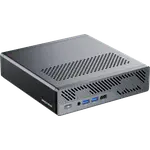
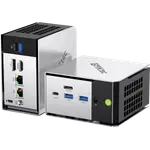
The Chromebox 5a runs ChromeOS on an entry Celeron 7305 with 4GB of memory, built for browser and Android app work. The M7 Ultra runs Windows 11 Pro on an eight-core Ryzen 7 PRO 6850U with 32GB of DDR5, a genuine desktop-class chip.
The Chromebox 5a tops out at 16GB of DDR4. The M7 Ultra ships 32GB of DDR5 already and can be taken to 64GB.
128GB on a single replaceable M.2 drive on the Chromebox 5a, up to 512GB if swapped, against 512GB across two M.2 Gen4 bays on the M7 Ultra, with a second bay free.
The M7 Ultra has a front OCuLink port for an external GPU dock later. The Chromebox 5a has no equivalent, and ChromeOS would not use one the same way regardless.
ChromeOS updates itself and needs minimal maintenance, and the Asus Chromebox 5a (Celeron 4GB + 128GB) costs less.
The GMKtec NucBox M7 Ultra (32GB + 512GB) runs Windows 11 Pro and installs any Windows application.
Its front OCuLink port gives a real PCIe Gen4 x4 link that the Chromebox cannot offer.
ChromeOS and a lower-power chip keep both the cost and the upkeep down.
What GMKtec NucBox M7 Ultra (32GB + 512GB) owners bring up unprompted is how little noise it makes running Proxmox virtual machines, Docker containers or a database load test at the same time, crediting the Hyper Ice Chamber cooling. The front OCuLink port gets called out as a real reason not to replace the machine later, since it opens a proper PCIe lane to an external GPU rather than tunneling over USB, and the tool-free lid makes adding a second NVMe drive trivial. On the other side, a couple of owners needed to email support for a new Windows activation key on first boot, one unit's graphics output died within two months, and the integrated GPU was not enough for one buyer's PC-tethered VR headset.
Every price change of both, in the same store, so the gap between the two lines is what one costs more than the other.
Loading price history...
The GMKtec NucBox M7 Ultra (32GB + 512GB) is the stronger overall pick, ahead on memory type, memory speed, memory capacity and storage capacity. The Asus Chromebox 5a (Celeron 4GB + 128GB) wins on price and owner rating.
Operating system and hardware tier. The Chromebox 5a runs ChromeOS on an entry-level Celeron chip with 4GB of memory, while the M7 Ultra runs Windows 11 Pro on an eight-core Ryzen 7 PRO 6850U with 32GB of DDR5.
No. It runs ChromeOS, which covers web apps and Android apps from Google Play but not native Windows programs. The GMKtec NucBox M7 Ultra runs Windows 11 Pro and supports standard desktop software.
Yes, both are upgradeable. The Asus Chromebox 5a supports up to 16GB of DDR4, while the GMKtec NucBox M7 Ultra supports up to 64GB of DDR5, a far higher ceiling on a faster memory standard.
Buyers managing a classroom, signage or browser-only fleet who want low maintenance and the lowest price.
Buyers who need Windows software, more memory and storage, and the option to add an external GPU through its front OCuLink port.
You are looking at two of them. The full table lines up all Mini PCs in the catalog with the same specs, so you can filter by what you need and sort by price or rating.