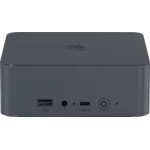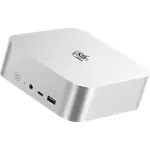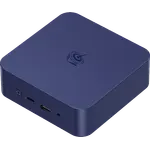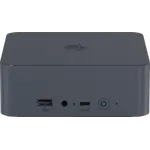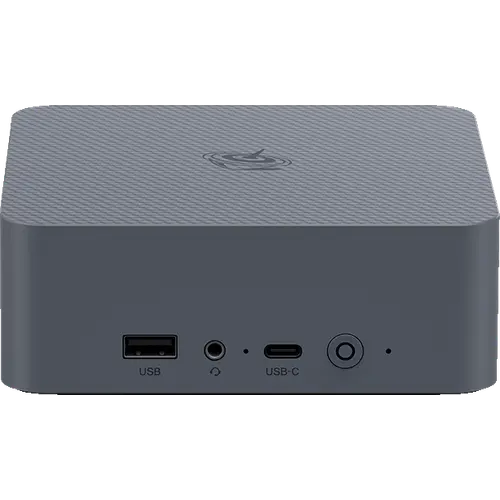



Beelink EQi 304 Review: 10 Gigabit Networking in a Half-Kilogram Mini PC
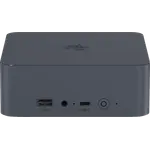
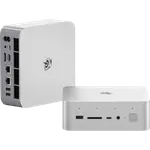
The Beelink EQi 304 is a low-power mini PC built around Intel's five-core Core 3 304, and it punches above its class on connectivity: a 10 Gigabit Ethernet port alongside a 2.5G port, two Thunderbolt 4 ports, and an internal 85W power supply that removes the usual power brick from the desk. This configuration pairs 24 GB of DDR5 with 512 GB of onboard UFS 3.1 flash and leaves two M.2 2280 PCIe 4.0 slots free for expansion, which is unusual generosity at 500 grams. The processor is an efficiency part rather than a performance one, with one performance core and four low-power cores, so it suits always-on and light-duty work rather than heavy rendering. As a compact home server, NAS front end or tidy office desktop, the port selection alone justifies a look.
- Home servers and always-on tasks
- 10 Gigabit home networks
- Tidy desks with no power brick
- Low-power office and media use
Pros
- 10 Gigabit Ethernet plus a second 2.5G port
- Built-in 85W power supply, no external brick
- Two Thunderbolt 4 ports with DisplayPort output
- 512 GB onboard UFS 3.1 flash plus two free M.2 2280 PCIe 4.0 slots
- Drives three displays with HDMI and dual Thunderbolt
- Integrated NPU for on-device AI acceleration
- Compact and light at 126 mm square and 500 g
- Windows 11 Pro, HDMI cable included, three-year warranty
Cons
- Five-core efficiency processor, not built for heavy workloads
- Wi-Fi 6 and Bluetooth 5.2 rather than Wi-Fi 7
- Only one HDMI output
- No SD card slot, no fingerprint sensor and no Kensington lock slot
- No built-in speakers or microphone
- Boot storage is onboard UFS flash rather than a replaceable SSD
Who is the Beelink EQi 304 for?
This is a machine for someone who values networking and low power draw over raw speed. The Core 3 304 combines one performance core with four low-power cores, which makes it well suited to a box that stays on all day: a media server, a home lab node, a NAS front end, or an office desktop that handles documents, browsers and video calls. The 10 Gigabit Ethernet port is the standout, because it lets the machine move large files across a fast home network at speeds a typical mini PC cannot reach, and the second 2.5G port allows network separation or a direct link to a NAS. At 126 x 126 x 44.2 mm and 500 grams, it disappears behind a monitor or into a media cabinet.
What stands out on paper
The built-in 85W power supply is the quality-of-life feature: the machine takes a standard AC cable instead of a laptop-style brick, which is rare in this size class and makes for a much tidier desk. Storage is unusually flexible, with 512 GB of onboard UFS 3.1 flash for the operating system plus two free M.2 2280 PCIe 4.0 slots, so it can grow into a substantial storage box without touching the boot drive. Two Thunderbolt 4 ports handle external SSDs, docks or an external GPU enclosure while also carrying DisplayPort, and together with the HDMI output they drive three displays. The integrated NPU adds on-device AI acceleration, memory can be taken to 64 GB through the SO-DIMM slot, and there is a 3.5 mm audio jack up front. Beelink also includes an HDMI cable in the box and backs the unit with a three-year warranty.
What to know before you buy
This is a five-core, five-thread efficiency processor, so it is not the machine for sustained rendering, large compiles or serious gaming. The wireless side is Wi-Fi 6 with Bluetooth 5.2 rather than Wi-Fi 7, and while there are two Ethernet ports there is only one HDMI output, so a triple-display setup depends on the Thunderbolt ports. There is no SD card slot, no fingerprint sensor and no Kensington lock slot, which matters if the machine will sit in a shared or public space, and the chassis has no built-in speakers or microphone. The system storage is onboard UFS flash rather than a replaceable boot SSD, so a future storage upgrade means using one of the M.2 slots rather than swapping the original drive.
Is the Beelink EQi 304 worth it?
Judged as a processor purchase it looks modest, and judged as a networking and storage platform it looks like good value. Very few machines this size offer 10 Gigabit Ethernet, dual Thunderbolt 4, two free M.2 slots and an internal power supply together, and those are exactly the features that matter for an always-on box on a fast home network. Buyers who need CPU headroom for compiles, virtual machines or content creation should step up to a Ryzen or Core Ultra mini PC instead, and anyone who wants Wi-Fi 7 will need to look elsewhere. For a quiet, low-power server or a clean desktop that moves files fast, it makes a strong case.
Frequently asked questions
Does the Beelink EQi 304 really have 10 Gigabit Ethernet?
Yes. It has two wired network ports, one 10 Gigabit and one 2.5 Gigabit, which is why it works well as a file server or NAS companion on a fast home network.
Does it need an external power adapter?
No. The 85W power supply is built into the chassis, so it connects with a standard AC power cable and there is no brick on the desk.
How much storage can the EQi 304 hold?
It ships with 512 GB of onboard UFS 3.1 flash and has two free M.2 2280 PCIe 4.0 slots, so total capacity can grow well past the included storage.
How many monitors can it drive?
Three. One HDMI output handles 4K at 60Hz and the two Thunderbolt 4 ports each carry DisplayPort for additional displays.
Can the memory be upgraded?
Yes. This configuration comes with 24 GB of DDR5 in a SO-DIMM slot and supports up to 64 GB.
Is the EQi 304 fast enough for gaming?
Not for demanding titles. The Core 3 304 is an efficiency-focused chip with one performance core and four low-power cores plus Intel integrated graphics, so it targets media, office and server workloads rather than gaming.