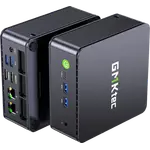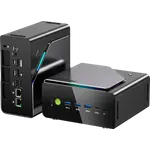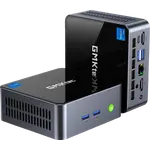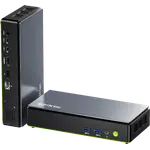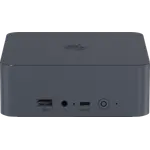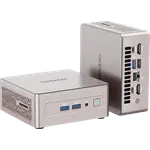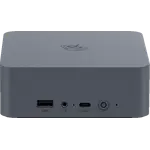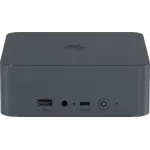



Beelink EQi13 Review: A Quiet Mini PC With a Built-In Power Supply and Dual 2.5G Ethernet
The Beelink EQi13 (16GB + 500GB) is a compact Intel Core i5-13420H desktop with its power supply built in, two 2.5G Ethernet ports, two HDMI outputs and two M.2 slots. Owners of this configuration find it snappy for everyday use, quiet enough to forget, and reliable as an always-on box, from an office PC to a Blue Iris NVR. It has no speakers, its graphics are basic Intel UHD, and one owner's unit began shutting down after a few months, so it is a value pick for light work and home servers rather than gaming.
- Everyday office and web use
- NVR and security camera PCs
- Always-on home servers
- Small desks
- Budget buyers
Pros
- Snappy for everyday work with an Intel Core i5-13420H
- Quiet in daily use
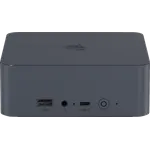
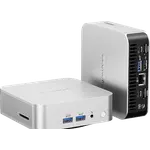
- Built-in power supply, no external brick
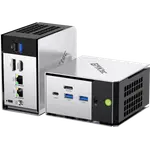
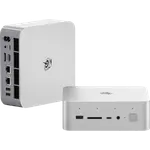
- Two 2.5G Ethernet ports
- Two M.2 2280 PCIe 4.0 slots and up to 64 GB of DDR4
- Reliable as an always-on NVR or server
- Three-year warranty
Cons
- Basic Intel UHD graphics, not for gaming
- No speakers or microphone
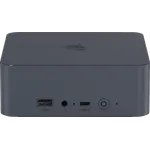
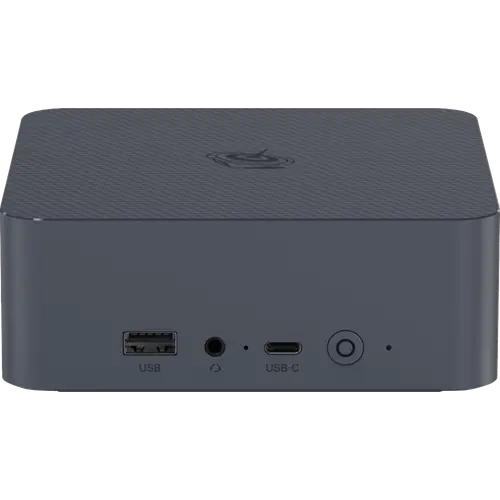
- No DisplayPort or Thunderbolt; the USB-C port is data only
- One owner's unit began shutting down after a few months
- Wi-Fi 6 rather than Wi-Fi 6E or 7
Who is the Beelink EQi13 for?
It suits anyone who wants a small Windows 11 Pro desktop for daily tasks, or a low-fuss box to leave running. Owners use this configuration as a home and office PC, as an unattended system at a facility, and paired with a USB hard drive as a Blue Iris NVR. One installer runs sixteen 1080p IP cameras and a card access system on it at around a quarter of its CPU. The two 2.5G Ethernet ports make it a natural fit for a router, firewall or server role, and the internal power supply means there is no brick to hide.
What buyers love
Owners describe it as snappy: apps open quickly and daily work happens without waiting. Several have not noticed any noise from it at all. Its small size makes it easy to tuck away, and buyers repeatedly call it good value for the performance. Reliability is a recurring point for this configuration, with owners reporting months of trouble-free use, a second unit bought after the first worked well, and an unmonitored install still running long after setup. One NVR installer checked a fresh unit on an isolated network and saw no unexpected traffic, though for business use he still reinstalls Windows himself.
What to know before you buy
Graphics are Intel UHD, fine for office work and video but not a gaming machine, and there are no built-in speakers or microphone. Video output is two HDMI ports with no DisplayPort or Thunderbolt, and the USB-C port carries data only. One owner's unit started shutting down at random a few months in and he found support unhelpful, so keep your proof of purchase. Another owner says the memory in his unit was soldered rather than in the SO-DIMM slots listed; this configuration is specified with two 8 GB DDR4 SO-DIMM modules, so check yours if you plan to upgrade.
Is the Beelink EQi13 worth it?
For light everyday computing or a home server, yes: owners of this configuration rate it highly for speed, silence and size, and dual 2.5G Ethernet, two M.2 2280 PCIe 4.0 slots, room for 64 GB of DDR4 and an internal power supply are uncommon at its budget-friendly tier. Beelink covers it with a three-year warranty. If you need strong graphics, DisplayPort or Thunderbolt, look higher up the category.
Frequently asked questions
Is the Beelink EQi13 good as an NVR or home server?
Yes. One installer runs sixteen 1080p IP cameras in Blue Iris on this configuration at around 20-25% CPU, and owners leave it running unattended. Two 2.5G Ethernet ports and two M.2 slots help in that role.
Does the Beelink EQi13 have a built-in power supply?
Yes. It takes 100-240V AC directly through an internal 85W power supply, so there is no external adapter.
Can I upgrade the memory and storage?
This configuration ships with 16 GB of DDR4-3200 as two 8 GB SO-DIMM modules and supports up to 64 GB. Storage is two M.2 2280 PCIe 4.0 x4 slots with a 500 GB SSD installed.
How many monitors can it drive?
Two, through its two HDMI ports at 4K 60Hz. It has no DisplayPort or Thunderbolt, and its USB-C port carries data only.
Does the Beelink EQi13 have speakers?
No. It has a 3.5 mm headset jack but no built-in speakers or microphone.