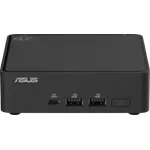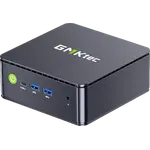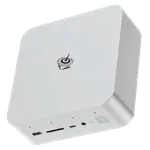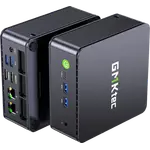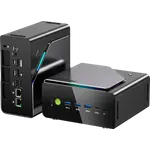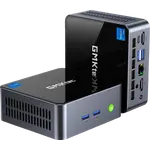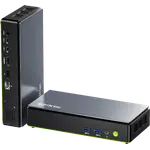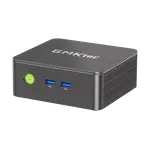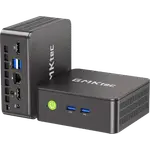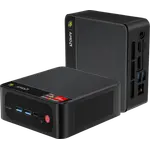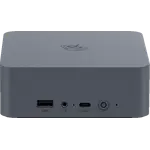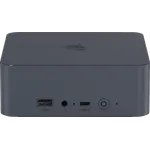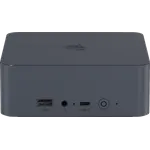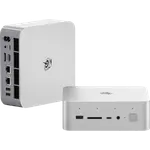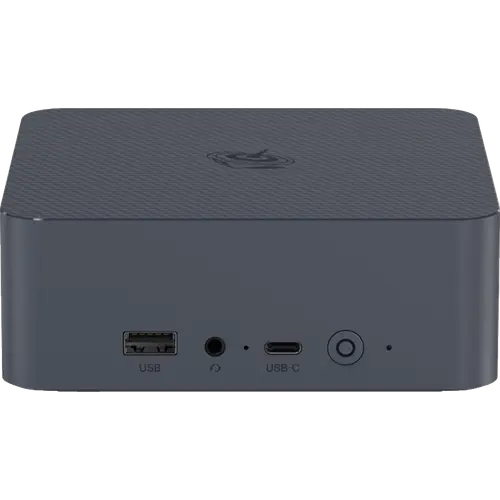



Beelink EQR5 (7330U 16GB + 500GB) Review: A Quiet Entry-Level Ryzen Desktop With Two Ethernet Ports and Some Reliability Questions
The Beelink EQR5 (7330U 16GB + 500GB) is an entry-level mini PC for office work, browsing, light gaming and small firewall or home server duty. Owners like how fast, quiet and compact it is for the money, and the two Ethernet ports suit network projects. The reservations are a minority of units that stop booting or crash, random Wi-Fi drops, and a stock SSD one owner called very cheap. Modest graphics, Gigabit rather than 2.5G networking and no USB4 or DisplayPort set the ceiling.
- Budget buyers
- Home office
- Firewall and light home lab use
- Dual-monitor desks
Pros
- Fast and quiet for everyday work and light gaming
- Built-in 85W power supply, no external brick
- 16 GB DDR4 in two modules, upgradeable to 64 GB
- Two M.2 2280 PCIe 3.0 slots for extra storage
- Dual Gigabit Ethernet suits firewall and home lab use
- Two HDMI outputs for dual 4K 60Hz displays
Cons
- Some units crash, fail to boot or show no video
- Random Wi-Fi drops reported by an owner
- Windows license already activated on some units
- Entry-level processor with basic integrated graphics
- Gigabit Ethernet only, no 2.5G, and no USB4, Thunderbolt or DisplayPort
- Plastic chassis and no VESA mount in the box
Who is the Beelink EQR5 (7330U 16GB + 500GB) for?
It suits anyone who wants a small, tidy Windows 11 Pro desktop for everyday work: documents, web apps, video calls and 4K streaming across two screens. Owners also use it for writing, web crawling and light gaming, and one chose it for a firewall because it has two Ethernet ports and enough memory to run OPNsense. Heavy 3D rendering is outside its range, as an owner who runs Blender on it points out.
What do owners like about the Beelink EQR5?
The praise is for speed, silence and size: owners call it fast, quiet, easy to set up and a space saver that does what a desktop used to for little money. The built-in power supply is noted as a difference from the older SER5 line, so only a standard AC cable is needed. It runs everyday games on the integrated graphics, and an owner who deploys small Beelink machines at work chose it for the second Ethernet port. The Ryzen 3 7330U is paired with 16 GB of DDR4 3200 MT/s in two SO-DIMM slots that grow to 64 GB, and a 500 GB SSD in one of two M.2 2280 PCIe 3.0 x4 slots.
What to know before you buy
A handful of owners report reliability trouble: a unit that had to be shut down by pulling the cord or would not boot, one that crashed and would not stay powered on after about a year, and one that never sent a signal to the monitor and was returned. One buyer received two units with a Windows license that was already activated, and one owner has Wi-Fi that drops at random while other devices stay connected. Opening it is more involved than on the older SER5: the I/O board and several screws come off just to reach the main SSD, and the included drive struck one owner as a very cheap part. The integrated graphics are aimed at everyday tasks, there is no DisplayPort, Thunderbolt or USB4, both Ethernet ports are Gigabit, the chassis is plastic and the box has an HDMI cable but no VESA mount.
Is the Beelink EQR5 (7330U 16GB + 500GB) worth it?
As the entry configuration of the EQR5 it keeps what makes the chassis practical (the internal power supply, upgradeable memory, two SSD slots and two network ports) at a low price tier, and most owners are happy with it for office work, a family PC or a quiet second desktop. The catch is that a minority met failures or setup oddities, so buy it where returns are easy and test it during the return window. Anyone needing more processing power, faster networking or USB4 should look further up the category.
Frequently asked questions
Can I upgrade the RAM and storage in the Beelink EQR5 (7330U 16GB + 500GB)?
Yes. It has two DDR4 SO-DIMM slots supporting up to 64 GB, and two M.2 2280 PCIe 3.0 x4 slots, one holding the included 500 GB SSD and one free. Owners note the case takes more screws and an I/O board removal to reach the main SSD.
Does the Beelink EQR5 need an external power adapter?
No. The 85W power supply is built into the case and runs from a standard 100-240V AC cable.
How many monitors can the Beelink EQR5 (7330U 16GB + 500GB) drive?
Two, through its two HDMI ports, each rated for 4K at 60Hz. The USB-C port is for data only, and there is no DisplayPort.
Is it good for a home server or firewall?
It has the right ingredients for light duty: two Gigabit Ethernet ports, a spare M.2 slot and room for up to 64 GB of memory, and one owner picked it to run a firewall. Its processor suits a handful of light services better than heavy virtualization or video transcoding.
Is the Beelink EQR5 reliable?
Most owners are happy with it, but a minority report units that crash, will not boot or never send a signal to the monitor, so it is worth testing it during the return window.
What operating system does it come with?
It ships with Windows 11 Pro preinstalled, and one owner received units whose license was already activated.