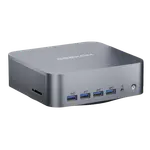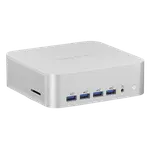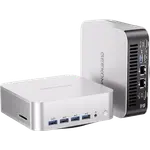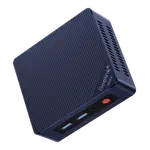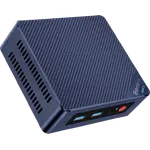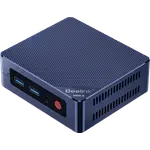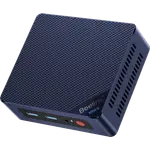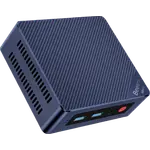
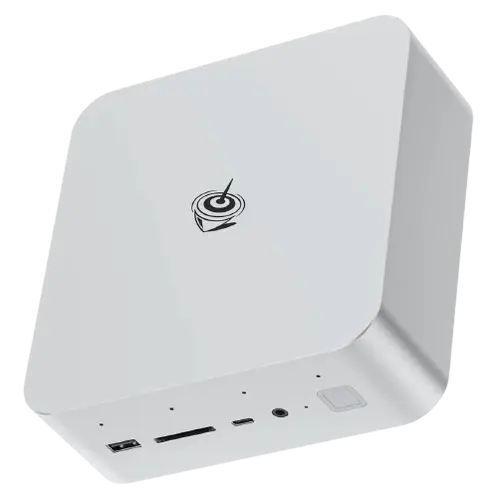


Beelink GTi14 Mini PC (Core Ultra 9 185H, 32GB/1TB) Review: Powerful and Well-Connected, With a GPU Dock Trick and Some Flaws
The Beelink GTi14 (Intel Core Ultra 9 185H, Arc graphics, 32GB DDR5, 1TB SSD, Windows 11 Pro) is a compact, powerful mini PC that owners rate decently. At its best, it delivers big-PC performance in a tiny, quiet box: responsive for demanding work like audio, video and photo editing and heavy multitasking, with a strong port selection (Thunderbolt 4, triple-display HDMI and DisplayPort), a handy fingerprint reader built into the power button, and a standout trick, a full GPU slot and Beelink's EX Pro docking station let you add a dedicated external graphics card (owners pair it with cards like an RTX 4060 Ti for gaming and local AI). It's a good Windows 10 end-of-life upgrade and can take a second M.2 drive and more RAM. But the 4.0 rating reflects real issues. The integrated Arc graphics are weak for serious gaming, you'll want the dock and an external GPU for that. It's very hard to open and upgrade (an overly complex design, cheap screws that strip, a too-short internal speaker cable), and drivers are slow to download or missing from Beelink's site. At least one owner received a genuinely bad unit (a slow-feeling CPU, badly pixelated video even with an 8K cable and current Arc drivers, and random USB/Bluetooth dropouts that reinstalls didn't fix). For a quiet, capable, expandable mini PC, especially if you'll add an external GPU, it's a strong option, provided you accept the upgrade difficulty and driver quirks.
- Productivity and heavy multitasking in a small box
- Audio/video/photo editing
- Users who'll add an external GPU via the dock (gaming/AI)
- Triple-monitor and Thunderbolt 4 setups
Pros
- Fast, quiet, compact; strong for editing and multitasking
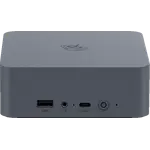
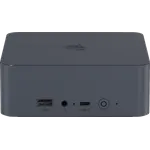
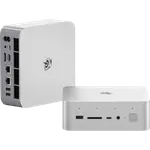
- Excellent connectivity: Thunderbolt 4, triple display, fingerprint reader
- Unique full GPU slot plus dock to add an external graphics card (gaming/AI)
- Good Windows 10 end-of-life upgrade on current hardware
Cons
- Integrated Arc graphics weak for serious gaming (needs external GPU via dock)
- Very hard to open and upgrade (complex design, cheap/stripping screws)
- Drivers slow to download or missing from Beelink's site
- At least one defective unit reported (pixelated video, USB/Bluetooth dropouts)
Who is the Beelink GTi14 for?
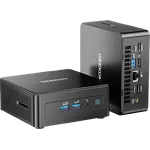
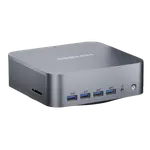
This is a compact, high-end mini PC built on the Intel Core Ultra 9 185H with Arc graphics, 32GB of DDR5 RAM, a 1TB SSD and Windows 11 Pro, with Thunderbolt 4, triple-display output (HDMI and DisplayPort), Wi-Fi 6 and a fingerprint reader. Its distinctive feature is a full GPU slot plus Beelink's EX Pro dock, letting you attach a dedicated external graphics card. It suits power users who want strong CPU performance and lots of connectivity in a tiny footprint, and who may add an external GPU for gaming or AI. It's less ideal if you want serious gaming out of the box (integrated graphics), or you plan to open it up often (it's hard to service).
What buyers love
Owners praise the big-PC performance in a mini format: it's fast and responsive, runs all their software, handles heavy work like audio, video and photo editing and multitasking, and stays quiet and compact. Connectivity is a highlight, Thunderbolt 4, triple-display support that makes multi-monitor work seamless, plenty of ports, and a fingerprint reader integrated into the power button that owners love. The unique full GPU slot and EX Pro docking station let power users add a dedicated card (some run an external RTX 4060 Ti for gaming or local AI LLMs), a flexibility few mini PCs offer. It's also seen as a great Windows 10 end-of-life upgrade, uses current PCIe 4.0/DDR5/Intel Ultra hardware, and the cheaper Ultra 7 version is available for tighter budgets.
What to know before you buy
A few real drawbacks. First, the integrated Arc graphics are weak for serious gaming, owners specifically recommend the dock plus an external GPU to game or do heavy AI. Second, it's very hard to upgrade: the design is overly complex, some units shipped with cheap, easily stripped screws that make opening a nightmare, and the internal speaker's ribbon cable is short and glued down. Third, drivers are a weak spot, slow to download and, in some cases, missing from Beelink's website. Most seriously, at least one owner received a defective unit with a CPU that felt slower than an older NUC i7, badly pixelated video even with an 8K cable and up-to-date Arc drivers, and random USB and Bluetooth dropouts that persisted after reinstalling Windows and drivers. Others found overall value merely okay. Buy with these reliability and serviceability caveats in mind.
Is the Beelink GTi14 worth it?
It can be, for the right buyer. When it works well, it's a fast, quiet, well-connected mini PC with a rare expandability advantage, the full GPU slot and dock, that makes it flexible for gaming and AI beyond its integrated graphics. That's the upside behind its solid average rating. The downsides are meaningful: weak integrated graphics for gaming, a genuinely difficult upgrade/service design, disappointing driver availability, and at least one clearly defective unit. If you value the port selection and external-GPU option and can live with the quirks, it's a capable choice; if you want easy upgradability, strong out-of-box gaming, or the most polished drivers and support, consider alternatives.
Frequently asked questions
Can I game on the Beelink GTi14?
Casually, yes; seriously, not without help. The integrated Arc graphics are weak for demanding games. Its standout feature is a full GPU slot plus Beelink's EX Pro dock, which lets you add a dedicated external graphics card (owners use cards like an RTX 4060 Ti) for real gaming and AI performance.
Is it easy to upgrade the RAM or SSD?
Not really. While it supports a second M.2 drive and more RAM, owners describe the design as overly complex and hard to open, some units had cheap screws that stripped, and the internal speaker cable is short and glued down. It's doable but frustrating, so plan upgrades carefully.
How are the drivers and support?
A weak point. Drivers are reported as slow to download and, in some cases, missing from Beelink's website. One owner with a defective unit couldn't resolve video and connectivity problems even after reinstalling Windows and updating all available drivers. Driver availability is a genuine concern.
Are there reliability issues?
Most owners are happy, but at least one received a clearly defective unit, a CPU that felt slower than an older NUC i7, badly pixelated video even with an 8K cable and current Arc drivers, and random USB/Bluetooth dropouts that reinstalls didn't fix. Experiences vary, so this is worth weighing.
What ports and features does it have?
It's well-equipped: Thunderbolt 4, triple-display output via HDMI and DisplayPort, Wi-Fi 6, and a fingerprint reader built into the power button. Owners specifically praise the multi-monitor support and the port selection, plus the unique full GPU slot for external graphics expansion.