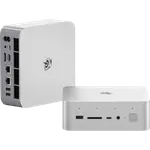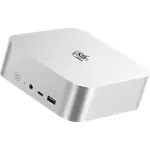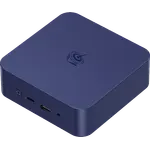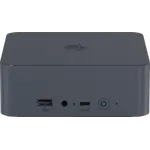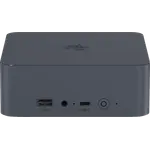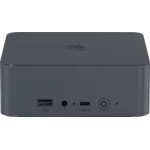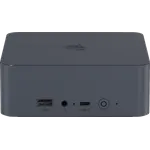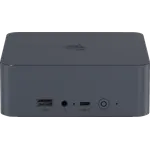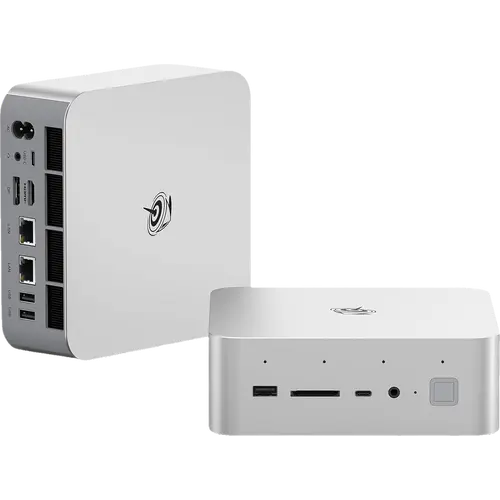



Beelink GTi15 Ultra Review: Dual 10 Gigabit Ethernet and a PCIe Slot for a Desktop GPU
The Beelink GTi15 Ultra is one of the most complete mini PCs on paper: a 16-core Intel Core Ultra 9 285H with Arc 140T graphics, 64 GB of dual-channel DDR5-5600 across two SO-DIMM slots, and a 1 TB Gen 4 drive with a second M.2 slot free. Two 10 Gigabit Ethernet ports, an internal 145W power supply and a PCIe 5.0 x8 slot for Beelink's external GPU dock put it in a different class from typical small-form-factor boxes, and it still finds room for built-in speakers, a microphone array, an SD 4.0 reader and a fingerprint sensor in the power button. Cooling uses a vapor chamber with bottom air intake, rated at 32 dB. The catch is that the graphics dock is a separate purchase and there is no Thunderbolt certification, but as a single-cable desktop replacement it is exceptionally well equipped.
- 10 Gigabit home networks and NAS work
- Single-cable desktop replacement
- Local AI and creative workloads
- Upgraders who want an external GPU path
Pros
- Two 10 Gigabit Ethernet ports
- PCIe 5.0 x8 slot for an external desktop GPU via the EX Pro dock
- Internal 145W power supply, single-cable operation
- 16-core Core Ultra 9 285H with Arc 140T graphics and an NPU
- 64 GB DDR5-5600 expandable to 128 GB, two M.2 2280 Gen 4 slots
- Built-in speakers and microphone array
- SD 4.0 card reader and fingerprint sensor in the power button
- Vapor chamber cooling rated at 32 dB, HDMI cable included, three-year warranty
Cons
- External GPU support requires buying the dock and card separately
- USB4 and USB 3.2 rather than Thunderbolt certified
- No Kensington lock slot
- One HDMI and one DisplayPort, so a triple-display setup uses every output
- Larger footprint than compact mini PCs at roughly 158 mm square
Who is the Beelink GTi15 Ultra for?
This suits someone who wants a machine to replace a tower rather than sit alongside one. The Core Ultra 9 285H brings 16 cores and boost speeds to 5.4 GHz, backed by Arc 140T integrated graphics and an NPU, so software development, virtualization, photo and video editing and local AI work all fit comfortably. Two 10 Gigabit Ethernet ports make it unusually attractive for anyone running a fast home network or a NAS, since it can saturate links most mini PCs cannot reach. The internal 145W power supply means a single power cable and no brick, and the fingerprint sensor and built-in speakers reduce the number of accessories needed to make it usable.
What stands out on paper
The PCIe 5.0 x8 slot on the underside is the headline feature, because it lets the machine drive a desktop graphics card through Beelink's EX Pro docking station rather than being limited to integrated graphics forever. Networking is next: dual 10 Gigabit ports plus Wi-Fi 7 and Bluetooth 5.4. Storage and memory are both generous and serviceable, with two M.2 2280 PCIe 4.0 slots taking up to 4 TB each and two SO-DIMM slots reaching 128 GB. The chassis also includes what most mini PCs leave out: dual speakers with DSP tuning, a microphone array rated for voice pickup across a room, an SD 4.0 card reader, a 3.5 mm jack and a fingerprint sensor built into the power button. Cooling is a vapor chamber design with bottom intake and a claimed 32 dB noise level at a 65W sustained TDP, and Beelink includes an HDMI cable and covers it with a three-year warranty.
What to know before you buy
The external GPU capability depends on buying the EX Pro dock and a graphics card separately, so the base machine still relies on Arc 140T graphics out of the box. The USB-C ports are USB4 and USB 3.2 rather than Thunderbolt certified, and there is no Kensington lock slot, which matters for machines in shared spaces. Video output is a single HDMI and a single DisplayPort plus the USB4 port, so a triple-display setup uses all three rather than leaving spares. This is also a larger mini PC than the 120 mm class boxes, at roughly 158 mm square, so it needs real desk or shelf space rather than hiding behind a monitor.
Is the Beelink GTi15 Ultra worth it?
It sits at the premium end of the category and earns it with features that are genuinely hard to find elsewhere at this size: dual 10 Gigabit Ethernet, an internal power supply, a PCIe slot for a real graphics card, and audio hardware built into the chassis. Buyers who only need office work and browsing will find far cheaper machines, and anyone who needs Thunderbolt specifically should look elsewhere. For a compact main machine on a fast network, especially one that might gain a discrete GPU later, it is among the best specified options available.
Frequently asked questions
Can the Beelink GTi15 Ultra use a desktop graphics card?
Yes, through its PCIe 5.0 x8 slot combined with Beelink's EX Pro docking station, which supports NVIDIA RTX 50 series cards. The dock and the card are separate purchases.
Does it really have 10 Gigabit networking?
Yes, two 10 Gigabit Ethernet ports, which is four times the speed of the 2.5G ports common in this category. Wi-Fi 7 and Bluetooth 5.4 cover wireless.
Does it need an external power brick?
No. The 145W power supply is built into the chassis, so it runs from a single power cable.
How much memory and storage can it hold?
Memory goes to 128 GB across two SO-DIMM slots and ships as 64 GB of DDR5-5600. There are two M.2 2280 PCIe 4.0 slots accepting up to 4 TB each, with a 1 TB drive included.
Does it have speakers and a microphone?
Yes. It includes dual DSP-tuned speakers and a microphone array with noise cancellation, which is unusual for a mini PC and means it can handle calls without extra hardware.
How many displays can it drive?
Three, using the HDMI port, the DisplayPort output and the USB4 Type-C port, which supports DisplayPort 1.4.