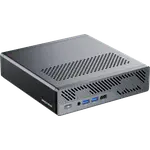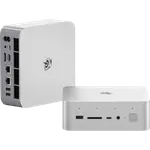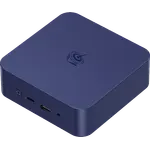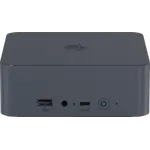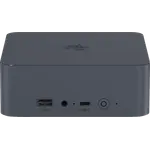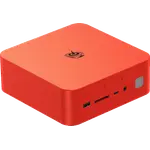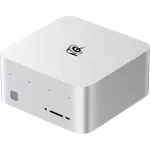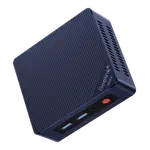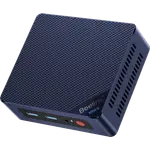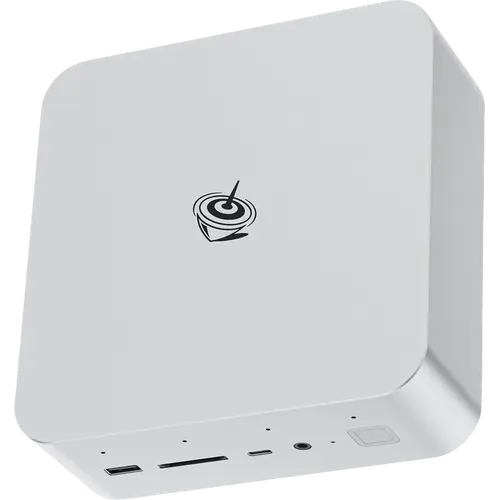


Beelink GTi15 Ultra (96GB + 2TB) Review: The Maxed-Out Configuration of Beelink's 10G Flagship
This is the top configuration of the Beelink GTi15 Ultra: the same 16-core Intel Core Ultra 9 285H with Arc 140T graphics and an Intel AI Boost NPU, but with 96 GB of dual-channel DDR5 across its two SO-DIMM slots and a 2 TB PCIe 4.0 drive instead of the smaller kit. That memory is what changes the job it can do, since virtual machines, large containers and local AI models are limited by RAM long before they run out of cores. Two 10 Gigabit Ethernet ports, a 145W power supply built into the metal chassis and a PCIe 5.0 x8 slot for Beelink's EX Pro docking station keep it closer to a small workstation than to a media box. The trade-off is that it is expensive for a mini PC and that its 40 Gbps Type-C port is USB4 rather than Thunderbolt certified.
- Virtualization and container hosts
- Local AI models that need memory
- 10 Gigabit networks and NAS work
- Single-cable desktop replacement
Pros
- 96 GB of dual-channel DDR5 in two SO-DIMM slots, upgradable to 128 GB
- 2 TB PCIe 4.0 drive with a second M.2 2280 slot free, up to 8 TB total
- Two 10 Gigabit Ethernet ports, plus Wi-Fi 7 and Bluetooth 5.4
- 16-core Core Ultra 9 285H with Arc 140T graphics and an Intel AI Boost NPU
- 145W power supply built into the metal chassis, single-cable operation
- PCIe 5.0 x8 slot for a desktop graphics card through the EX Pro dock
- Vapor chamber MSC 2.0 cooling, built-in speakers, microphone and fingerprint sensor
- SD card reader, HDMI cable included and a three-year warranty
Cons
- The 40 Gbps Type-C port is USB4, not Thunderbolt certified
- Memory ships at 5600 MT/s although the platform supports faster kits
- One HDMI and one DisplayPort, so a triple-display setup uses the USB4 port too
- No Kensington lock slot
- No VESA mount in the box
- Large for a mini PC at roughly 158 mm square, and the external GPU dock is a separate purchase
Who is the Beelink GTi15 Ultra (96GB + 2TB) for?
This configuration is aimed at the workload that runs out of memory first. The 96 GB of DDR5 fills both SO-DIMM slots and leaves room to reach 128 GB later, which is enough to keep several virtual machines, a container stack or a large local language model resident at once, and the 2 TB Gen 4 drive means those images and datasets do not have to live on a network share. The Core Ultra 9 285H behind it brings 16 cores and boost speeds to 5.4 GHz, with Arc 140T graphics and an Intel AI Boost NPU for accelerated inference. Two 10 Gigabit Ethernet ports make it unusually well suited to a fast home lab or a NAS front end, and Windows 11 Pro ships on it, so Hyper-V and remote desktop are available out of the box.
What stands out on paper
Memory and storage are the headline of this SKU: 96 GB of dual-channel DDR5 in serviceable SO-DIMM slots, and two M.2 2280 PCIe 4.0 bays of which one arrives with a 2 TB drive and the other stays free, for up to 8 TB in total. Networking is the second pillar, with a pair of 10 Gigabit ports alongside Wi-Fi 7 and Bluetooth 5.4. The chassis is metal and holds a 145W power supply inside, so the machine runs from a single cable with no brick under the desk, and the MSC 2.0 cooling system uses a vapor chamber with a bottom intake to keep the 16-core chip quiet. A PCIe 5.0 x8 slot underneath connects Beelink's EX Pro docking station and a desktop graphics card, which is the upgrade path most mini PCs simply do not have. The chassis also carries what the category usually leaves out: dual speakers, a microphone array, an SD card reader, a 3.5 mm jack and a fingerprint sensor in the power button. An HDMI cable is in the box and the warranty runs three years.
What to know before you buy
The 40 Gbps Type-C port is USB4 and carries DisplayPort 1.4 and power delivery, but it is not Thunderbolt certified, so a Thunderbolt-only dock or enclosure is not guaranteed to work. Video output is one HDMI and one DisplayPort plus that Type-C port, which means a triple-monitor setup uses every display output rather than leaving one spare. The memory ships at 5600 MT/s even though the platform is specified to run faster kits, and reaching 128 GB or a second drive means opening the case. There is no Kensington lock slot, which matters for a machine left in a shared office, and no VESA mount is included, so hiding it behind a monitor costs extra. It is also a large mini PC at roughly 158 mm square and 56 mm tall: it needs shelf space rather than disappearing behind a screen. Finally, the external graphics option depends on buying the EX Pro dock and a card separately, so out of the box the graphics are the integrated Arc 140T.
Is the Beelink GTi15 Ultra (96GB + 2TB) worth it?
It sits at the premium end of the category, and the premium buys memory, storage and networking rather than a faster processor: the CPU is the same as the smaller configuration, so the question is whether 96 GB of RAM and 2 TB of storage are worth more than fitting them later. For a machine that will host virtual machines, containers or local AI models from day one, having both slots filled and a spare M.2 bay free is a clean answer, and the dual 10 Gigabit ports and internal power supply are hard to find at this size at any price. Anyone who only needs office work, browsing and media has no reason to pay for this tier, and anyone who specifically needs Thunderbolt should look elsewhere. As a compact main machine on a fast network, with a real upgrade path to a desktop GPU, it is one of the best specified options in the category.
Frequently asked questions
How much memory and storage does the Beelink GTi15 Ultra (96GB + 2TB) have?
It ships with 96 GB of dual-channel DDR5 filling both SO-DIMM slots, which can be replaced to reach 128 GB, and a 2 TB M.2 2280 PCIe 4.0 drive in one of two bays, for a maximum of 8 TB of internal storage.
Does it support Thunderbolt?
No. The rear Type-C port runs at 40 Gbps with DisplayPort 1.4 and power delivery as a USB4 port, and it is not Thunderbolt certified. The rest of the connectivity is three USB 3.2 Type-A ports and a USB 3.2 Type-C port.
Does it really have 10 Gigabit networking?
Yes, it has two 10 Gigabit Ethernet ports, four times the speed of the 2.5G ports common in this category, alongside Wi-Fi 7 and Bluetooth 5.4.
Does it need an external power brick?
No. The 145W power supply is inside the chassis, so the machine runs from a single power cable and there is no adapter to hide.
How many displays can it drive?
Three, using the HDMI output, the DisplayPort output and the 40 Gbps Type-C port, which carries DisplayPort 1.4.
What operating system does it come with?
Windows 11 Pro is preinstalled, which is what makes features like Hyper-V and BitLocker available without an upgrade.