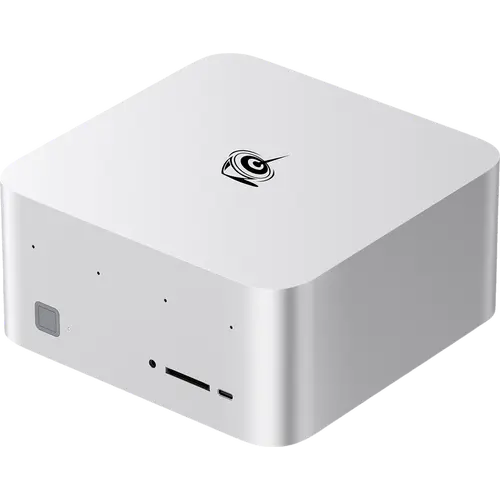



Beelink GTR9 Pro Review: A 96GB VRAM Local AI Machine With a Networking Problem
The Beelink GTR9 Pro is built for local AI: an AMD Ryzen AI Max+ 395 with 16 Zen 5 cores, Radeon 8060S graphics with 40 compute units, and 128GB of LPDDR5X-8000 that can be split so the GPU sees up to 96GB as video memory. Owners running LM Studio and Ollama report loading models far beyond what a typical desktop handles, and training tasks finishing in a fraction of the time a MacBook Pro needed. The serious caveat is networking: a recurring theme in buyer reports is trouble with the dual 10GbE ports, from missing drivers to system freezes under load, with some owners told replacement units were coming. If you want a compact local AI node and can tolerate firmware fiddling, the compute is exceptional value; if you need the 10 Gigabit networking to work on day one, check the current revision before buying.
- Local LLM inference and fine-tuning
- AI workstations with large VRAM needs
- Creative and rendering workloads
- Linux and Windows dual-boot tinkerers
Pros
- 128GB of LPDDR5X-8000 unified memory, up to 96GB usable as VRAM
- Ryzen AI Max+ 395 with 16 Zen 5 cores and Radeon 8060S (40 CUs)
- Runs large local language models that typical desktops cannot
- Two USB4 ports at 40Gbps and quad 8K display output
- Dual M.2 2280 PCIe 4.0 slots supporting up to 8TB each
- Built-in dual speakers, four-microphone array and fingerprint sensor
- Internal power supply, SD 4.0 reader, HDMI cable included
- Reported as quiet and well built by owners who got a working unit
Cons
- Repeated owner reports of 10GbE network faults, including freezes under load
- Some buyers expected Intel network controllers and received Realtek
- Firmware and BIOS work often needed for Linux setups
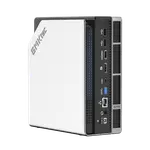
- Only two USB-A ports on the rear panel
- Memory is soldered, so 128GB is the hard ceiling
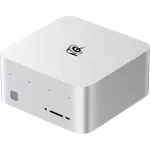
- Large and heavy for a mini PC at 180 mm square and over 2.3 kg
- No Thunderbolt certification and no Kensington lock slot
Who is the Beelink GTR9 Pro for?
This is an AI workstation in a small chassis rather than a general-purpose mini PC. The Ryzen AI Max+ 395 pairs 16 Zen 5 cores with a 40 compute unit Radeon 8060S and an XDNA 2 NPU, and the 128GB of LPDDR5X-8000 is unified, so a large slice can be assigned as graphics memory. Owners describe running models up to 120 billion parameters inside a 96GB allocation, and one reports training a small model with Llama.cpp and Vulkan in under half an hour on hardware that previously took hours. It also handles high-end games and creative rendering. What it demands in return is patience with firmware: several buyers describe BIOS and driver work to get Linux and the network stack behaving.
What buyers love
The compute-per-dollar for AI work draws the strongest praise. Multiple owners highlight the unified memory split that gives the GPU up to 96GB of video memory, which is what allows models this size to run locally at all, and note that inference and training work that used to be slow now finishes quickly. Several describe it as quiet and well finished, with one calling it a one-of-a-kind product that handles everything from high-end games to local AI while looking good on the desk. Linux users report success with Ubuntu 24.04 and Ollama once the machine is set up, and the physical specification backs this up: dual USB4 ports at 40Gbps, dual M.2 2280 Gen 4 slots accepting up to 8TB each, quad 8K display output, built-in speakers and a four-microphone array, an SD 4.0 reader and a fingerprint sensor in the power button.
What to know before you buy
The 10 Gigabit networking is the recurring complaint, and it is serious. Owners report the ports dead out of the box, drivers missing, and system freezes under load on both Windows and Linux traced to the NIC, with one buyer saying units were being replaced with a revised version. Another notes the listing led them to expect Intel network controllers and the machine arrived with Realtek ones instead. Beyond networking, one owner describes the USB4 bridge failing after a driver update and a lengthy BIOS recovery, and another reports SSD errors. The rear panel carries only two USB-A ports, which several owners find limiting enough to need adapters. Memory is soldered LPDDR5X, so 128GB is the ceiling with no upgrade path, and the chassis at 180 mm square and over two kilograms is large for the category, something buyers do remark on.
Is the Beelink GTR9 Pro worth it?
As a local AI machine the value is genuine, because very few systems at any size offer 128GB of unified memory with a 40 CU GPU and dual USB4 in a box this small. The mixed rating reflects execution rather than ambition: buyers who got a working unit are enthusiastic, and buyers who hit the network fault are not. Treat the 10GbE ports as the risk to research before ordering, confirm which hardware revision is shipping, and plan for some firmware work if Linux is the target. Anyone who mainly needs a reliable desktop rather than an AI node will be better served by a cheaper and simpler mini PC.
Frequently asked questions
How much VRAM can the Beelink GTR9 Pro allocate for AI models?
The 128GB of LPDDR5X is unified memory, and owners report splitting it so the GPU sees up to 96GB as video memory, which is what lets very large local models load.
Are there known problems with the 10 Gigabit Ethernet?
Yes, this is the most common complaint from buyers. Reports include ports not working out of the box, missing drivers, and system freezes under load on both Windows and Linux, with some owners told a revised version was replacing affected units. Check which hardware revision is shipping before ordering.
Can the memory be upgraded?
No. The LPDDR5X-8000 memory is soldered at 128GB, so there is no upgrade path. Storage is upgradeable through two M.2 2280 PCIe 4.0 slots that accept up to 8TB each.
Does it run Linux well?
Owners do run Ubuntu 24.04 successfully, including Ollama for local models, but several describe significant BIOS and driver work to get there, particularly around the network controllers and the USB4 bridge.
How many USB ports does it have?
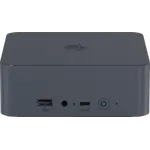
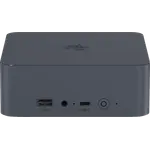
Two USB4 Type-C ports at 40Gbps and two USB 3.2 Gen 2 Type-A ports on the rear, plus a Type-C port on the front. Several owners note the two rear USB-A ports are fewer than they would like.
Does it need an external power brick?
No. The power supply is built into the chassis and it runs from a standard AC cable, with the region-specific cord included.