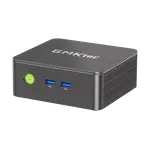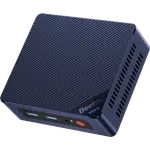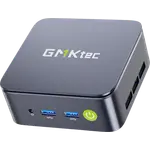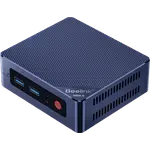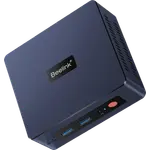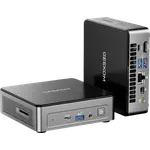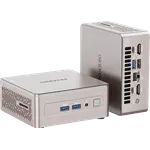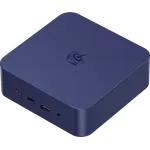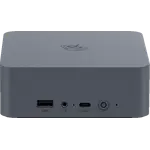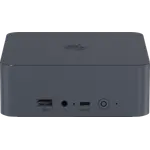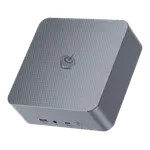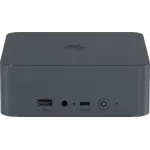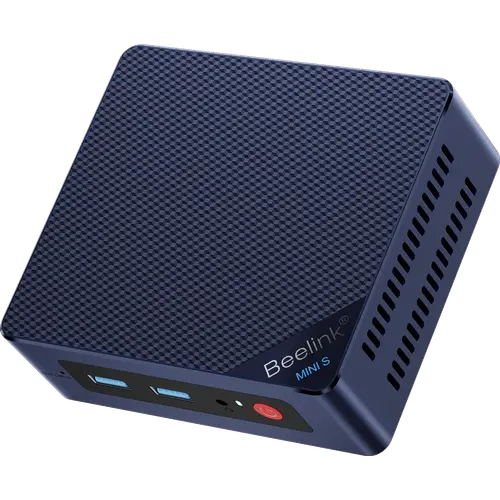



Beelink Mini S13 (N150 12GB + 500GB) Review: LPDDR5 Memory and Two SSD Slots in a Budget Office Box
This configuration of the Beelink Mini S13 pairs the Intel N150 with 12GB of LPDDR5 at 4800 MT/s, a 500GB SSD and a spare M.2 slot, which makes it a tidy, low-power desktop for office work, browsing and 4K playback. A 2.5G Ethernet port, Wi-Fi 6 and two 4K HDMI outputs cover what most desks need, and a three-year warranty backs it. The trade-off is that the memory is soldered and stops at 12GB, and there is no USB-C, DisplayPort or NPU, so it is a budget workhorse rather than a machine to grow into.
- Home and small-office desktops
- Media playback and HTPC use
- Dual-monitor productivity
- Budget buyers
Pros
- 12GB of LPDDR5 memory at 4800 MT/s
- Second M.2 2280 slot for up to 4TB of total storage
- 2.5G Ethernet, Wi-Fi 6 and Bluetooth 5.2
- Four USB 3.2 Gen 2 ports at 10Gbps
- Dual HDMI output for two 4K 60Hz displays
- Wall bracket, HDMI cable and a three-year warranty
- Lock slot for a cable lock
Cons
- Memory is soldered and capped at 12GB
- Boot drive is SATA rather than NVMe
- No USB-C, USB4, Thunderbolt or DisplayPort
- No NPU and no SD card reader
- Plastic chassis
Who is the Beelink Mini S13 (N150 12GB + 500GB) for?
It suits anyone who wants a quiet, compact Windows 11 Home computer for documents, spreadsheets, browsing, video calls and streaming, and nothing heavier. The Intel N150 with Intel UHD Graphics (24 EUs) drives two 4K screens at 60Hz, the included wall bracket lets it hang behind a monitor, and the 2.5G Ethernet port makes it a sensible always-on home machine or small media server on a fast wired network.
What the Beelink Mini S13 (N150 12GB + 500GB) offers
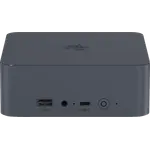
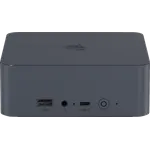
Memory is 12GB of LPDDR5 at 4800 MT/s in a single channel. Storage starts with a 500GB M.2 2280 SATA SSD, and a second M.2 2280 slot takes an NVMe drive, for up to 4TB in total, so capacity can grow without replacing the boot drive. Connectivity covers 2.5G Ethernet, Wi-Fi 6 on an Intel AX101 card and Bluetooth 5.2, with four USB 3.2 Gen 2 Type-A ports at 10Gbps (two front, two back), two HDMI outputs at 4K 60Hz and a front headphone and microphone combo jack. Cooling is a silent fan with a heat pipe, heatsink and an SSD cooling pad, power comes from an external 36W adapter, and the box includes an HDMI cable and the mounting bracket. A lock slot on the back takes a cable lock.
What to know before you buy
The LPDDR5 memory is soldered to the board, so 12GB is both what ships and the ceiling. The boot drive is SATA rather than NVMe, and the second slot runs at PCIe 3.0 x1, so storage speeds trail machines with faster NVMe links. There is no USB-C, USB4 or Thunderbolt, no DisplayPort and no SD card reader, output stops at two screens, and there is no NPU for on-device AI features. The case is plastic, and the integrated graphics rule out gaming beyond very light titles.
Is the Beelink Mini S13 (N150 12GB + 500GB) worth it?
As a budget office or media PC it covers the essentials well: fast LPDDR5 memory, a spare SSD slot, 2.5G networking, dual 4K output and a three-year warranty in a box small enough to hide behind a screen. If the plan involves running virtual machines or keeping many apps open for years, the fixed 12GB is the limit to weigh, and a configuration with more memory or a socketed slot is the safer choice.
Frequently asked questions
Can you upgrade the RAM in the Beelink Mini S13 (N150 12GB + 500GB)?
No. The 12GB of LPDDR5 memory is soldered to the board, so it cannot be replaced or expanded.
Can you add a second SSD to the Beelink Mini S13?
Yes. Besides the 500GB M.2 2280 SATA SSD it ships with, a second M.2 2280 slot takes an NVMe drive, for up to 4TB of storage in total.
How many monitors can the Beelink Mini S13 drive?
Two, through its two HDMI outputs, each at up to 4K and 60Hz.
Does the Beelink Mini S13 (N150 12GB + 500GB) have 2.5G Ethernet?
Yes. It has one 2.5G Ethernet port, alongside Wi-Fi 6 and Bluetooth 5.2.
Does it come with Windows and a VESA mount?
Yes. Windows 11 Home is pre-installed, and the box includes a wall bracket for mounting it behind a monitor and an HDMI cable.