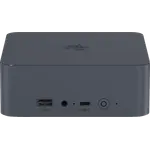
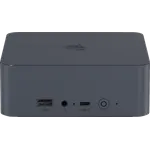
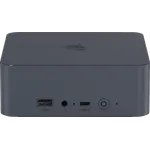
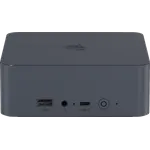
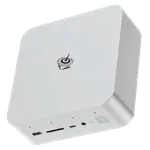
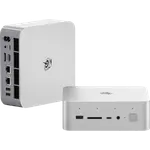
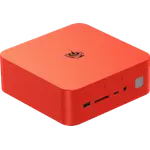
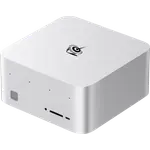
Winner
Price unavailable right now

Full Mini PCs comparison in 2026
New releases and the smart home news worth knowing, in your inbox.
No spam. Unsubscribe in one click.
Where these two are furthest apart, and by how much.
| Feature | Beelink SEi14 (32GB + 1TB) | Beelink SER3 (16GB + 500GB) | Winner |
|---|---|---|---|
| Rating | 5.0 | 4.3 | Beelink SEi14 (32GB + 1TB) |
| Warranty | 1 year | 3 years | Beelink SER3 (16GB + 500GB) |
| Memory Type | DDR5 | DDR4 | Beelink SEi14 (32GB + 1TB) |
| Memory Speed | 5600 MT/s | 2400 MT/s | Beelink SEi14 (32GB + 1TB) |
| Memory Capacity | 32 GB | 16 GB | Beelink SEi14 (32GB + 1TB) |
| Storage Capacity | 1 TB | 500 GB | Beelink SEi14 (32GB + 1TB) |
| CPU Model | Intel Core Ultra 9 185H | AMD Ryzen 3 3200U | Different strengths |
| Memory Configuration | Dual-channel | Dual-slot | Different strengths |
| GPU Model | Intel Arc Graphics | AMD Radeon Vega 3 | Different strengths |
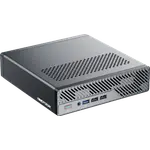
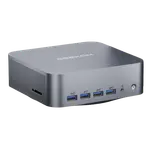
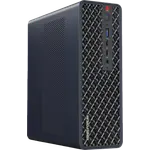
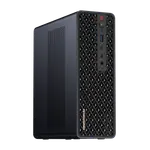
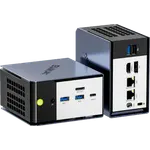
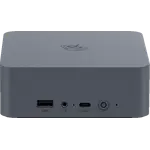
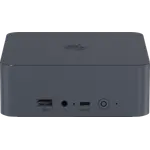
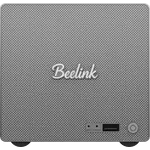
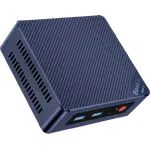
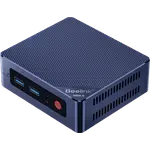
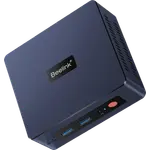
The Beelink SEi14 (32GB + 1TB) runs a Core Ultra 9 185H with Arc graphics and an NPU, while the Beelink SER3 (16GB + 500GB) runs a dual-core Ryzen 3 3200U with Radeon Vega 3 graphics. The performance gap decides the pair.
The Beelink SEi14 (32GB + 1TB) has 32GB of DDR5-5600 that reaches 96GB, where the Beelink SER3 (16GB + 500GB) has 16GB of DDR4-2400 that reaches 32GB. The SEi14 is faster, larger and supports a much higher ceiling.
The Beelink SEi14 (32GB + 1TB) ships a 1TB PCIe Gen 4 drive, while the Beelink SER3 (16GB + 500GB) ships a 500GB PCIe 3.0 drive. The SEi14 holds twice as much on a faster interface.
The Beelink SEi14 (32GB + 1TB) adds Thunderbolt 4, HDMI 2.1 and DisplayPort 1.4, where the Beelink SER3 (16GB + 500GB) has two HDMI outputs and no USB-C video. Against that, the Beelink SER3 has a three-year warranty to the SEi14's one year.
The Beelink SEi14 (32GB + 1TB) pairs a Core Ultra 9 with 32GB of DDR5 and a 1TB Gen 4 drive.
The Beelink SEi14 (32GB + 1TB) has Thunderbolt 4, HDMI 2.1 and DisplayPort 1.4, which the Beelink SER3 (16GB + 500GB) lacks.
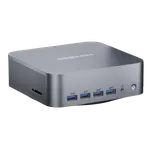
The Beelink SER3 (16GB + 500GB) covers browsing, documents and 4K media at the lowest price of the two.
The Beelink SER3 (16GB + 500GB) is covered for three years, against one year for the Beelink SEi14 (32GB + 1TB).
Owners of both Beelink machines report quiet, compact boxes that do their job, but the workloads and the caveats differ. Beelink SER3 (16GB + 500GB) owners talk about longevity and value, with units still running after years of light daily use and enough power for browsing, documents and 4K media, and they accept a slow dual-core chip plus occasional reports of reboots. Beelink SEi14 (32GB + 1TB) owners describe a much faster machine for multitasking, virtual machines and creative software, running Proxmox and Plex, and they flag fan noise under heavy load plus a DisplayPort cable that has to be rated for the output.
The Beelink SEi14 (32GB + 1TB) wins on every performance row, with a Core Ultra 9, 32GB of DDR5, Thunderbolt 4 and a 1TB Gen 4 drive. The Beelink SER3 (16GB + 500GB) is the budget choice for light work, with the lower price and a longer warranty.
The processor and memory generation. The Beelink SEi14 (32GB + 1TB) pairs a Core Ultra 9 with DDR5-5600, while the Beelink SER3 (16GB + 500GB) pairs a dual-core Ryzen 3 with DDR4-2400.
Yes. It has two DDR4 SODIMM slots that reach 32GB and a replaceable M.2 drive. The Beelink SEi14 (32GB + 1TB) is more expandable still, with DDR5 up to 96GB and a free M.2 slot.
The Beelink SER3 (16GB + 500GB) stays quiet because it does less, and owners describe the fan as often idle. The Beelink SEi14 (32GB + 1TB) is powerful but owners report the fan getting noticeably loud under sustained heavy workloads.
Buyers who want a compact, quiet, powerful desktop or home server for virtualization, creative software and Thunderbolt peripherals.
Anyone on a tight budget who needs a small, quiet Windows or Linux machine for browsing, documents and 4K media.
Spotted something wrong on this page? Tell us and we will fix it.
 Our store on AmazonShop our ideas on AmazonLists of the smart home setups we would put together ourselves, ready to add to your Amazon cart.Shop on Amazon
You are looking at two of them. The full table lines up all Mini PCs in the catalog with the same specs, so you can filter by what you need and sort by price or rating.