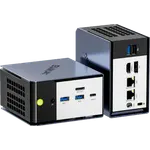
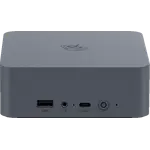
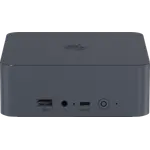
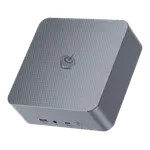
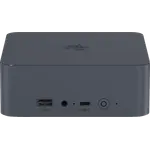
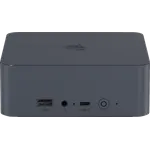
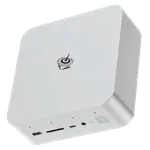
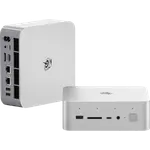
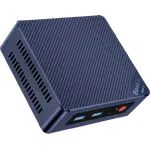
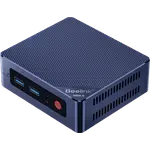
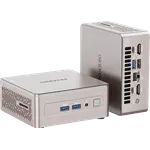
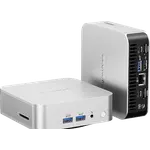
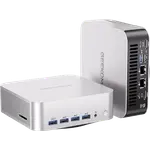
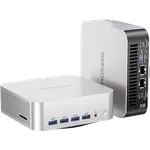
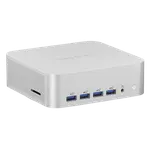
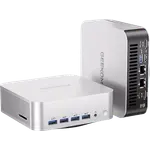
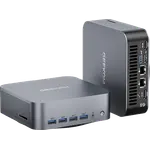
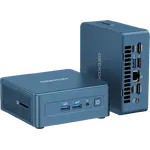
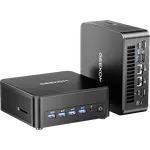
Winner
Price unavailable right now

Full Mini PCs comparison in 2026
New releases and the smart home news worth knowing, in your inbox.
No spam. Unsubscribe in one click.
Where these two are furthest apart, and by how much.
| Feature | Beelink SEi14 (32GB + 1TB) | Geekom A6 (Ryzen 7 16GB + 1TB) | Winner |
|---|---|---|---|
| Rating | 5.0 | 4.4 | Beelink SEi14 (32GB + 1TB) |
| Warranty | 1 year | 3 years | Geekom A6 (Ryzen 7 16GB + 1TB) |
| Memory Capacity | 32 GB | 16 GB | Beelink SEi14 (32GB + 1TB) |
| CPU Model | Intel Core Ultra 9 185H | AMD Ryzen 7 6800H | Different strengths |
| GPU Model | Intel Arc Graphics | AMD Radeon 680M | Different strengths |
| Memory Type | DDR5 | DDR5 | Tie |
| Storage Capacity | 1 TB | 1 TB | Tie |
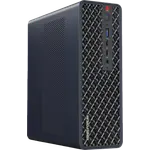
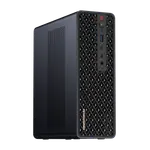
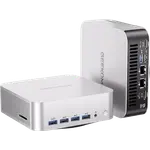
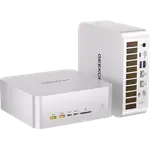
The Beelink SEi14 (32GB + 1TB) ships 32 GB of DDR5 and supports 96 GB, while the Geekom A6 (Ryzen 7 16GB + 1TB) ships 16 GB and reaches 64 GB. Both use SODIMM slots, so the gap is how much memory you can run today, and it is what settles a comparison between two otherwise similar compact desktops.
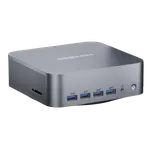
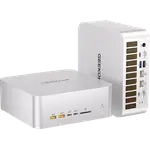
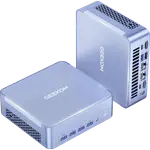
The Beelink SEi14 (32GB + 1TB) runs an Intel Core Ultra 9 185H and adds Thunderbolt 4, HDMI 2.1 and DisplayPort 1.4. The Geekom A6 (Ryzen 7 16GB + 1TB) runs a Ryzen 7 6800H with USB4, two HDMI 2.0 outputs and an SD card reader, so the Beelink has the faster chip and the Geekom has more display-and-storage flexibility.
The Geekom A6 (Ryzen 7 16GB + 1TB) carries three years of warranty and the Beelink SEi14 (32GB + 1TB) only one. That is the Geekom's strongest argument, and it matters most for a machine meant to run every day for years.
Both use named dual-heat-pipe cooling, but owner feedback splits: Beelink SEi14 (32GB + 1TB) owners report the fan getting loud under sustained heavy load, while Geekom A6 (Ryzen 7 16GB + 1TB) owners consistently describe theirs as quiet. If silence during long jobs matters, the Geekom is the safer expectation.
The Beelink SEi14 (32GB + 1TB) starts at 32 GB of DDR5 and supports 96 GB, twice the memory of the Geekom.
Geekom A6 (Ryzen 7 16GB + 1TB) owners consistently call it quiet, while Beelink SEi14 (32GB + 1TB) owners report fan noise under load.
The Geekom A6 (Ryzen 7 16GB + 1TB) offers three years of coverage against one on the Beelink.
The Beelink SEi14 (32GB + 1TB) pairs a Core Ultra 9 185H with Thunderbolt 4, which the Geekom lacks.
The Geekom A6 (Ryzen 7 16GB + 1TB) is the more affordable machine of the pair and still ships a 1 TB drive.
Owners of both machines praise quiet everyday operation and painless setup, and both groups use them for office work, media and light creative tasks. What each side singles out differs. Beelink SEi14 (32GB + 1TB) owners talk about running it as an always-on home server with Plex and several virtual machines, and they value the 32 GB of RAM, Thunderbolt 4 and quick multitasking, while their most common complaint is fan noise under sustained load, with a few reports of inconsistent performance and Bluetooth flakiness. Geekom A6 (Ryzen 7 16GB + 1TB) owners emphasise how small and quiet it is, the complete port set and the value, and their recurring complaint is slow, non-technical after-sales support rather than the hardware.
The Beelink SEi14 (32GB + 1TB) edges it on memory and raw capability, with 32 GB against 16 GB, a Core Ultra 9 185H and Thunderbolt 4. The Geekom A6 (Ryzen 7 16GB + 1TB) counters with a three-year warranty, quieter operation and a lower price.
Memory and platform. The Beelink SEi14 (32GB + 1TB) ships 32 GB of DDR5 and a Core Ultra 9 185H with Thunderbolt 4, while the Geekom A6 (Ryzen 7 16GB + 1TB) ships 16 GB and a Ryzen 7 6800H with USB4.
Yes. Both use DDR5 SODIMM slots. The Beelink SEi14 (32GB + 1TB) supports up to 96 GB and the Geekom A6 (Ryzen 7 16GB + 1TB) up to 64 GB, so neither has soldered memory.
Owner reports favour the Geekom A6 (Ryzen 7 16GB + 1TB). Several Beelink SEi14 (32GB + 1TB) owners say its fan gets loud under sustained heavy load, while Geekom owners consistently describe theirs as quiet.
Buyers who want 32 GB of memory now, a 96 GB ceiling, Thunderbolt 4 and a Core Ultra 9 for multitasking, virtual machines or a compact home server.
Anyone who wants a quiet, compact Windows desktop with upgradeable memory, two HDMI outputs, an SD reader and a three-year warranty at a lower price.
Spotted something wrong on this page? Tell us and we will fix it.
 Our store on AmazonShop our ideas on AmazonLists of the smart home setups we would put together ourselves, ready to add to your Amazon cart.Shop on Amazon
You are looking at two of them. The full table lines up all Mini PCs in the catalog with the same specs, so you can filter by what you need and sort by price or rating.