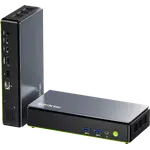
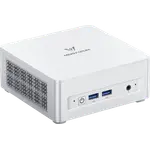
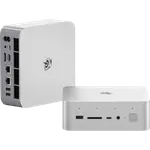
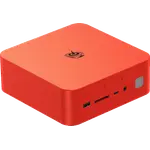
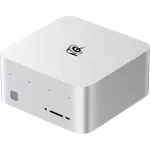
Winner

Price unavailable right now

Full Mini PCs comparison in 2026

New releases and the smart home news worth knowing, in your inbox.
No spam. Unsubscribe in one click.
Where these two are furthest apart, and by how much.
| Feature | Beelink SEi14 (32GB + 1TB) | Geekom A8 (Ryzen 7 16GB + 1TB) | Winner |
|---|---|---|---|
| Rating | 5.0 | 4.2 | Beelink SEi14 (32GB + 1TB) |
| Warranty | 1 year | 3 years | Geekom A8 (Ryzen 7 16GB + 1TB) |
| Memory Capacity | 32 GB | 16 GB | Beelink SEi14 (32GB + 1TB) |
| CPU Model | Intel Core Ultra 9 185H | AMD Ryzen 7 8745HS | Different strengths |
| GPU Model | Intel Arc Graphics | AMD Radeon 780M | Different strengths |
| NPU Model | NPU Intel AI Boost | AMD Ryzen AI NPU | Different strengths |
| Memory Type | DDR5 | DDR5 | Tie |
| Memory Speed | 5600 MT/s | 5600 MT/s | Tie |
| Storage Capacity | 1 TB | 1 TB | Tie |
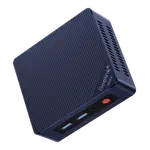
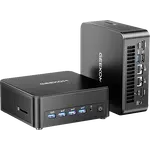
The Beelink SEi14 (32GB + 1TB) ships 32 GB of DDR5 and supports 96 GB, while the Geekom A8 (Ryzen 7 16GB + 1TB) ships 16 GB and reaches 64 GB. Both use SODIMM slots, so the gap is how much you can run now, and it is what decides a comparison between two otherwise similar desktops.
The Beelink SEi14 (32GB + 1TB) runs an Intel Core Ultra 9 185H and adds Thunderbolt 4, HDMI 2.1 and DisplayPort 1.4. The Geekom A8 (Ryzen 7 16GB + 1TB) runs a Ryzen 7 8745HS with USB4, two HDMI 2.0 outputs, an SD card reader and a Kensington lock, so the Beelink has the faster chip while the Geekom packs more physical connections.
The Geekom A8 (Ryzen 7 16GB + 1TB) carries three years of warranty and the Beelink SEi14 (32GB + 1TB) only one. For a machine meant to run every day, that is the Geekom's strongest argument and a real difference in risk.
The Geekom A8 (Ryzen 7 16GB + 1TB) brings Wi-Fi 6E and Bluetooth 5.2, while the Beelink SEi14 (32GB + 1TB) uses Wi-Fi 6 and Bluetooth 5.2. Both have 2.5G Ethernet, so the wireless gap matters only if you cannot run a cable.
The Beelink SEi14 (32GB + 1TB) starts at 32 GB and supports 96 GB, twice the memory of the Geekom.
The Geekom A8 (Ryzen 7 16GB + 1TB) offers three years of coverage against one on the Beelink.
Only the Geekom A8 (Ryzen 7 16GB + 1TB) carries those; the Beelink SEi14 (32GB + 1TB) leaves all three out.
The Beelink SEi14 (32GB + 1TB) pairs a Core Ultra 9 185H with Thunderbolt 4.
Owners of the Beelink SEi14 (32GB + 1TB) describe it as a fast, compact machine that handles multitasking, virtual machines and creative work, and many run it as an always-on home server with Plex and Proxmox. They single out the 32 GB of RAM, expandable to 96 GB, the Thunderbolt 4 port and the aluminium chassis that tucks under a desk. Their complaints centre on cooling: several say the fan gets loud under sustained load, and a couple report performance that felt below the specs on their unit, plus an isolated Bluetooth issue. They also note the box has no VESA mount, no SD slot, no fingerprint sensor and no Kensington lock.
The Beelink SEi14 (32GB + 1TB) edges it on memory and raw capability, with 32 GB against 16 GB, a Core Ultra 9 185H and Thunderbolt 4. The Geekom A8 (Ryzen 7 16GB + 1TB) counters with a three-year warranty and more ports.
Memory and platform. The Beelink SEi14 (32GB + 1TB) ships 32 GB of DDR5 and a Core Ultra 9 185H with Thunderbolt 4, while the Geekom A8 (Ryzen 7 16GB + 1TB) ships 16 GB and a Ryzen 7 8745HS with USB4.
Yes. Both use DDR5 SODIMM slots. The Beelink SEi14 (32GB + 1TB) supports up to 96 GB and the Geekom A8 (Ryzen 7 16GB + 1TB) up to 64 GB, so neither has soldered memory.
Neither is flawless here. Owner reports say the Beelink SEi14 (32GB + 1TB) fan gets loud under sustained load, while the Geekom A8 (Ryzen 7 16GB + 1TB) is described as quiet, so the Geekom is the safer bet for silent operation.
Buyers who want a quiet Windows desktop with a three-year warranty, Wi-Fi 6E, an SD reader, a Kensington lock and a VESA mount, and who do not need 32 GB.
Anyone who wants 32 GB of memory now, a 96 GB ceiling, Thunderbolt 4 and a Core Ultra 9 for multitasking, virtual machines or a compact home server.
Spotted something wrong on this page? Tell us and we will fix it.
 Our store on AmazonShop our ideas on AmazonLists of the smart home setups we would put together ourselves, ready to add to your Amazon cart.Shop on Amazon
You are looking at two of them. The full table lines up all Mini PCs in the catalog with the same specs, so you can filter by what you need and sort by price or rating.