Mini PC prices change while you decide
We follow prices across the catalog and email you the best deals we find.
No spam. Unsubscribe in one click.
| Feature | Beelink SEi14 (32GB + 1TB) | GMKtec NucBox M5 Ultra (32GB + 512GB) | Winner |
|---|---|---|---|
| Rating | 4.4 | 4.3 | Beelink SEi14 (32GB + 1TB) |
| Memory Type | DDR5 | DDR4 | Beelink SEi14 (32GB + 1TB) |
| Memory Speed | 5600 MT/s | 3200 MT/s | Beelink SEi14 (32GB + 1TB) |
| Storage Capacity | 1 TB | 512 GB | Beelink SEi14 (32GB + 1TB) |
| CPU Model | Intel Core Ultra 9 185H | AMD Ryzen 7 7730U | Different strengths |
| GPU Model | Intel Arc Graphics | AMD Radeon Graphics (8 cores, up to 2000 MHz) | Different strengths |
| Warranty | 1 year | 1 year | Tie |
| Memory Configuration | Dual-channel | Dual-channel | Tie |
| Memory Capacity | 32 GB | 32 GB | Tie |
What the differences mean
Processor
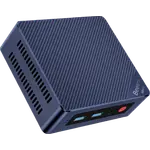
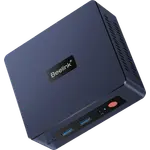
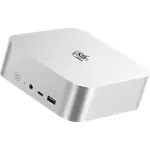
The Beelink SEi14 (32GB + 1TB) uses a sixteen-core Core Ultra 9 185H, while the GMKtec NucBox M5 Ultra (32GB + 512GB) runs an eight-core Ryzen 7 7730U. The Beelink is the stronger of the two for multi-threaded work.
Memory
Both ship 32GB, but the Beelink uses DDR5-5600 and reaches 96GB while the GMKtec uses DDR4-3200 and tops out at 64GB. The Beelink has the faster and roomier memory path.
Storage
The Beelink starts with a 1TB Gen 4 drive against the GMKtec's 512GB. The GMKtec spreads its storage over two M.2 slots, so both can grow, but the Beelink begins from a larger, faster drive.
Thunderbolt and displays
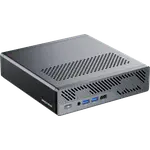
The Beelink SEi14 (32GB + 1TB) includes a Thunderbolt 4 port, HDMI 2.1 and DisplayPort 1.4, which the GMKtec NucBox M5 Ultra (32GB + 512GB) does not match. That single port opens fast docks, external drives and even an external GPU.
Networking
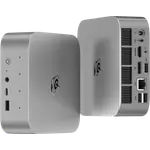
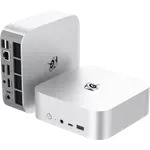
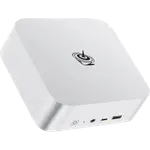
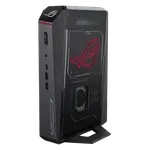
The GMKtec's dual 2.5G Ethernet ports are its standout against the Beelink's single 2.5G port. For router, firewall or NAS duty, that second wired link is the reason to pick the cheaper machine.
Size and mount
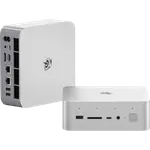
The GMKtec NucBox M5 Ultra (32GB + 512GB) weighs 528g against the Beelink's 750g and includes a VESA mount, while the Beelink does not. If you want to hide the machine behind a monitor, the GMKtec is the simpler fit.
Which one to buy if
- you want Thunderbolt or an external GPU
The Beelink SEi14 (32GB + 1TB) is the only one of the two with a Thunderbolt 4 port.
- you run a firewall, router or NAS with two wired links
The GMKtec NucBox M5 Ultra (32GB + 512GB) has two 2.5G Ethernet ports against the Beelink's single port.
- you want the most performance for virtual machines or creative apps
Its sixteen-core Core Ultra 9 and DDR5-5600 memory outpace the eight-core GMKtec.
- you want to mount the PC behind a monitor
The GMKtec is lighter and ships with a VESA mount, which the Beelink does not include.
- + Rating: 4.4
- + Memory Type: DDR5
- + Memory Speed: 5600 MT/s
- - Rating: 4.3 vs 4.4
- - Memory Type: DDR4 vs DDR5
What owners say
Owners of both mini PCs converge on the same themes: quiet-enough operation for everyday work, quick setup and enough power for office software, streaming and light server duty. Beelink SEi14 (32GB + 1TB) owners single out Thunderbolt 4 and the 32GB of DDR5 for running virtual machines and creative software, and warn that the fan can get loud under sustained load while a VESA mount is not included. GMKtec NucBox M5 Ultra (32GB + 512GB) owners talk about how much the eight-core chip does for the money and how well Linux runs, with the dual 2.5G ports as a homelab favourite; their complaints are the DDR4 and PCIe 3.0 platform, the one-year warranty and no USB4 or SD slot.
Price history compared
Every price change of both, in the same store, so the gap between the two lines is what one costs more than the other.
- Beelink SEi14 (32GB + 1TB)
- GMKtec NucBox M5 Ultra (32GB + 512GB)
Loading price history...
Frequently Asked Questions
Which is better overall: Beelink SEi14 (32GB + 1TB) or GMKtec NucBox M5 Ultra (32GB + 512GB)?
The Beelink SEi14 (32GB + 1TB) on hardware, with a sixteen-core Core Ultra 9, DDR5-5600 memory, a 1TB drive and a Thunderbolt 4 port. The GMKtec NucBox M5 Ultra (32GB + 512GB) is the better value for homelab and Linux duty thanks to its dual 2.5G ports and lower price.
What is the biggest difference between the Beelink SEi14 (32GB + 1TB) and the GMKtec NucBox M5 Ultra (32GB + 512GB)?
Expansion and memory. The Beelink adds Thunderbolt 4 and DDR5-5600, while the GMKtec adds a second 2.5G Ethernet port and a lighter chassis with a VESA mount, on a DDR4 platform.
Does the Beelink SEi14 (32GB + 1TB) have Thunderbolt?
Yes. Its Thunderbolt 4 port supports fast docks, external storage and even an external GPU. The GMKtec NucBox M5 Ultra (32GB + 512GB) has no Thunderbolt or USB4 port.
Which is better for a homelab, the Beelink SEi14 (32GB + 1TB) or the GMKtec NucBox M5 Ultra (32GB + 512GB)?
Both work, but the GMKtec NucBox M5 Ultra (32GB + 512GB) brings two 2.5G Ethernet ports for a separated lab network, while the Beelink SEi14 (32GB + 1TB) offers more CPU and Thunderbolt for fast storage instead.
Who should buy the Beelink SEi14 (32GB + 1TB)?
Buyers who want a small but genuinely powerful desktop for virtual machines, creative software or fast external storage, and who value Thunderbolt and DDR5.
Who should buy the GMKtec NucBox M5 Ultra (32GB + 512GB)?
Homelab builders and Linux users who want dual 2.5G networking, easy mounting and 32GB of memory without paying for the newest platform.
Compare all 103 Mini PCs side by side
You are looking at two of them. The full table lines up all Mini PCs in the catalog with the same specs, so you can filter by what you need and sort by price or rating.

- 103 Mini PCs
- 41 specs compared
- 38 filters