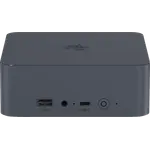
13% OFF
Prime exclusive deal$389.00
$449.00
 Join Prime to buy it at $389.00

Full Mini PCs comparison in 2026
New releases and the smart home news worth knowing, in your inbox.
No spam. Unsubscribe in one click.
| Feature | Beelink SER5 Pro (16GB + 480GB) | Geekom A5 Pro (Ryzen 5 16GB + 512GB) | Winner |
|---|---|---|---|
| Price | $389.00 | $569.00 | Beelink SER5 Pro (16GB + 480GB) |
| Rating | 4.4 | 4.3 | Beelink SER5 Pro (16GB + 480GB) |
| Warranty | 1 year | 3 years | Geekom A5 Pro (Ryzen 5 16GB + 512GB) |
| Storage Capacity | 480 GB | 512 GB | Geekom A5 Pro (Ryzen 5 16GB + 512GB) |
| CPU Model | AMD Ryzen 5 5500U | AMD Ryzen 5 7430U | Different strengths |
| Memory Configuration | Dual-slot | Dual-channel | Different strengths |
| GPU Model | AMD Radeon Graphics (7 cores) | AMD Radeon Vega 7 | Different strengths |
| Memory Type | DDR4 | DDR4 | Tie |
| Memory Capacity | 16 GB | 16 GB | Tie |
Three years on the Geekom A5 Pro against one on the Beelink SER5 Pro. For a machine meant to run a desk for years, that is the gap most likely to matter.
A Ryzen 5 7430U against a Ryzen 5 5500U, both with integrated Radeon graphics and no NPU. For office work, browsing and streaming they sit in the same class, and neither is meant for gaming or heavy multi-threaded work.
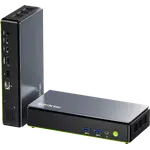
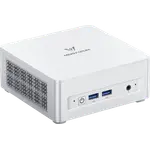
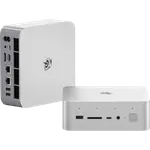
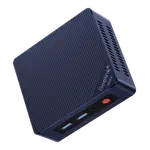
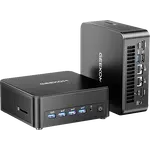
The Geekom has two HDMI 2.0 ports and two USB-C outputs for up to four screens, plus an SD reader and a Kensington lock slot. The Beelink has one HDMI and one DisplayPort among its outputs for three screens, with no card reader and no lock slot.
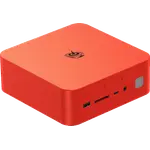
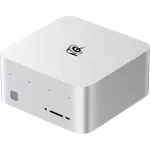
The Geekom's aluminium chassis is 112 x 112 x 37 mm and 652g, the Beelink 126 x 113 x 42 mm and 880g. Both include a VESA mount, so either can hang behind a monitor.
The Geekom A5 Pro carries a three-year warranty, three times the Beelink's.
Two HDMI 2.0 ports and two USB-C outputs on the Geekom drive four displays.
The Beelink SER5 Pro has a full-size DisplayPort; the Geekom sends DisplayPort only over USB-C.
The Geekom has an SD card reader built in; the Beelink does not.
The Beelink SER5 Pro is the cheaper of the two, with the same 16GB of memory and the same 64GB ceiling.
Owners of the Geekom A5 Pro (Ryzen 5 16GB + 512GB) describe setup as quick and clean, with Windows 11 Pro and no bloatware, and a machine small and quiet enough to live on the desk instead of under it. One bought a second unit for the office after the first worked out, and another had a Linux boot problem solved by senior support staff within a day. What catches buyers out is storage: this model has only M.2 slots and no 2.5 inch SATA bay, so an owner hoping to reuse an old drive needed an external enclosure. Owners also say plainly that the Radeon Vega 7 graphics are not meant for gaming.
The Geekom A5 Pro (Ryzen 5 16GB + 512GB), mostly for its three-year warranty, four-display support, SD reader and lighter aluminium body. The Beelink SER5 Pro (16GB + 480GB) is the cheaper alternative with a full-size DisplayPort and Bluetooth 5.4, and performs in the same class for office work.
The warranty: three years on the Geekom against one on the Beelink. After that come the ports, where the Geekom adds an SD reader, a Kensington lock slot and a fourth display output.
Yes. Both ship with 16GB of DDR4 in SODIMM slots and both accept up to 64GB, so memory is not what separates them.
No. The Geekom A5 Pro (Ryzen 5 16GB + 512GB) takes M.2 drives only, and owners who wanted to reuse an old 2.5 inch SATA drive had to use an external enclosure. Its 512GB M.2 drive runs at PCIe 3.0.
Buyers on a tight budget who want a Windows 11 Pro office PC for three monitors, with a DisplayPort output and room to grow to 64GB, and can live with a one-year warranty.
Home and small business users who want a quiet, compact office desktop with a three-year warranty, an SD reader, a lock slot and support for up to four displays.
Spotted something wrong on this page? Tell us and we will fix it.
 Our store on AmazonShop our ideas on AmazonLists of the smart home setups we would put together ourselves, ready to add to your Amazon cart.Shop on Amazon
You are looking at two of them. The full table lines up all Mini PCs in the catalog with the same specs, so you can filter by what you need and sort by price or rating.