13% OFF
Prime exclusive deal$389.00
$449.00
 Join Prime to buy it at $389.00

Full Mini PCs comparison in 2026
New releases and the smart home news worth knowing, in your inbox.
No spam. Unsubscribe in one click.
Where these two are furthest apart, and by how much.
| Feature | Beelink SER5 Pro (16GB + 480GB) | Geekom A6 (Ryzen 7 16GB + 1TB) | Winner |
|---|---|---|---|
| Price | $389.00 | $649.00 | Beelink SER5 Pro (16GB + 480GB) |
| Warranty | 1 year | 3 years | Geekom A6 (Ryzen 7 16GB + 1TB) |
| Memory Type | DDR4 | DDR5 | Geekom A6 (Ryzen 7 16GB + 1TB) |
| Storage Capacity | 480 GB | 1 TB | Geekom A6 (Ryzen 7 16GB + 1TB) |
| CPU Model | AMD Ryzen 5 5500U | AMD Ryzen 7 6800H | Different strengths |
| GPU Model | AMD Radeon Graphics (7 cores) | AMD Radeon 680M | Different strengths |
| Rating | 4.4 | 4.4 | Tie |
| Memory Capacity | 16 GB | 16 GB | Tie |
The Geekom's eight-core Ryzen 7 6800H with Radeon 680M on DDR5 is a clear step above the Beelink's six-core Ryzen 5 5500U on DDR4. For office work both are fine; for photo editing, many browser tabs or light gaming the Geekom has the headroom.
The Geekom A6 (Ryzen 7 16GB + 1TB) ships with 1 TB on PCIe 4.0 and the Beelink SER5 Pro (16GB + 480GB) with 480 GB, which fills up quickly if you keep photos or video on the machine.
Geekom covers the A6 for three years and Beelink the SER5 Pro for one. Geekom owners do report slow support, but the coverage on paper is three times longer.
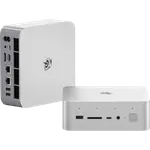
The Geekom adds a USB4 port, a second HDMI output and an SD card reader. The Beelink has HDMI and a full-size DisplayPort, which some monitors prefer, and neither has Thunderbolt.
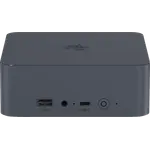
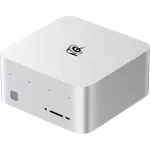
At 112 x 112 x 37 mm the Geekom is noticeably smaller than the Beelink at 126 x 113 x 42 mm; both mount behind a monitor with the included VESA bracket.
The Beelink SER5 Pro (16GB + 480GB) is the cheaper of the two and its Ryzen 5 handles everyday work without trouble.
The Geekom starts at 1 TB against 480 GB on the Beelink.
The Geekom A6 (Ryzen 7 16GB + 1TB) has a built-in SD card reader; the Beelink has none.
Three years of warranty on the Geekom against one on the Beelink.
Geekom A6 (Ryzen 7 16GB + 1TB) owners describe a painless first boot and a machine that stays quiet without overheating, and many say it is smaller than they expected. Build quality gets specific praise, as does a specification that feels generous for the money, and nobody complains about running out of ports. The complaints are mostly about after-sales service: one owner whose second HDMI port failed after five months found support slow and non-technical despite the three-year warranty. Others note the integrated Radeon 680M is not meant for demanding games, and one found the 2.5G networking slower than an older workstation adapter for heavy file transfers.
The Geekom A6 (Ryzen 7 16GB + 1TB). It has a faster eight-core Ryzen 7 6800H on DDR5, a 1 TB SSD, USB4, dual HDMI, an SD reader and a three-year warranty. The Beelink SER5 Pro (16GB + 480GB) is the budget option for office work and light home server duty.
The platform generation. The Geekom pairs a Ryzen 7 6800H with DDR5 memory and a PCIe 4.0 SSD; the Beelink uses an older Ryzen 5 5500U with DDR4. The Geekom also doubles the storage.
Yes. The Beelink SER5 Pro (16GB + 480GB) and the Geekom A6 (Ryzen 7 16GB + 1TB) both use SODIMM memory and both accept up to 64 GB, DDR4 on the Beelink and DDR5 on the Geekom.
The Geekom A6 (Ryzen 7 16GB + 1TB), with three years against one year on the Beelink SER5 Pro (16GB + 480GB).
Buyers on a tight budget who need a small Windows 11 Pro desktop for office work, streaming or an always-on home server, and who can add storage later.
Anyone who wants a faster, smaller everyday desktop with 1 TB of storage, USB4, dual HDMI, an SD reader and a three-year warranty.
Spotted something wrong on this page? Tell us and we will fix it.
 Our store on AmazonShop our ideas on AmazonLists of the smart home setups we would put together ourselves, ready to add to your Amazon cart.Shop on Amazon
You are looking at two of them. The full table lines up all Mini PCs in the catalog with the same specs, so you can filter by what you need and sort by price or rating.