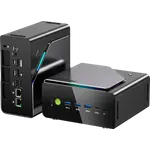
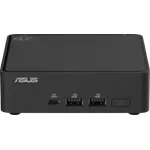
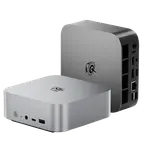
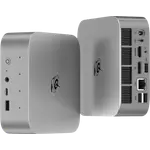
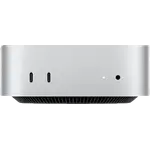
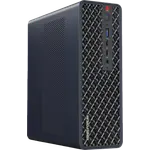
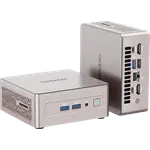
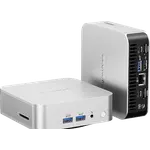
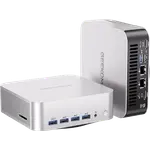
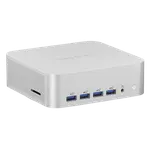
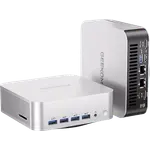
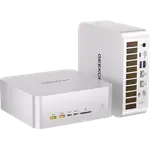
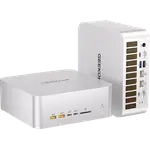
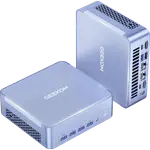
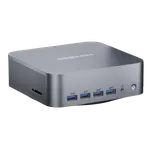
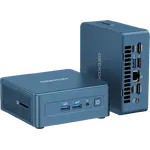
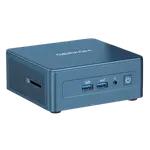
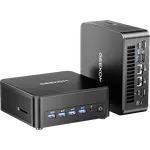
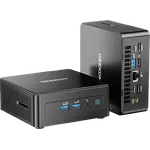
Winner
Price unavailable right now

Full Mini PCs comparison in 2026
New releases and the smart home news worth knowing, in your inbox.
No spam. Unsubscribe in one click.
| Feature | Geekom A6 (Ryzen 7 16GB + 1TB) | Geekom GT13 Max | Winner |
|---|---|---|---|
| Rating | 4.4 | 4.0 | Geekom A6 (Ryzen 7 16GB + 1TB) |
| CPU Model | AMD Ryzen 7 6800H | Intel Core Ultra 9 185H | Different strengths |
| GPU Model | AMD Radeon 680M | Intel Arc Graphics | Different strengths |
| Warranty | 3 years | 3 years | Tie |
| Memory Type | DDR5 | DDR5 | Tie |
| Memory Capacity | 16 GB | 16 GB | Tie |
| Storage Capacity | 1 TB | 1 TB | Tie |
The Geekom GT13 Max uses a 16-core Core Ultra 9 185H with an AI Boost NPU and Arc graphics, while the Geekom A6 uses the older eight-core Ryzen 7 6800H with Radeon 680M graphics and no NPU. The GT13 Max is the quicker machine and the only one with on-device AI acceleration.
The Geekom GT13 Max has two 2.5G Ethernet ports and Wi-Fi 7; the Geekom A6 has a single 2.5G port and Wi-Fi 6E. For a homelab or a separated network, the second wired port and newer wireless are the Gt13 Max's edge.
The Geekom GT13 Max has two USB4 Type-C ports at 40Gbps, while the Geekom A6 has one. Both drive multiple displays, but the GT13 Max leaves a fast port free for a dock or external drive.
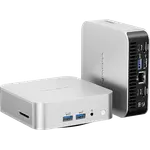
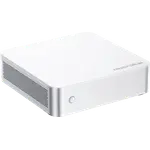
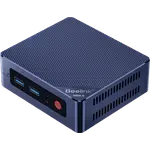
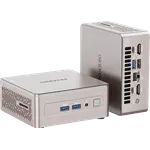
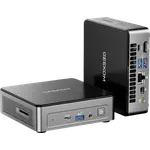
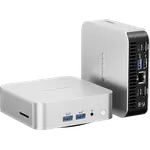
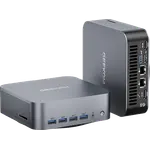
The Geekom A6 is an aluminium body at 112 mm square; the Geekom GT13 Max is a larger ABS housing over a metal frame at 135 mm. The A6 is smaller and more premium to the touch, while the GT13 Max trades that for more internal space and cooling.
The Geekom A6 costs less while still delivering eight Ryzen cores, USB4, 2.5G Ethernet and a 1TB drive.
The Geekom GT13 Max has an Intel AI Boost NPU, and the Geekom A6 has none.
The Geekom GT13 Max has two 2.5G Ethernet ports and Wi-Fi 7, where the Geekom A6 has a single wired port.
The Geekom GT13 Max carries two USB4 ports; the Geekom A6 has only one.
Owners of the Geekom A6 (Ryzen 7 16GB + 1TB) describe a small, quiet desktop that sets up without fuss and handles everyday work with room to spare. They like the aluminium 0.47 liter body, call the eight-core Ryzen 7 6800H more than enough for browsing, documents and multitasking, and appreciate a port set that covers USB4, dual HDMI, 2.5G Ethernet and an SD reader without adapters. The repeated notes are about the edges: the top fan setting gets loud, after-sales support has drawn complaints despite the three-year warranty, and the integrated Radeon 680M is not meant for demanding games. Some owners also cite the external power brick as one more thing to place.
The Geekom A6 (Ryzen 7 16GB + 1TB) is the better value, winning on price while still covering USB4, 2.5G Ethernet and a 1TB drive. The Geekom GT13 Max is the faster and better connected machine, with a Core Ultra 9, two USB4 ports and dual 2.5G Ethernet, at a higher cost.
The processor and AI hardware. The Geekom A6 runs an eight-core Ryzen 7 6800H with Radeon 680M graphics, while the Geekom GT13 Max runs a 16-core Core Ultra 9 185H with Arc graphics and a dedicated AI Boost NPU.
The Geekom GT13 Max. It has two 2.5G Ethernet ports and Wi-Fi 7, while the Geekom A6 has one 2.5G port and Wi-Fi 6E.
Yes on both. The Geekom A6 drives up to four displays with USB4, USB-C DisplayPort and dual HDMI, and the Geekom GT13 Max drives up to four with two USB4 ports, two HDMI 2.0 outputs and a Mini DisplayPort.
Both take DDR5 SODIMM memory to 64GB and pair a 1TB PCIe 4.0 drive with a second M.2 2242 SATA slot, so both offer a real upgrade path.
Spotted something wrong on this page? Tell us and we will fix it.
 Our store on AmazonShop our ideas on AmazonLists of the smart home setups we would put together ourselves, ready to add to your Amazon cart.Shop on Amazon
You are looking at two of them. The full table lines up all Mini PCs in the catalog with the same specs, so you can filter by what you need and sort by price or rating.