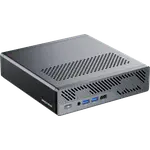
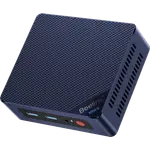
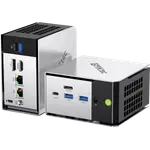
Winner


Full Mini PCs comparison in 2026

We follow prices across the catalog and email you the best deals we find.
No spam. Unsubscribe in one click.
| Feature | Geekom A6 (Ryzen 7 16GB + 1TB) | GMKtec NucBox M7 Ultra (32GB + 512GB) | Winner |
|---|---|---|---|
| Price | $599.00 | $679.99 | Geekom A6 (Ryzen 7 16GB + 1TB) |
| Rating | 4.4 | 4.5 | GMKtec NucBox M7 Ultra (32GB + 512GB) |
| Warranty | 3 years | 1 year | Geekom A6 (Ryzen 7 16GB + 1TB) |
| Memory Capacity | 16 GB | 32 GB | GMKtec NucBox M7 Ultra (32GB + 512GB) |
| Storage Capacity | 1 TB | 512 GB | Geekom A6 (Ryzen 7 16GB + 1TB) |
| CPU Model | AMD Ryzen 7 6800H | AMD Ryzen 7 PRO 6850U | Different strengths |
| GPU Model | AMD Radeon 680M | AMD Radeon 680M (12 cores, 2200 MHz) | Different strengths |
| Memory Type | DDR5 | DDR5 | Tie |
Three years on the Geekom A6 (Ryzen 7 16GB + 1TB) against one year on the GMKtec NucBox M7 Ultra (32GB + 512GB).
The M7 Ultra ships 32GB of DDR5 against the A6's 16GB, though both use socketed SO-DIMMs and both top out at 64GB, so the A6's lower starting point is not a permanent limit.
The A6 arrives with 1TB on a single M.2 bay. The M7 Ultra arrives with 512GB across two M.2 2280 Gen 4 bays, one of them free, so adding a second drive means no swap at all.
The M7 Ultra has a front OCuLink port that gives an external GPU dock a full PCIe Gen4 x4 link. The A6 has no equivalent expansion port.
The M7 Ultra carries dual 2.5G Ethernet, a genuine edge for a router or dual-NIC home server. The A6 has a single 2.5G port.
The Geekom A6 (Ryzen 7 16GB + 1TB) is covered for three years and costs less.
Its front OCuLink port gives a real PCIe Gen4 x4 link; the A6 has no such port.
It ships 32GB against the A6's 16GB, though both can be expanded to the same 64GB ceiling.
Its two 2.5G Ethernet ports beat the A6's single port.
Its 1TB drive is double the M7 Ultra's 512GB, even though the M7 Ultra has a free bay to catch up later.
Owners of both machines lead with the same compliment, that neither one makes a sound worth mentioning during ordinary work, and both report an easy first boot into Windows 11 Pro. Geekom A6 (Ryzen 7 16GB + 1TB) owners call out the tiny 112mm aluminum shell and a spec sheet that feels generous for the price, but more than one describes a slow, unhelpful support experience when a port failed, despite the three-year warranty on paper. GMKtec NucBox M7 Ultra (32GB + 512GB) owners single out the front OCuLink port as a genuine upgrade path to a desktop GPU later and praise how easily the case opens for a second NVMe drive, while a couple hit a first-boot Windows activation snag and one had a unit fail within two months, leaving the shorter one-year warranty feeling thinner than the Geekom's.
Every price change of both, in the same store, so the gap between the two lines is what one costs more than the other.
Loading price history...
The Geekom A6 (Ryzen 7 16GB + 1TB) wins on price, warranty and storage capacity. The GMKtec NucBox M7 Ultra (32GB + 512GB) answers with more memory out of the box and a front OCuLink port for a future GPU.
Warranty length and expansion path. The A6 carries a three-year warranty but no external GPU port. The M7 Ultra carries a one-year warranty but adds a front OCuLink port for a discrete GPU dock later.
The Geekom A6, with a 1TB PCIe 4.0 drive against the GMKtec NucBox M7 Ultra's 512GB, though the M7 Ultra leaves a second M.2 bay free that the A6 does not have.
Yes. Both use socketed DDR5 SO-DIMM memory and can be taken to 64GB, so the A6's lower starting capacity is not a permanent limit.
Buyers who want more storage, a longer three-year warranty and a lower price, and who do not need an external GPU path.
Buyers who want more memory out of the box, dual-NIC networking, and the option to add a discrete GPU later over its OCuLink port.
You are looking at two of them. The full table lines up all Mini PCs in the catalog with the same specs, so you can filter by what you need and sort by price or rating.