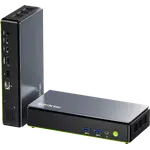
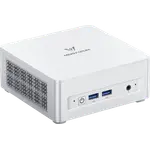
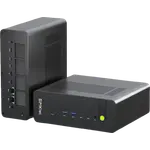
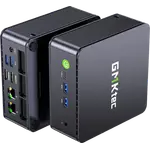
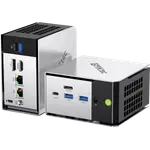
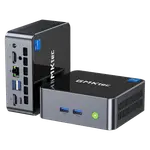
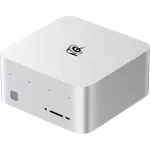
Winner


Full Mini PCs comparison in 2026
New releases and the smart home news worth knowing, in your inbox.
No spam. Unsubscribe in one click.
| Feature | Geekom A8 (Ryzen 7 16GB + 1TB) | GMKtec NucBox M2 Pro S (16GB + 1TB) | Winner |
|---|---|---|---|
| Price | $739.00 | $499.99 | GMKtec NucBox M2 Pro S (16GB + 1TB) |
| Warranty | 3 years | 1 year | Geekom A8 (Ryzen 7 16GB + 1TB) |
| Memory Type | DDR5 | DDR4 | Geekom A8 (Ryzen 7 16GB + 1TB) |
| Memory Speed | 5600 MT/s | 3200 MT/s | Geekom A8 (Ryzen 7 16GB + 1TB) |
| CPU Model | AMD Ryzen 7 8745HS | Intel Core i7-1185G7 | Different strengths |
| GPU Model | AMD Radeon 780M | Intel Iris Xe Graphics G7 (96 EUs, 1.35 GHz) | Different strengths |
| Rating | 4.2 | 4.2 | Tie |
| Memory Capacity | 16 GB | 16 GB | Tie |
| Storage Capacity | 1 TB | 1 TB | Tie |
Eight cores and sixteen threads with Radeon 780M graphics on the Geekom, four cores and eight threads with Iris Xe on the GMKtec. The A8 has the headroom for photo editing and heavier multitasking.
DDR5-5600 on the Geekom A8 against DDR4-3200 on the GMKtec. Both ship with 16GB and both top out at 64GB, so the gap is speed, not capacity.
The GMKtec has a free M.2 2242 SATA bay next to its 1TB drive. The Geekom A8 has a single M.2 slot, so growing its storage means replacing the drive.
The Geekom has a USB4 Type-C port for fast docks and drives. The GMKtec's only Type-C port runs at 5Gbps, despite the USB4 claim on its marketplace listing.
Three years on the Geekom A8 against one year on the GMKtec NucBox M2 Pro S.
Eight cores, Radeon 780M graphics and DDR5-5600 give the Geekom A8 far more room.
The GMKtec has a free M.2 2242 SATA bay; the Geekom A8 has one slot.
Only the Geekom has a USB4 port.
The Geekom A8 has a Kensington lock slot; the GMKtec does not.
The GMKtec is the cheaper of the two and still drives three 4K screens.
The Geekom A8 (Ryzen 7 16GB + 1TB). It has an eight-core Ryzen 7 with Radeon 780M graphics, DDR5 memory, USB4, an SD reader and a three-year warranty. The GMKtec NucBox M2 Pro S (16GB + 1TB) is the cheaper option with a spare M.2 bay, fine for office work on three screens.
Platform generation. The Geekom runs a Ryzen 7 8745HS with DDR5-5600 and a Ryzen AI NPU, while the GMKtec runs an 11th Gen Core i7-1185G7 with DDR4-3200 and no NPU. The warranty follows the same pattern: three years against one.
No. Its single Type-C port runs at 5Gbps and carries DisplayPort video, even though the marketplace title advertises USB4. The Geekom A8 (Ryzen 7 16GB + 1TB) has a real USB4 Type-C port.
Four on the Geekom A8 (Ryzen 7 16GB + 1TB), from two HDMI and two USB-C outputs, up to 8K. Three on the GMKtec NucBox M2 Pro S (16GB + 1TB), from two HDMI 2.0 ports and its Type-C output, each up to 4K 60Hz.
Home and office users who want a compact desktop that can also edit photos, drive four screens and last, with a three-year warranty and a USB4 port.
Budget buyers who need a light, VESA-mountable Windows 11 Pro desktop for three monitors and like having a spare drive bay.
Spotted something wrong on this page? Tell us and we will fix it.
 Our store on AmazonShop our ideas on AmazonLists of the smart home setups we would put together ourselves, ready to add to your Amazon cart.Shop on Amazon
You are looking at two of them. The full table lines up all Mini PCs in the catalog with the same specs, so you can filter by what you need and sort by price or rating.