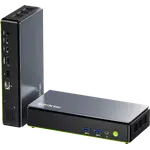
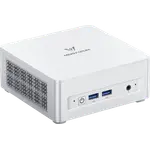
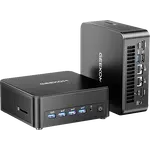
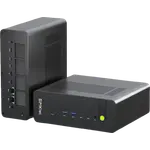
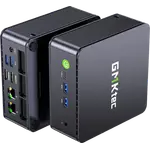
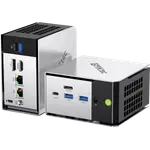
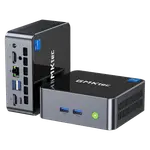
Winner


Full Mini PCs comparison in 2026
New releases and the smart home news worth knowing, in your inbox.
No spam. Unsubscribe in one click.
Where these two are furthest apart, and by how much.
| Feature | Geekom A8 (Ryzen 7 16GB + 1TB) | GMKtec NucBox M7 Ultra (32GB + 512GB) | Winner |
|---|---|---|---|
| Price | $739.00 | $559.99 | GMKtec NucBox M7 Ultra (32GB + 512GB) |
| Rating | 4.2 | 4.4 | GMKtec NucBox M7 Ultra (32GB + 512GB) |
| Warranty | 3 years | 1 year | Geekom A8 (Ryzen 7 16GB + 1TB) |
| Memory Speed | 5600 MT/s | 4800 MT/s | Geekom A8 (Ryzen 7 16GB + 1TB) |
| Memory Capacity | 16 GB | 32 GB | GMKtec NucBox M7 Ultra (32GB + 512GB) |
| GPU Model | AMD Radeon 780M | AMD Radeon 680M (12 cores, 2200 MHz) | Geekom A8 (Ryzen 7 16GB + 1TB) |
| Storage Capacity | 1 TB | 512 GB | Geekom A8 (Ryzen 7 16GB + 1TB) |
| CPU Model | AMD Ryzen 7 8745HS | AMD Ryzen 7 PRO 6850U | Different strengths |
| Memory Type | DDR5 | DDR5 | Tie |
The GMKtec NucBox M7 Ultra ships 32GB of DDR5-4800 and 512GB across two M.2 2280 PCIe 4.0 slots. The Geekom A8 ships 16GB of DDR5-5600 and a 1TB Gen4 SSD, so one leads on installed RAM and the other on installed storage.
The Geekom A8 uses AMD Radeon 780M graphics, a step up from the GMKtec NucBox M7 Ultra's Radeon 680M (12 cores, 2200 MHz), which matters for GPU-accelerated tasks and light gaming.
The Geekom A8 carries a three-year warranty against one year on the GMKtec NucBox M7 Ultra, which matters most to a buyer planning to leave either box running for years.
Both have two M.2 2280 PCIe 4.0 slots, but the GMKtec NucBox M7 Ultra's free slot already sits alongside a smaller 512GB drive, so its total ceiling with a second SSD added starts from less than the Geekom A8's single 1TB slot.
The Geekom A8 ships a 1TB drive, Radeon 780M graphics and three years of coverage against the M7 Ultra's 512GB, Radeon 680M and one year.
The GMKtec NucBox M7 Ultra ships 32GB against the Geekom A8's 16GB, even though the A8 runs a faster DDR5-5600 kit.
The GMKtec NucBox M7 Ultra costs less and rates higher with owners than the Geekom A8.
The GMKtec NucBox M7 Ultra has two 2.5G ports; the Geekom A8 has one.
GMKtec NucBox M7 Ultra (32GB + 512GB) owners repeatedly single out how quiet it runs, describing the dual-fan cooling as silent even while multitasking, and how much expandability the aluminium chassis hides: the top cover comes off without tools and a second NVMe drive drops straight into the free M.2 slot. The front OCuLink port earns specific praise as an upgrade path that means not replacing the whole machine when interest shifts toward GPU computing or local language models. Two owners hit a Windows activation problem on first boot that needed an email to support, resolved quickly, and one unit failed within two months with the graphics output dying. GMKtec's support gets unprompted praise for turning both issues around fast, and the integrated graphics are flagged as unsuitable for PC-tethered VR.
The Geekom A8 (Ryzen 7 16GB + 1TB) is better overall on warranty, memory speed, GPU and storage capacity. The GMKtec NucBox M7 Ultra (32GB + 512GB) wins on price and on 32GB of installed memory.
Configured RAM versus configured storage. The GMKtec NucBox M7 Ultra ships 32GB of DDR5-4800 and 512GB across two M.2 2280 PCIe 4.0 slots. The Geekom A8 ships 16GB of DDR5-5600 and a 1TB Gen4 SSD.
The Geekom A8 uses AMD Radeon 780M graphics. The GMKtec NucBox M7 Ultra uses the older AMD Radeon 680M (12 cores, 2200 MHz).
Buyers who want Radeon 780M, a 1TB drive, USB4, a Ryzen AI NPU and a three-year warranty should choose the Geekom A8.
Buyers who want 32GB out of the box, two 2.5G Ethernet ports, two USB4 ports and a second M.2 slot should choose the GMKtec NucBox M7 Ultra.
Spotted something wrong on this page? Tell us and we will fix it.
 Our store on AmazonShop our ideas on AmazonLists of the smart home setups we would put together ourselves, ready to add to your Amazon cart.Shop on Amazon
You are looking at two of them. The full table lines up all Mini PCs in the catalog with the same specs, so you can filter by what you need and sort by price or rating.