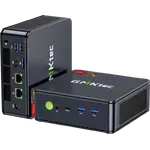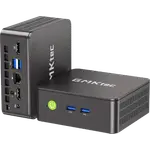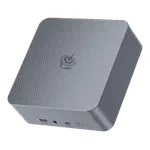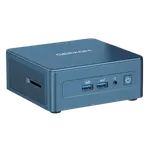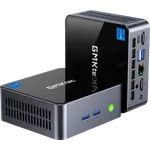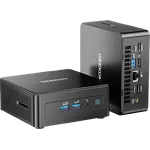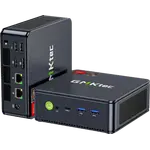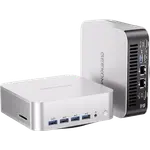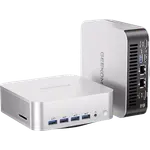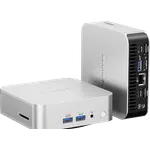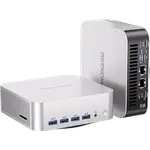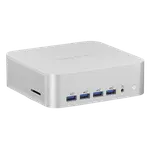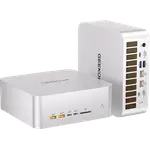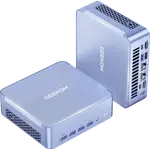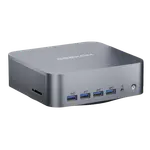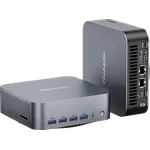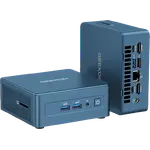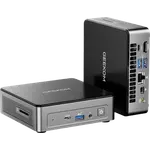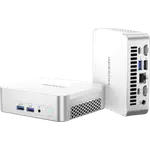
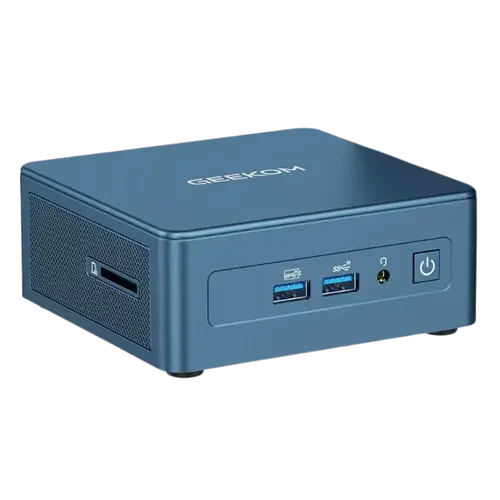


GEEKOM IT13 Mini PC (Core i9-13900HK, 2TB) Review: A Small, Quiet, Powerful Desktop That Punches Above Its Price
The GEEKOM IT13 (Intel Core i9-13900HK, Iris Xe graphics, 32GB DDR4, 2TB SSD, Windows 11 Pro) is a compact, premium mini PC that owners rate highly. The recurring theme is 'small, quiet powerhouse': it's tiny with a solid metal chassis, near-silent at idle (the fan only becomes audible under load, and even then it's more background noise than annoyance), and genuinely fast. Owners use it well beyond basic tasks, 4K video editing, batches of 800+ RAW photos, professional DAWs and music software, running local AI LLMs, and as a 24/7 Plex or NAS server, while staying snappy. It drives dual monitors (two HDMI ports) including large 4K and 49-inch ultrawide displays, offers strong connectivity (USB4, Wi-Fi 6E, SD), sets up easily, frees up desk space, and comes with a 3-year warranty (full replacement in year one). It's repeatedly called excellent value, with several owners buying more for colleagues. The caveats: the integrated Iris Xe graphics are only okay for casual games, not a serious gaming rig, so gamers should look elsewhere. It runs warm under sustained load (the small case limits airflow, so the fans stay on, place it with ventilation in mind). And customer support is inconsistent, most owners never needed it (and some in Europe praised it as fast and competent), but at least one U.S. buyer hit a setup problem and got no response. For a quiet, capable productivity and creation mini PC, it's a standout value.
- Productivity, office and remote work
- 4K video/photo editing, DAWs and content creation
- Local AI (LLMs), Plex or NAS servers
- Small, quiet dual-monitor desktops
Pros
- Small, quiet and powerful; near-silent at idle with a solid metal build
- Strong i9 performance with 32GB RAM for editing, DAWs, local AI and Plex/NAS
- Dual HDMI drives 4K/dual monitors; USB4, Wi-Fi 6E, SD; easy setup
- Excellent value with a 3-year warranty (full replacement in year one)
Cons
- Integrated Iris Xe graphics: fine for casual games, not serious gaming
- Runs warm under sustained load; fans stay on (place with good airflow)
- Customer support is inconsistent (great for some, unresponsive for others)
- Some wish for a stronger GPU
Who is the GEEKOM IT13 for?
This is a compact, powerful mini PC built on the Intel Core i9-13900HK with Iris Xe graphics, 32GB of DDR4 RAM, a 2TB SSD and Windows 11 Pro, with dual HDMI, USB4, Wi-Fi 6E and an SD slot. It's ideal for productivity, office and remote work, and demanding creative tasks like 4K video and photo editing, DAWs, local AI, and always-on Plex/NAS duty, all in a space-saving, quiet box that drives dual (including 4K) monitors. It's not aimed at serious gamers (integrated graphics) or anyone who needs a discrete GPU or more than 32GB of RAM.
What buyers love
The standout is the combination of small size, quiet operation and real power. Owners describe it as near-silent at idle, with the fan only audible under heavy load, and praise the solid metal build over the plastic used by some rivals. Performance impresses across serious workloads: 4K video editing, large RAW photo batches, professional DAWs and music software, running local AI LLMs, and serving media 24/7 via Plex while staying responsive. It handles dual monitors and large 4K/ultrawide displays with ease, has abundant modern ports (USB4, Wi-Fi 6E, SD), and sets up quickly. Owners highlight excellent value and the reassuring 3-year warranty (full replacement in year one), with several buying additional units for colleagues after upgrading from older towers.
What to know before you buy
First, graphics: the integrated Iris Xe is fine for casual gaming but not a serious gaming machine, so if gaming is a priority, choose a system with a discrete GPU. Second, heat: under sustained heavy load the small chassis limits airflow, so it runs warm and the fans stay on (audible but not too loud), position it with good ventilation for long editing or compute sessions. Third, support is inconsistent: many owners never needed it, and several in Europe specifically praised GEEKOM's support as prompt and competent, but at least one U.S. buyer hit a first-boot setup issue (a stuck 'defaultuser0' login) and couldn't get a response, so experiences vary. As with other GEEKOM machines, buying from a trusted source is wise.
Is the GEEKOM IT13 worth it?
For non-gaming use, absolutely. It packs i9 performance, 32GB of RAM and a fast 2TB SSD into a quiet, well-built, tiny package that handles editing, DAWs, local AI and server duty with ease, and it's backed by a 3-year warranty, which is why owner sentiment stays consistently positive. Just weigh the trade-offs: integrated graphics limit serious gaming, it runs warm under sustained load, and customer support can be inconsistent. If you want a compact, quiet, powerful desktop for productivity, creative work or always-on server tasks, it's an outstanding value; dedicated gamers or those needing a discrete GPU should look elsewhere.
Frequently asked questions
Can I game on the GEEKOM IT13?
Only casually. The integrated Iris Xe graphics run many lighter games smoothly, but this isn't a serious gaming rig, several owners specifically wish the GPU were stronger. For demanding titles you'll want a system with a discrete graphics card; for productivity and creative work, it's excellent.
Is it quiet, and does it get hot?
It's near-silent at idle, with the fan only becoming audible under heavy load (more background noise than annoyance). Under sustained load it does run warm, since the small chassis limits airflow and the fans stay on, so give it good ventilation for long editing or compute sessions.
Is it powerful enough for editing, music production or AI?
Yes. Owners handle 4K video editing, large RAW photo batches, professional DAWs and music software, and even run local AI LLMs (CPU usage runs high but results come in reasonable time). With the i9 and 32GB of RAM, it stays responsive under demanding multitasking.
How is GEEKOM's customer support?
Inconsistent. Many owners never needed it, and several in Europe praised it as prompt and competent. However, at least one U.S. buyer with a first-boot setup problem (a stuck 'defaultuser0' login) reported getting no response. It comes with a 3-year warranty, but support experiences vary.
Can I use it as a Plex or NAS server?
Yes. Owners run it as a 24/7 Plex media server, serving content to the family while the local interface stays snappy, and GEEKOM mini PCs are also used for always-on, low-power NAS/Docker setups. Its performance and small footprint suit that role well.