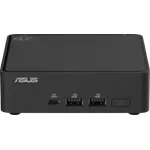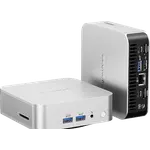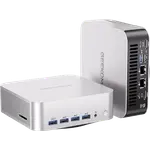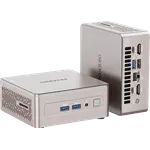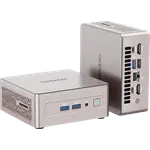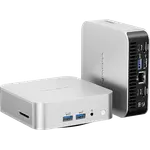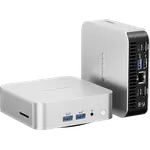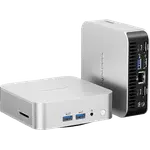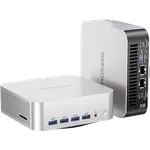


Geekom iX12 Review: The Fanless N95 Mini PC Built to Run a Network, Not a Game
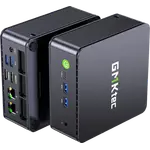
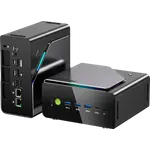
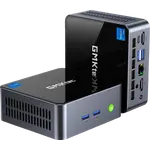
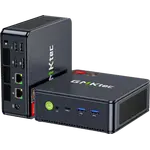
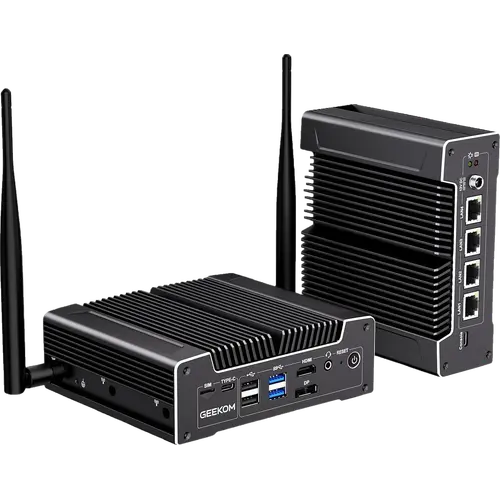
The Geekom iX12 is a fanless mini PC aimed at network and edge jobs rather than desktop gaming: an Intel N95, 8GB of DDR5, a 256GB M.2 SATA SSD and four Intel 2.5GbE ports in an aluminum chassis with no moving parts. It runs Windows 11 Pro out of the box and also supports Linux and Ubuntu, so it suits pfSense, OPNsense, Proxmox, XCP-ng and light always-on services. The trade-off is the modest N95 and its single memory slot, so plan around light, steady workloads, and the three-year warranty makes the price easier to justify.
- Home labs and always-on services
- Firewall and router builds
- Small edge deployments
- Silent office or closet installs
Pros
- Fanless aluminum chassis that is silent and resists dust
- Four Intel 2.5GbE ports for real network separation
- 8GB of DDR5 at 4800MHz, upgradeable to 32GB
- Triple display output through HDMI, DisplayPort and USB-C
- TPM 2.0, Kensington lock and a three-year warranty
- VESA mount, HDMI cable and six antennas included
- Windows 11 Pro preinstalled, with Linux and Ubuntu support
Cons
- The Intel N95 and single-channel memory limit heavy workloads
- No Thunderbolt and no SD card slot
- No built-in speakers or microphone
- Cellular access needs an optional modem and a SIM plan
- The base 8GB of memory and 256GB SSD are tight for many virtual machines
Who is the Geekom iX12 for?
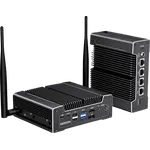
This is a machine for steady, low-power work rather than a general desktop. The fanless aluminum chassis has no fan and no dust intake, which fits a network closet, a rack shelf, a retail counter or an office where noise is unwelcome. Four Intel I226-V 2.5GbE ports make it a natural fit for a firewall or router build, for separating WAN, LAN, guest and management networks, or for running a small virtualization host. It also works as an always-on home server for light containers, DNS, backups and monitoring, and the official support for Linux and Ubuntu helps if you would rather not run Windows.
What the Geekom iX12 offers
The Intel Processor N95 is a 4-core, 4-thread chip with a 15W TDP and a 3.4GHz maximum turbo, paired here with 8GB of DDR5 running at 4800MHz in a single SO-DIMM slot that can take up to 32GB. Storage starts with a 256GB M.2 2280 SATA SSD, and the platform also allows an internal 2.5-inch SATA drive and an onboard eMMC module for a separate boot or recovery volume. Networking is the headline: four Intel I226-V 2.5GbE ports, Wi-Fi 6 and Bluetooth, plus six antenna mounts and a SIM slot that are reserved for an optional 4G or 5G modem. Video comes out over HDMI 1.4 at 4K60, DisplayPort 1.4 at 8K60 and a USB-C 3.2 Gen 2 port at 4K60, so three displays can run at once. Security and durability are covered by TPM 2.0, a Kensington lock slot, an operating range of -10 to 50 degrees Celsius, and a three-year warranty.
What to know before you buy
The N95 is efficient but not fast, and a single SO-DIMM means the memory runs in single-channel mode, so this is not a machine for heavy transcoding, gaming or large virtual machine fleets. There is no Thunderbolt, no SD card slot and no built-in speaker or microphone, and the base 8GB of memory and 256GB SSD will fill quickly if you plan to run several virtual machines. Cellular access is only possible with an optional modem module and a SIM plan, and the 2.5GbE ports need a matching switch or router to reach their full speed. The threaded DC jack and the included VESA bracket are small touches that matter in a permanent install.
Is the Geekom iX12 worth it?
For its niche, yes. A fanless chassis, four 2.5GbE ports, DDR5 memory, TPM 2.0 and a three-year warranty are a lot of connectivity and peace of mind for an industrial-style mini PC, and the low 15W processor keeps power use and heat down in a box that runs around the clock. If your work is a firewall, a small virtualization host, a home lab or a quiet always-on service, it is a focused fit. If you need raw CPU performance, Thunderbolt, or a machine for photo and video editing, look at the higher-tier mini PCs instead.
Frequently asked questions
Can the Geekom iX12 run pfSense, OPNsense or Proxmox?
Yes. Geekom lists pfSense, OPNsense, Proxmox VE, XCP-ng, Ubuntu and other Linux distributions among the supported software, and the four 2.5GbE ports are well suited to a firewall or virtualization host.
How many displays can the Geekom iX12 drive?
Up to three at once, through HDMI 1.4 at 4K60, DisplayPort 1.4 at 8K60 and the USB-C 3.2 Gen 2 port at 4K60.
Can I upgrade the memory and storage on the Geekom iX12?
Yes. There is one SO-DIMM DDR5 slot that supports up to 32GB, an M.2 2280 SATA SSD slot that supports up to 2TB, and room for an optional 2.5-inch SATA drive and an onboard eMMC module.
Does the Geekom iX12 have Wi-Fi and Bluetooth?
Yes. It includes Wi-Fi 6 (802.11ax) and Bluetooth, along with six antenna mounts; four of those mounts are reserved for an optional 4G or 5G modem.
Is the Geekom iX12 really silent?
Yes. It uses a fanless design with an aluminum finned chassis and has no moving parts, so it produces no fan noise and takes in no dust through a fan.
What comes in the box with the Geekom iX12?
The mini PC, a power adapter, an HDMI cable, a VESA mounting bracket, six antennas and a user manual.